
Participant
July 27, 2024
Question

Can’t save to OneDrive from app

  • July 27, 2024
  • 1 reply
  • 1033 views

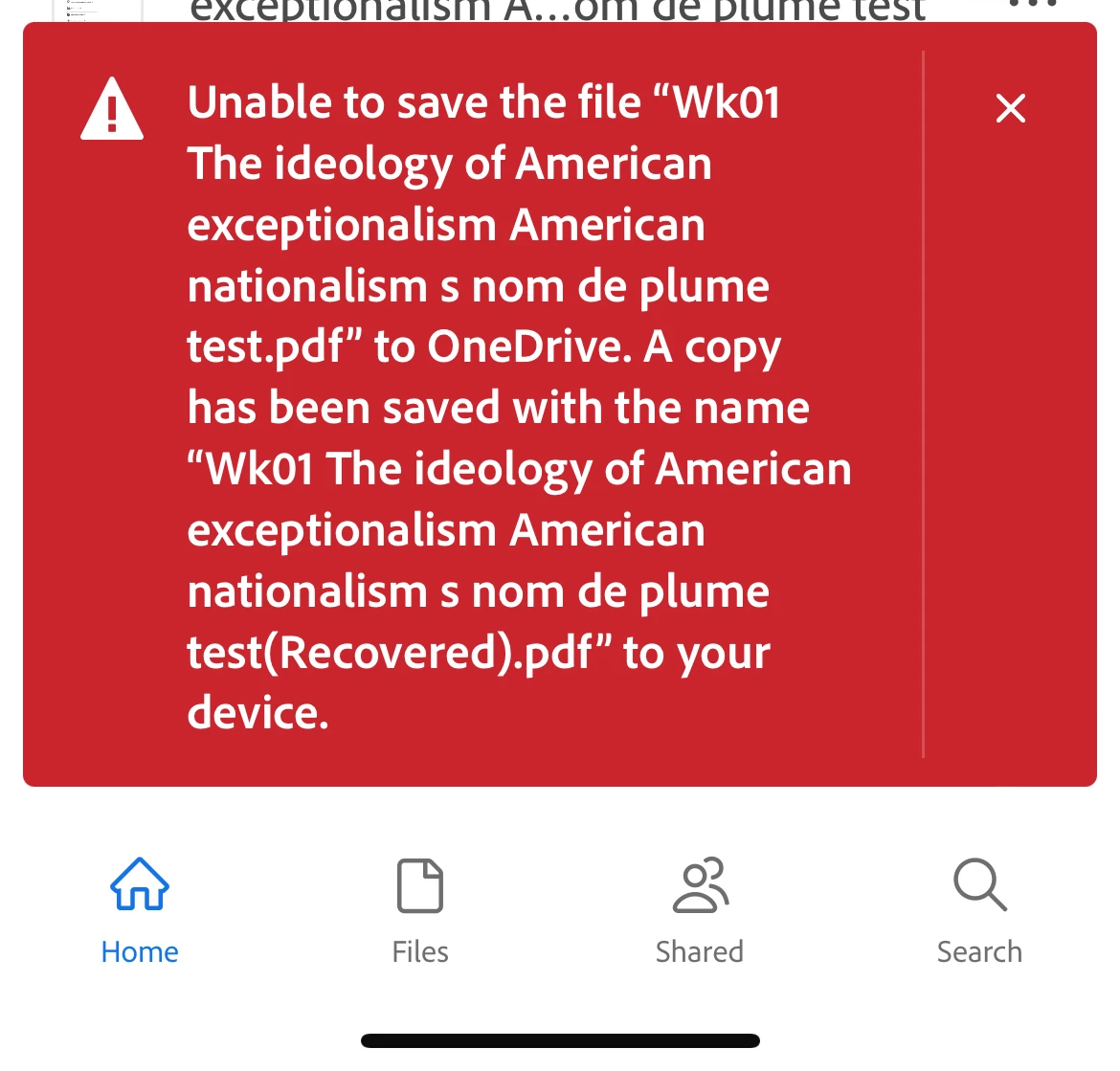
I use the Adobe Acrobat Reader app on my iPad for study and have always been able to read an article, make highlights and annotations and the markups will save to my OneDrive. However I'm no longer able to save. I can still access the files from OneDrive but get the below message when I leave the PDF. Has something changed as I've never had this issue before?
1 reply

Inspiring
July 29, 2024

Hi @Jonathan38843654psy9


I hope you're doing well, and thank you for reaching out.

Could you please provide more details about the workflow or steps you're using to save the PDF to OneDrive? If you're using the 'Copy to' option within the Acrobat Reader mobile application, try removing the OneDrive storage from the app, rebooting your device, and then adding the OneDrive storage back to the Acrobat Reader Mobile app. This might resolve the issue.

Additionally, please check for any pending or missing updates for your iPad and the Acrobat Reader Mobile application. You can do this by visiting the App Store. After updating, reboot your device.


You may also use the Share icon to save the PDF to OneDrive.

Open the PDF and click on Share icon provided at the top right corner on the screen.

Then click on the Share a copy button provided at the bottom of the screen. Now select OneDrive from the list of the options appears.

Note: Please ensure that the OneDrive application is installed on the device. 


~Amal


Participant
May 31, 2025

This is exactly happening to me. The workflow would be to access my One Drive documents , highlight and markup the PDF but it gives me the same error when I leave the PDF. I've already updated both my Adobe and One Drive app via iPad (iPad is already updated) and unlinked / relinked my One Drive account. As a test, I've used Google Drive and it had no issues but it seems like the One Drive intergration on iPad is an issue

Amal.
Community Manager
Community Manager
June 2, 2025

Hi there 


Hope you are doing well, and thanks for reaching out. 


This is a known issue and our team is working on it. We will share the update as soon as we get more information. 


Thanks for your time and patience.