
Participant
March 5, 2020
Answered

Cannot add iCloud Drive as Location on Adobe Reader for iPad

  • March 5, 2020
  • 1 reply
  • 4344 views

I used to open pdf files from my iCloud drive directly into Adobe Reader .... comment, highlight, etc. and then it would automatically save these changes directly into my icloud.


I cannot seem to do that now. What i noticed is that in the LOCATIONS section of Acrobat reader, icloud is not there.  I checked my icloud settings on the ipad, and for some strange reason Adobe is greyed out 
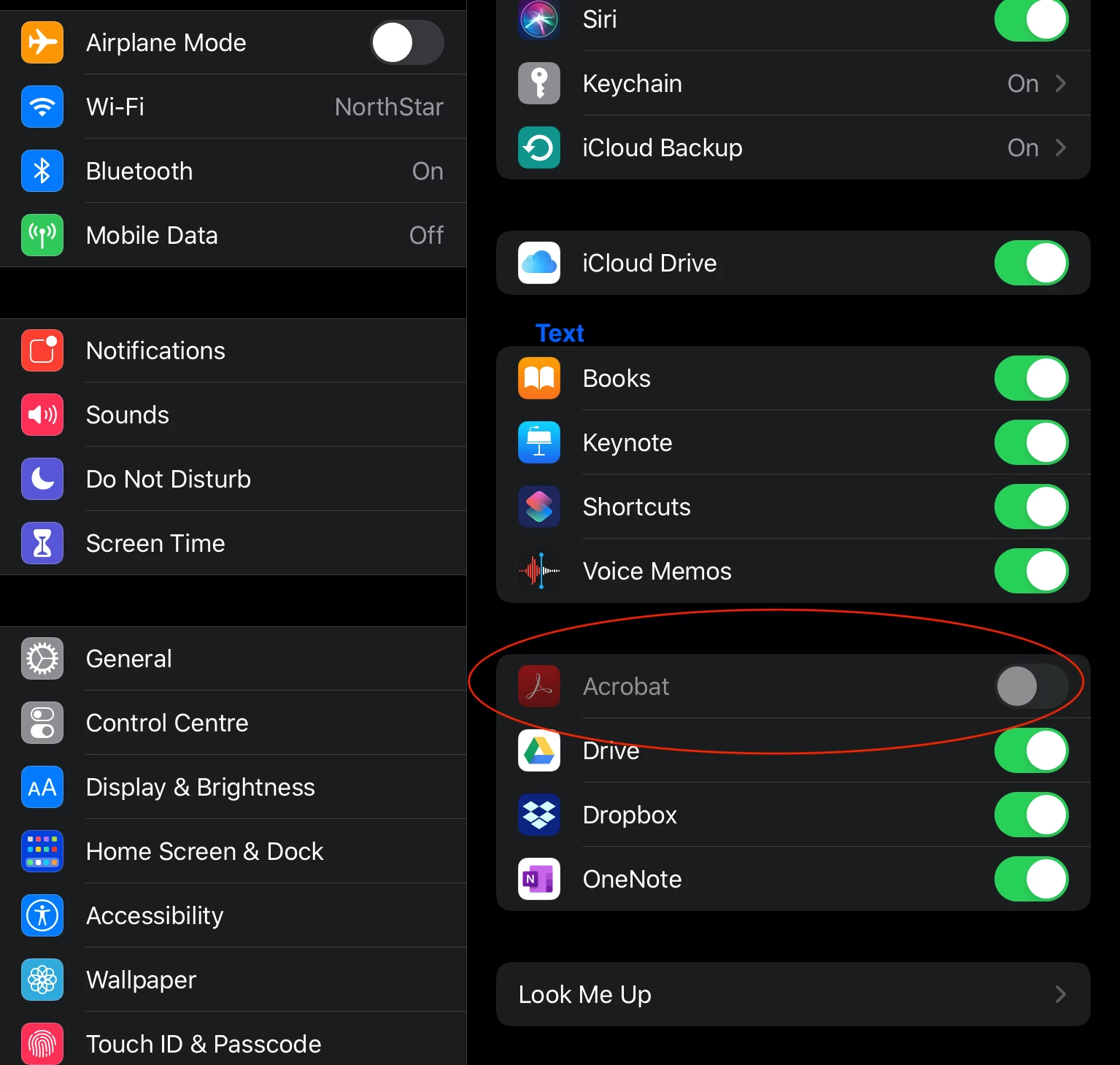
 

Any suggesions?

This topic has been closed for replies.
Correct answer default2qujqjgu4ctl

I have the same problem. I'm paying a lot of money to subscribe to adobe. They should make it easy for me to do choose where to save my documents. 

1 reply

ls_rbls
Community Expert
Community Expert
March 8, 2020

Hi,


Are you at least able to open the Reader mobile app normally?


If it opens and allows you to use it, see if you need to sign in with your AdobeID to commit your settings preferences. It seems as if iCloud and Adobe Document Cloud are competing for cloud services ownership.

default2qujqjgu4ctlCorrect answer
Participant
November 8, 2021

I have the same problem. I'm paying a lot of money to subscribe to adobe. They should make it easy for me to do choose where to save my documents.