Participant
May 22, 2023
Answered

Cannot share pdf within the app Acrobat Reade on Android

  • May 22, 2023
  • 1 reply
  • 2366 views

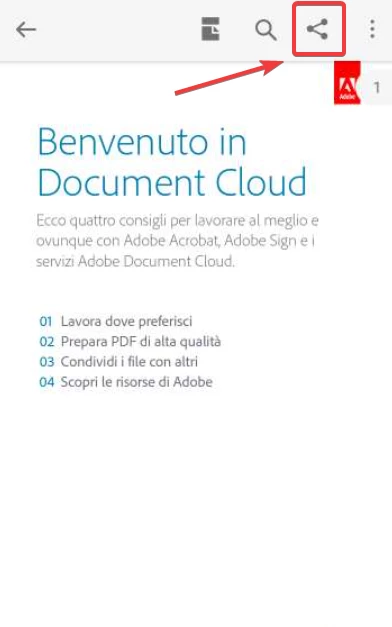
Hi! I'm facing an issue tying to share a pdf file directly from the Android app Acrobat Reader.

This app has been distributed through an EMM (Samsung Knox Manage) to all of our users (more than 2000) but many of them tell us that they are not able to do this simple operation

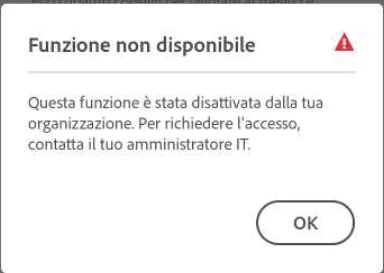
It appears a message saying "This funcionality has been disabled by your organization. To ask access, contact you IT Administrator." The thing is that I didn't deactivate that funcion, or at least not intentionally!

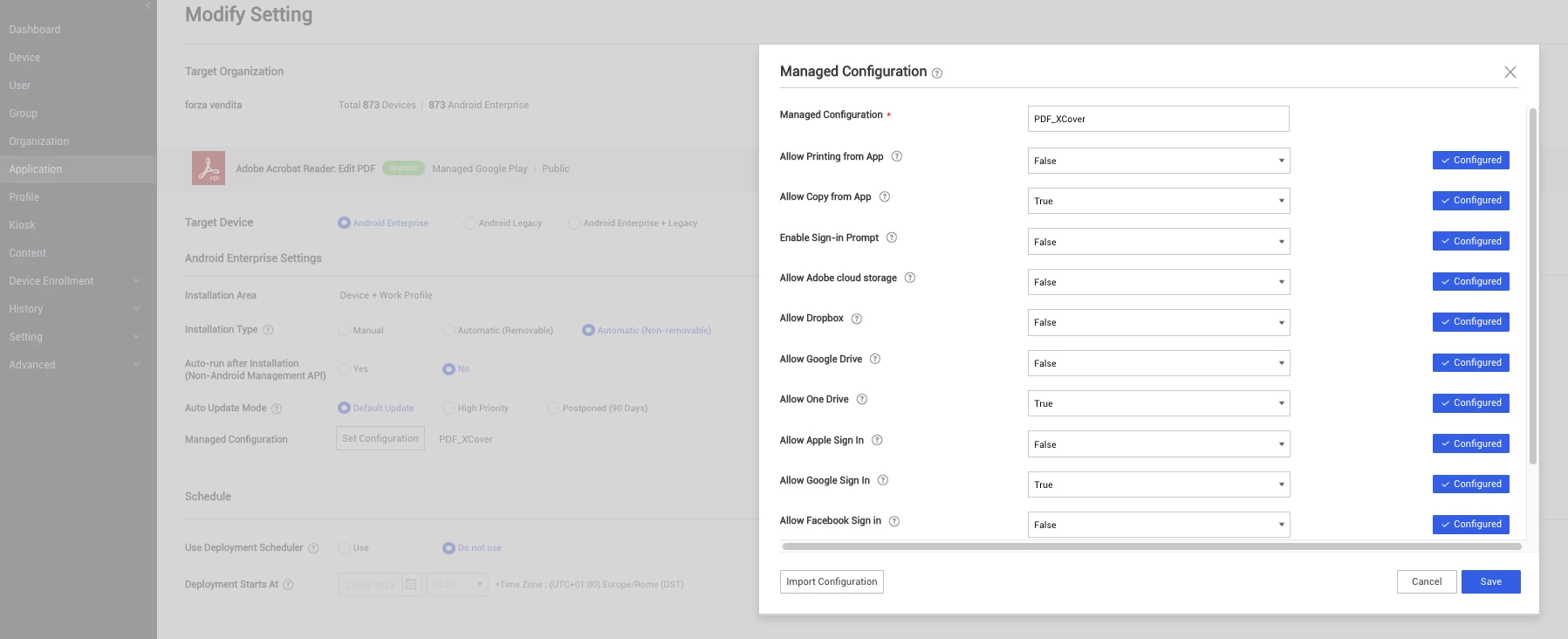
Attached a couple of screenshots showing the issue from the device side, and a screenshot taken from the EMM console showing the managed configuration used on these devices

Thanks! Stefano
 

Correct answer S_S

Hi @Stefano30001961l023,


I understand your point. This is just a workaround that I shared with you.


Our team is aware of the issue and working to fix it. Once fixed, I will also update the thread for your knowledge.


-Souvik

1 reply

S_S
Community Manager
Community Manager
May 22, 2023

Hi @Stefano30001961l023,


Hope you are doing well. Sorry for your experience with Acrobat Reader Mobile.


Would you mind changing the value for Adobe Cloud Storage to True and then checking again?


While you do so, I will share this with the team to check internally and get back to you with a concrete resolution.


-Souvik

Participant
May 30, 2023

Hi Souvik, I tryed to change the value for Adobe Cloud Storage to "True" and now I'm able to open the "Share" windows and at the bottom of the screen I can finally choose "Send a copy.." and being able to share via Outlook app (see screnshots attached)!

In my opinion, how it's designed righ now it's not optimal: if I select the option "Adobe Cloud Storage" to "False", the app should just block the possibility to access to that service, and not to the whole "Share to" section

Please consider asking to modify this behaviour

Thanks for your support! Stefano

S_S
Community Manager
S_SCommunity ManagerCorrect answer
Community Manager
May 30, 2023

Hi @Stefano30001961l023,


I understand your point. This is just a workaround that I shared with you.


Our team is aware of the issue and working to fix it. Once fixed, I will also update the thread for your knowledge.


-Souvik