Participant
July 25, 2022
Answered

Change voice on Android

  • July 25, 2022
  • 2 replies
  • 12564 views

Hello,

I'm listening to pdf on my andriod phone, can I change the voice from female to male?

This topic has been closed for replies.
Correct answer S_S

Hello Ali,


I hope you are doing well. Per the description, I understand you want to change the read-aloud voice from female to male.


This option will be found in the accessibility settings of the device.

You can locate the options from the below steps:
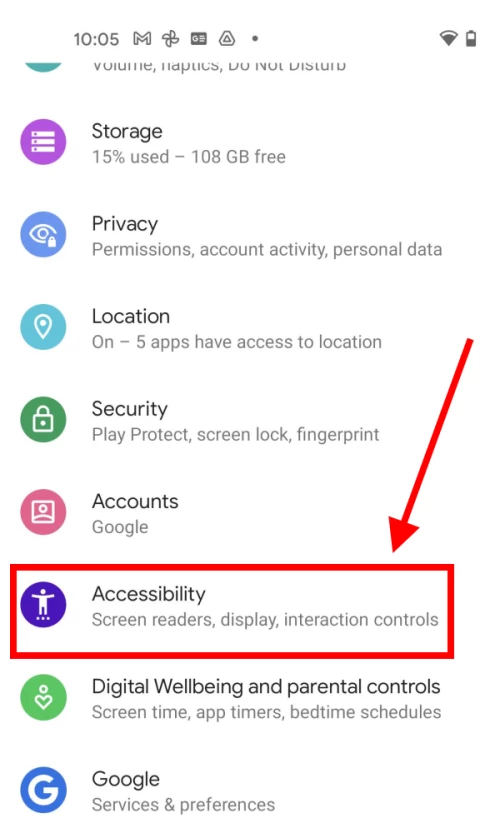
  1. Tap the Settings icon to open the Settings app. Scroll down and tap Accessibility.


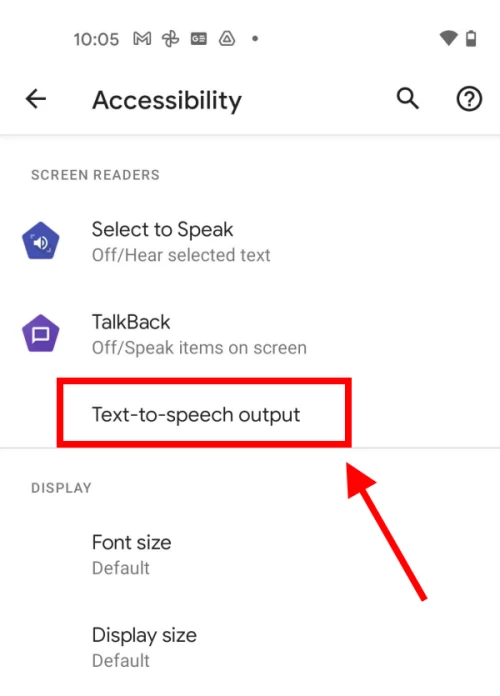
2. Scroll down to the Screen readers section and tap Text-to-speech output.


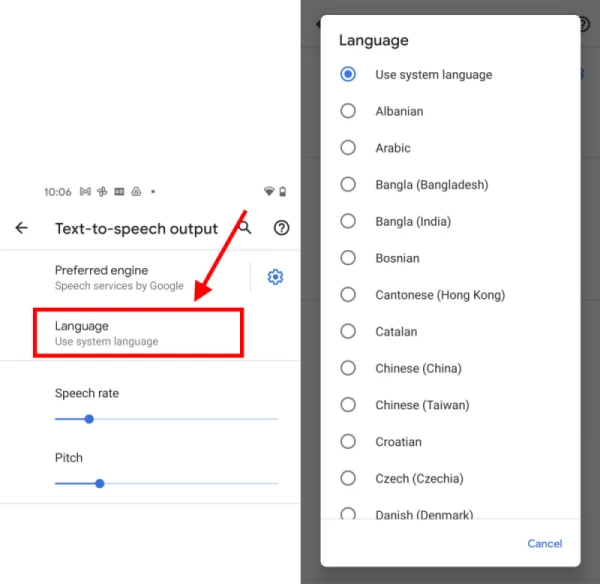
3. On the Text-to-speech output screen, tap Language. Choose a language from the available options.


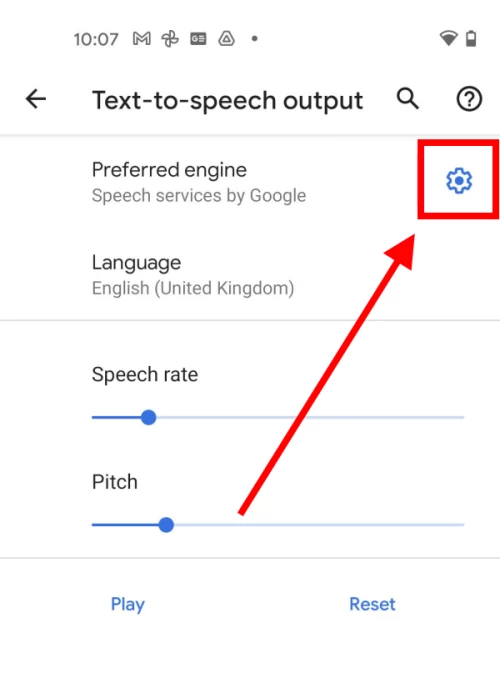
4. Many of the languages can use different male and female voices. To use a voice other than the default, tap the Settings icon next to the Preferred engine.
 

6. Tap Install voice data and select the language you wish to use. You may have to download a language pack before you can proceed.
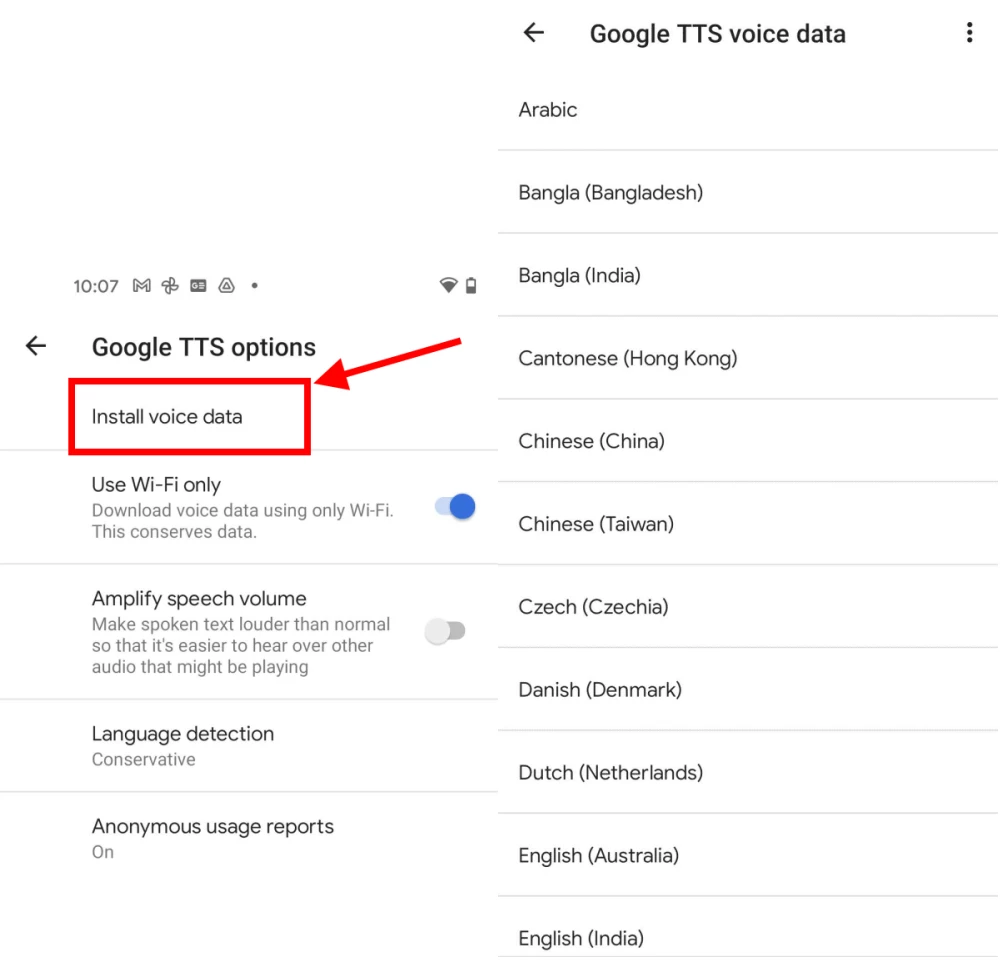
 

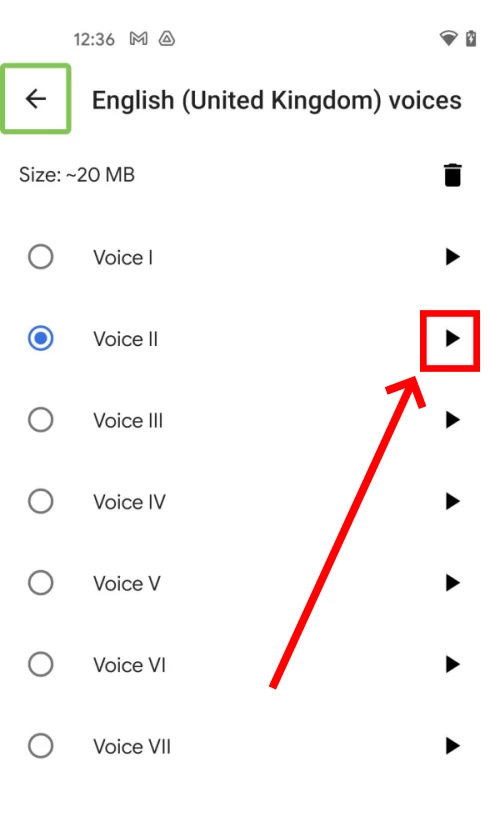
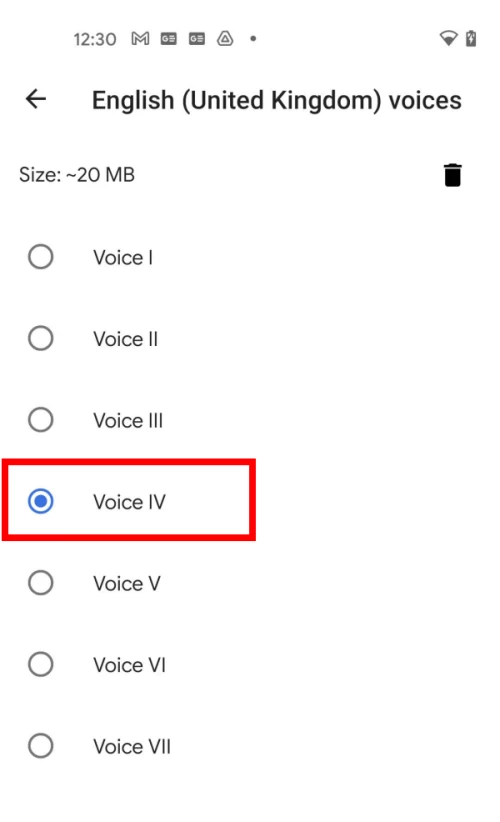
7. If you have already enabled TalkBack or Select to Speak you will see a small Play button next to each voice. Tap it to hear a sample of the voice in action. Tap the round button next to the voice to use it with Text-to-speech. If you haven’t enabled TalkBack or Select to Speak, just tap a voice to hear a sound sample. Text-to-speech will now use this voice unless you choose another one


Let me know if this helps.


Thanks,

Souvik.

2 replies

Iamfatima
Participating Frequently
October 30, 2023

Yes, you can change the voice from female to male while listening to a PDF on your Android phone. Check the settings in your PDF reader app or in your Android device's accessibility options for Text-to-Speech settings, where you can typically choose different voices, including male voices.

S_S
Community Manager
S_SCommunity ManagerCorrect answer
Community Manager
July 26, 2022

Hello Ali,


I hope you are doing well. Per the description, I understand you want to change the read-aloud voice from female to male.


This option will be found in the accessibility settings of the device.

You can locate the options from the below steps:

  1. Tap the Settings icon to open the Settings app. Scroll down and tap Accessibility.


2. Scroll down to the Screen readers section and tap Text-to-speech output.


3. On the Text-to-speech output screen, tap Language. Choose a language from the available options.


4. Many of the languages can use different male and female voices. To use a voice other than the default, tap the Settings icon next to the Preferred engine.


6. Tap Install voice data and select the language you wish to use. You may have to download a language pack before you can proceed.


7. If you have already enabled TalkBack or Select to Speak you will see a small Play button next to each voice. Tap it to hear a sample of the voice in action. Tap the round button next to the voice to use it with Text-to-speech. If you haven’t enabled TalkBack or Select to Speak, just tap a voice to hear a sound sample. Text-to-speech will now use this voice unless you choose another one


Let me know if this helps.


Thanks,

Souvik.

Participant
July 27, 2022

Hello,
Thank you for the prompt response, I did all the mentioned steps and the playback sound is now Male however, if I open my adobe app and click on the headphone to start reading the document out loud, it still uses the female voice 😞

S_S
Community Manager
Community Manager
July 27, 2022

@ali25378662wu4u Hello,


Have you checked with the standard talk-back feature on your device if it plays the male voice or not? 
This feature is not subject to change with applications but is based on the settings set on the device.


Thanks,

Souvik.