Participant
February 6, 2026
Question

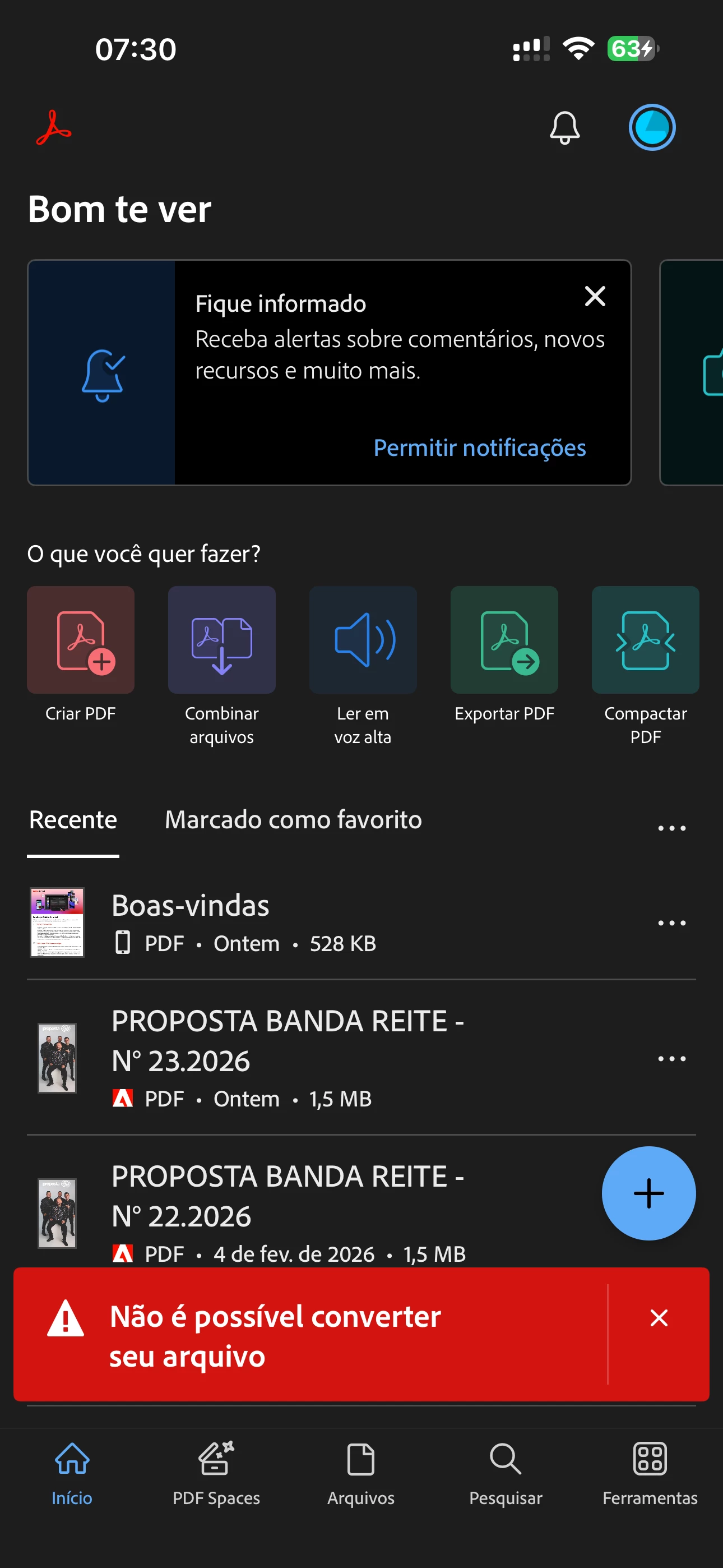
Como corrigir o erro “Não é possível converter o seu arquivo”?
  • February 6, 2026
  • 2 replies
  • 47 views

Não consigo combinar arquivos.

Sempre aparece a mensagem: “Não é possível converter o arquivo”. O que está acontecendo? Preciso concluir minhas edições e juntar os arquivos.

    2 replies

    Participant
    February 20, 2026

    Sigo com o mesmo problema. Minha conta é premium.

    creative explorer
    Community Expert
    Community Expert
    February 6, 2026

    @Renato31691330qghv You can not merge files on Acrobat Reader mobile unless you have the premium version. Which it appears you do not. 

    You could do this, my sister does this: You can use a free tool online from Adobe (you still need to create an Adobe account - don’t need to pay for that) 


    Drag and drop your files and then download the merged result! Voila! 

    m
    Participant
    February 8, 2026

    @Renato31691330qghv You can not merge files on Acrobat Reader mobile unless you have the premium version. Which it appears you do not. 

    You could do this, my sister does this: You can use a free tool online from Adobe (you still need to create an Adobe account - don’t need to pay for that) 


    Drag and drop your files and then download the merged result! Voila! 

    A minha versão é a premium sim. Aparentemente, o erro foi corrigido.

    Amal.
    Community Manager
    Community Manager
    February 23, 2026

    Hi ​@Renato31691330qghv 


    We are glad to hear that the issue got fixed. In future, please try to logout of the application, reboot the device and relogin with your Adobe credentials and check. You may also try updating the app to the latest version available on the App/Play Store and reboot the device. 


    ~Amal