
Answered
Convert to PDF error
While trying to convert a document to PDF (first document in the attached image) on my iPad Pro in Adobe Acrobat Premium app, the conversion process seems to have been stuck and the conversion icon (blue circle) stays active all the time. I cannot either stop the process nor can I delete it. Have already tried to restart the app and ipad itself, without any success.
How do I stop it? If I re-install the app, what will happen to the documents?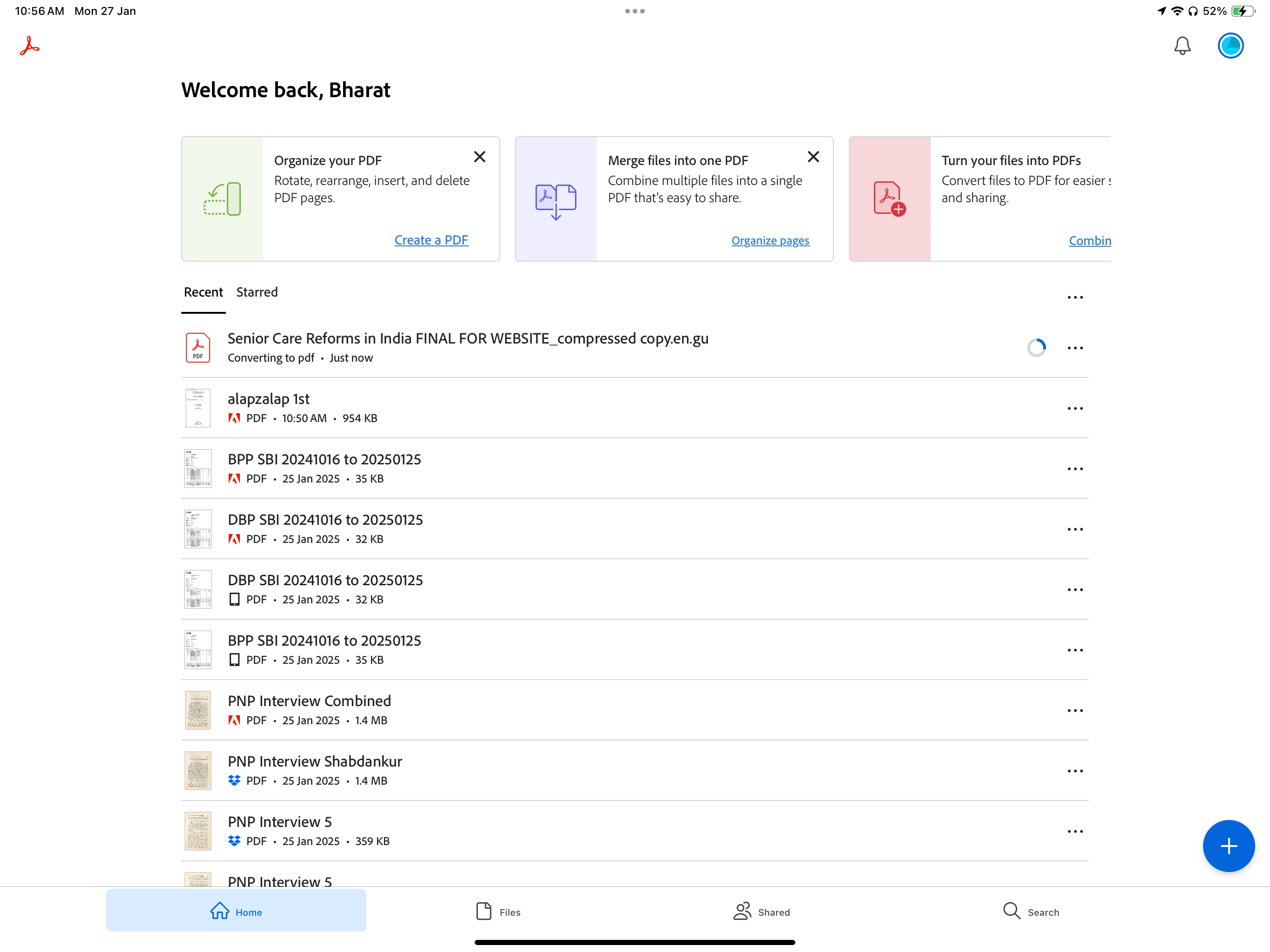


 AdChoices