


Participant
April 3, 2018
Answered

Document page numbers not correlating

  • April 3, 2018
  • 1 reply
  • 920 views

When I open a document, the document's page numbers do not match Acrobat's page numbers, making referencing difficult.

For example, in this document, the text's page 868 is referenced by Acrobat as page 896.
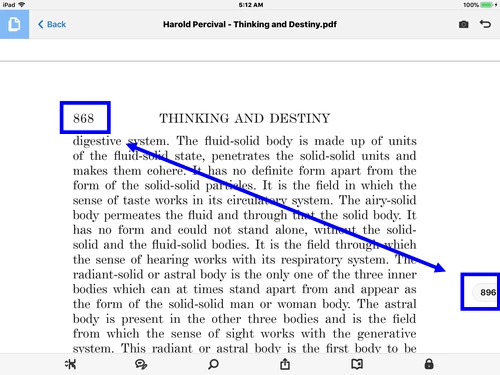
I'm using iPad Acrobat version 18.02.28.

This topic has been closed for replies.
Correct answer AkanchhaS8194121

Hi Thomwblair,

I assume that the document you are referring above contain some index and cover page and other additional pages which hasn't been given the page number? And when the document is opened in the application, its including them as well?

It would be more clear if we look into the document once and test the same at our end.

Would that be possible for you to share the file with us?

"You can share the file with us via email. And you can send it to the email that is shared via private message. Please do mention your forum thread in the subject"

Regards,

Akanchha 

1 reply

AkanchhaS8194121
AkanchhaS8194121Correct answer
Legend
April 3, 2018

Hi Thomwblair,

I assume that the document you are referring above contain some index and cover page and other additional pages which hasn't been given the page number? And when the document is opened in the application, its including them as well?

It would be more clear if we look into the document once and test the same at our end.

Would that be possible for you to share the file with us?

"You can share the file with us via email. And you can send it to the email that is shared via private message. Please do mention your forum thread in the subject"

Regards,

Akanchha 

Participant
April 3, 2018

Hi,

Yes, it has many unnumbered pages in the beginning. Attached is the text.

Thanks,

Thom.