Participant
September 19, 2022
Answered

Editing a PDF file

  • September 19, 2022
  • 2 replies
  • 1437 views

I have the Adobe Acrobat reader app and Adobe PDF. I have been trying to get it the document and I cannot figure out how to do that. I've looked at the Acrobat directions to edit a PDF again and again, it keeps saying something about a pane on the right you have to click to start editing. There is no pane on the right, there's the three dots but I don't see a pane anywhere. I've tried clicking the three dots, but it does not give me the option to edit the document. What am I doing wrong? 
This topic has been closed for replies.
Correct answer derek lau @ adobe.com

hi Peter26179476m1a5,


Thanks for contacting us. If you have premium subscription, you may try the following,

1. Open a PDF

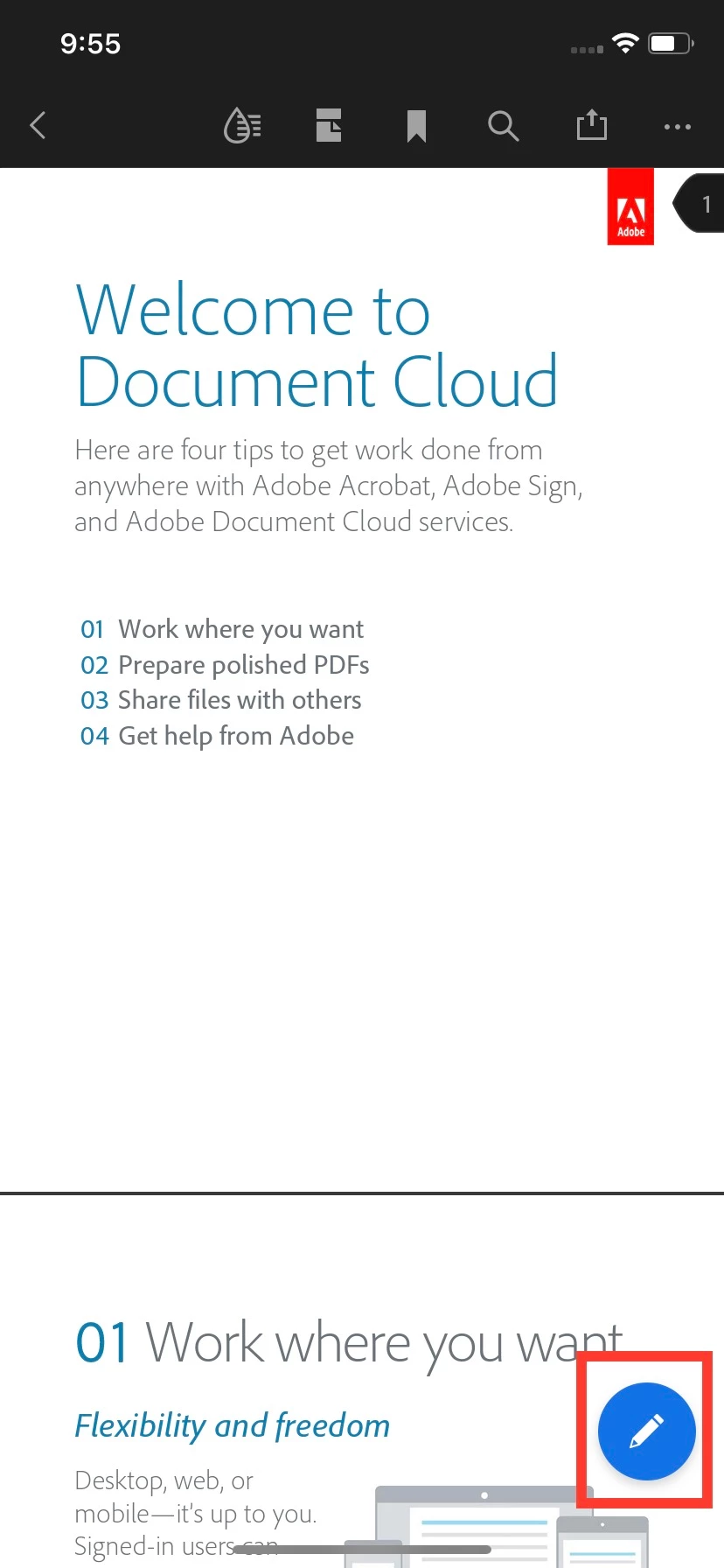
2. Tap the blue pen icon at the lower right-hand corner

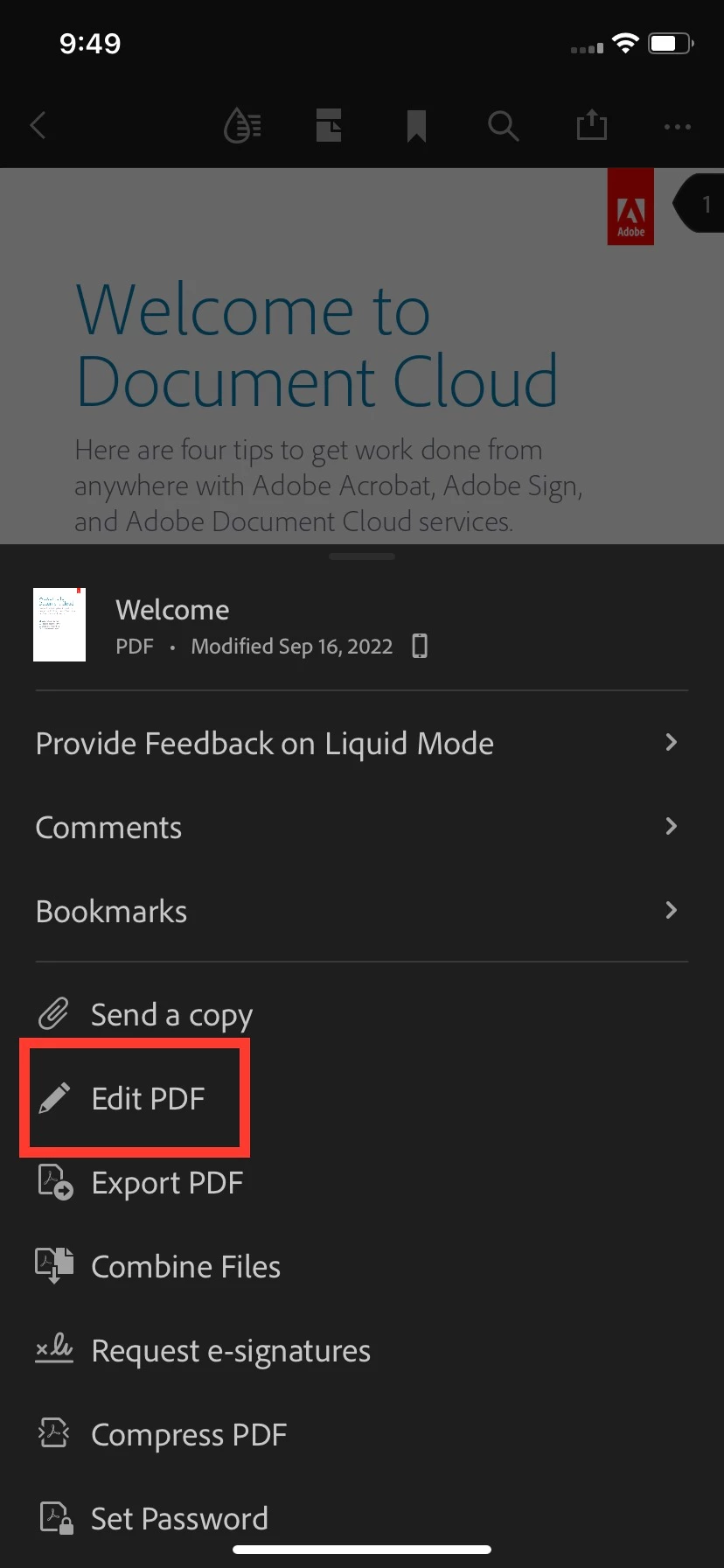
3. The popover menu should appear and the "Edit PDF" menu item should be there

4. Choose the "Edit PDF"

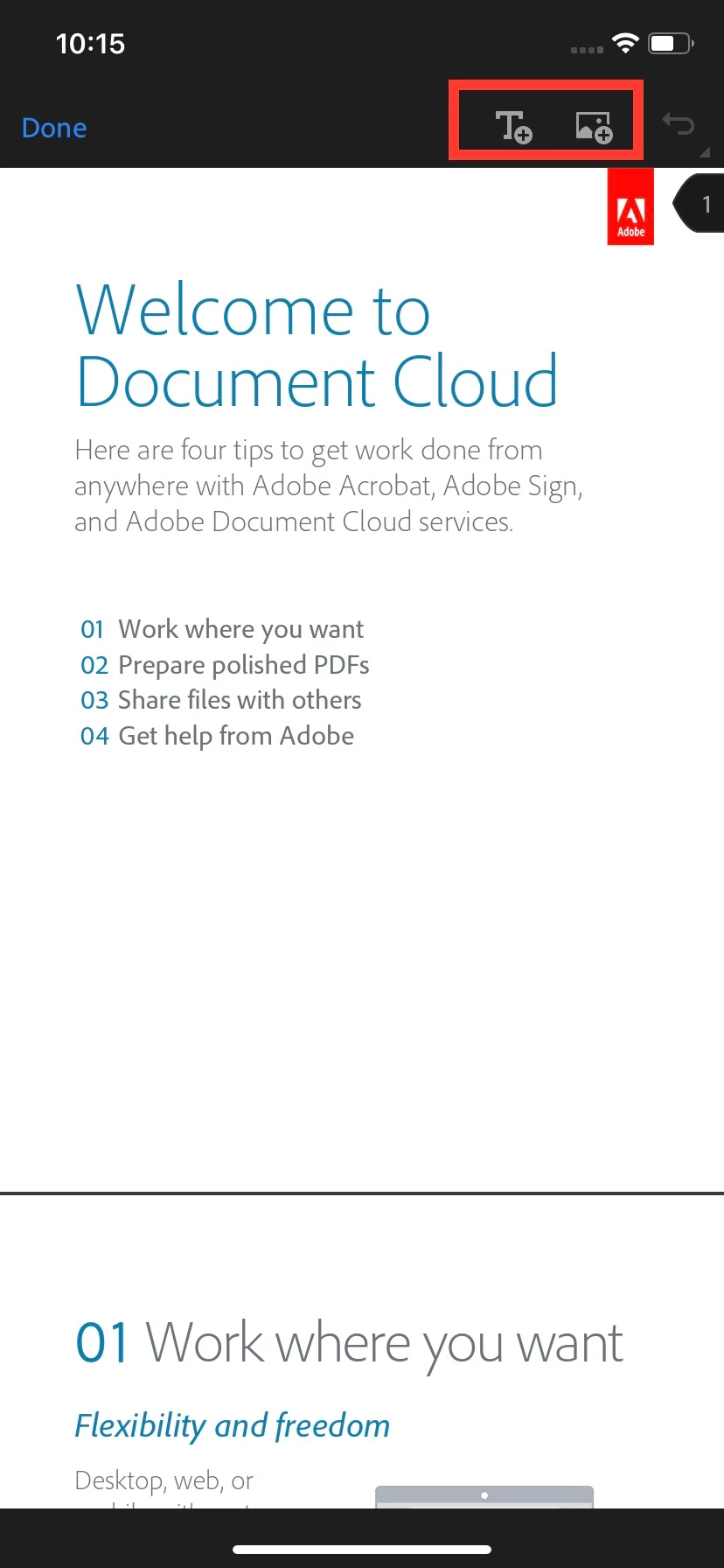
5. Now, the Add Text and Add Image buttons should be at the top bar in the "Edit PDF" mode


BTW, if you would like to get to know more about Acrobat iOS, I attached the screen recording to show how to get to the Acrobat iOS help documentation. Note that once the help documentation open in the web browser, you can tap the 3-bar (hamburger) button at the top left-hand corner to browse all topics. 


Hope this helps,

2 replies

Participant
January 17, 2024

As I see that the premium version is required to edit pdf file directly?

working for Travel to vietnam : https://vietnamdulich.vn
derek lau @ adobe.comCorrect answer
Adobe Employee
September 19, 2022

hi Peter26179476m1a5,


Thanks for contacting us. If you have premium subscription, you may try the following,

1. Open a PDF

2. Tap the blue pen icon at the lower right-hand corner

3. The popover menu should appear and the "Edit PDF" menu item should be there

4. Choose the "Edit PDF"

5. Now, the Add Text and Add Image buttons should be at the top bar in the "Edit PDF" mode


BTW, if you would like to get to know more about Acrobat iOS, I attached the screen recording to show how to get to the Acrobat iOS help documentation. Note that once the help documentation open in the web browser, you can tap the 3-bar (hamburger) button at the top left-hand corner to browse all topics. 


Hope this helps,