


Participant
September 4, 2026
Question

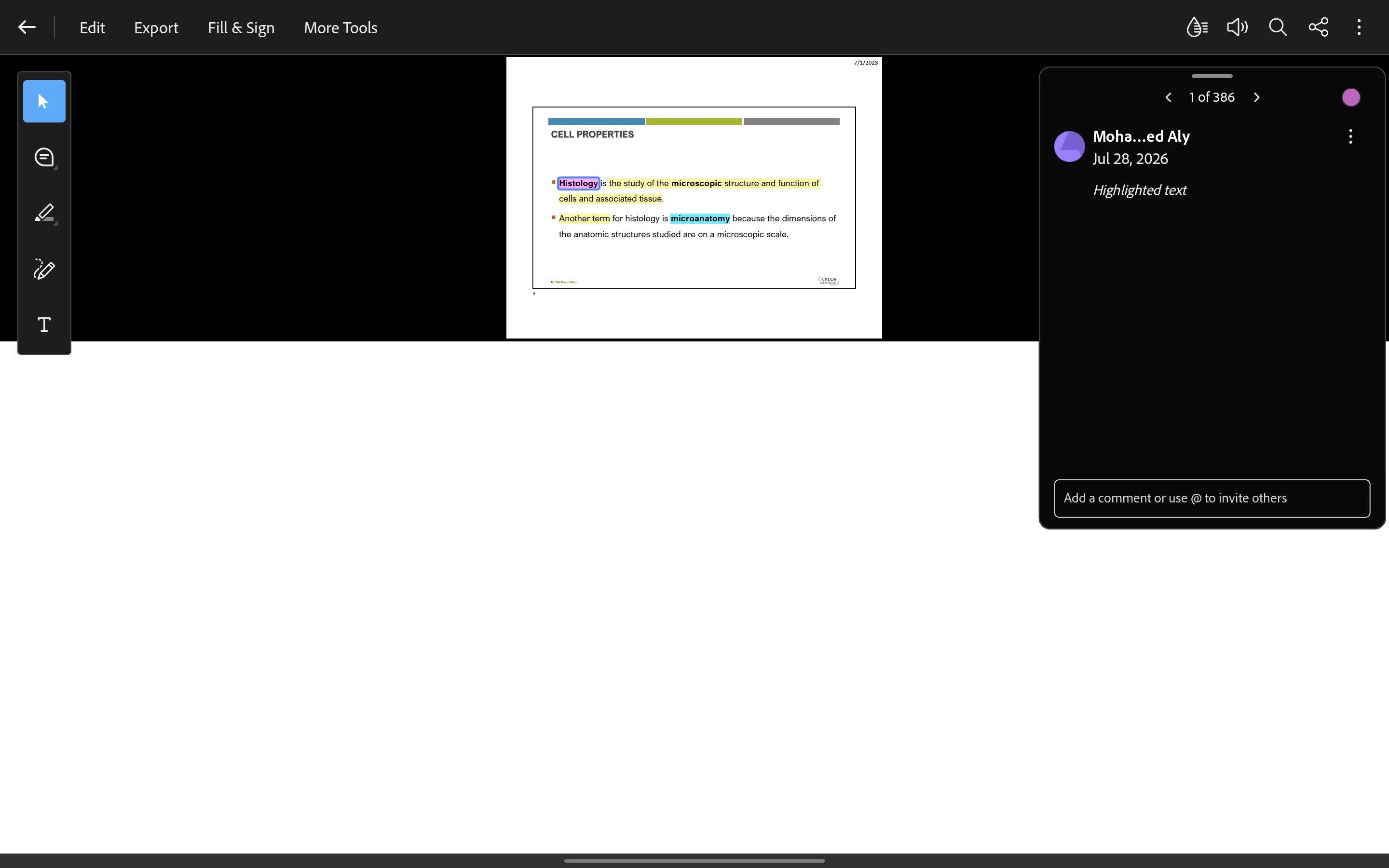
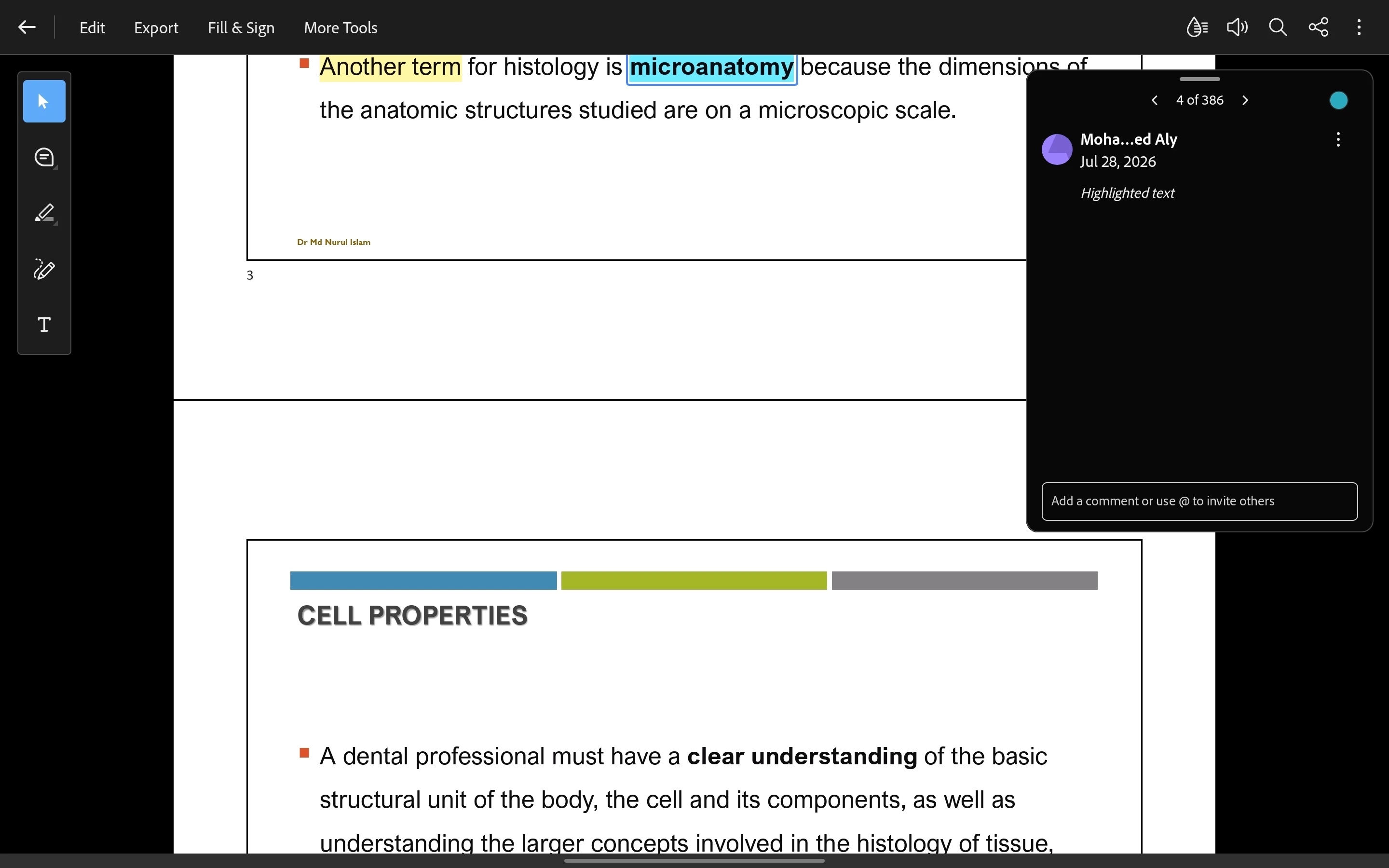
Editing highlights/comments on single page view vs continuous view
  • September 4, 2026
  • 5 replies
  • 33 views

There is an odd bug when trying to edit highlights/comments on single page view, as shown on this screenshot, it zooms away alot and there is a white box filling the screen.

Meanwhile, the same test on continuous view works as intended


    5 replies

    Participant
    September 5, 2026

    Same bug in portrait mode as well


    Amal Jaiswal
    Community Manager
    Community Manager
    September 4, 2026

    ​Hi @Mohamed27220070dyre ,


    Hope you are doing well, and thanks for reporting this with screenshots, that's genuinely helpful for a visual bug like this. I was unable to reproduce this issue at my end.


    A few things would help confirm scope: what device and OS are you using (iPhone/iPad/Android, and which version), and what version of Acrobat Reader is installed? Also, does this happen with every PDF you try editing a highlight or comment on in single-page view, or only certain documents?


    Please try the steps below and see if that works:


    • Check for a pending app update and try updating the application once.

    • Force close and reopen the app before testing again

    • Try switching to continuous view, making the edit there, then switching back to single page view, to see if the display corrects itself once you return to that document

    • If possible, try the same PDF on another device to see if it's device-specific or happens everywhere


    If it still doesn’t work, please share a small video recording of the steps you are taking and the issue as it occurs for further investigation.


    ~Amal


    Participant
    September 5, 2026

    Thank you for the swift response. Here are my device details:

    Samsung Tab S10 Fe+

    Android 16

    One UI 8.5

    Adobe Acrobat Version:


    I followed your suggested steps and the bug still occurs in single page view. I even tried a clean install of adobe acrobat, same result


    I recorded a short video but there is no option to upload it here

    Amal Jaiswal
    Community Manager
    Community Manager
    September 7, 2026

    ​Hi @Mohamed27220070dyre 

    We are sorry to hear that the issue still exists. Please upload the video recording to any cloud storage, generate a shareable link, and share that link with us so we can get this reviewed by the development team for further analysis.

    ~Amal