Participant
April 21, 2022
Answered

Fill and sign

  • April 21, 2022
  • 1 reply
  • 1664 views

I'm trying to send a form to my clients to fill and sign and do not know how, Can someone please help me?

This topic has been closed for replies.
Correct answer Souvik_98

Should I actually be pressing export option or putting in email sending it.. And how do they fill it out and send it back 


Hello,


Sorry for the delayed response.


To send it to a different user for signature, you will need the Adobe Sign application. Please follow the following steps as per the images to send it to the other user.
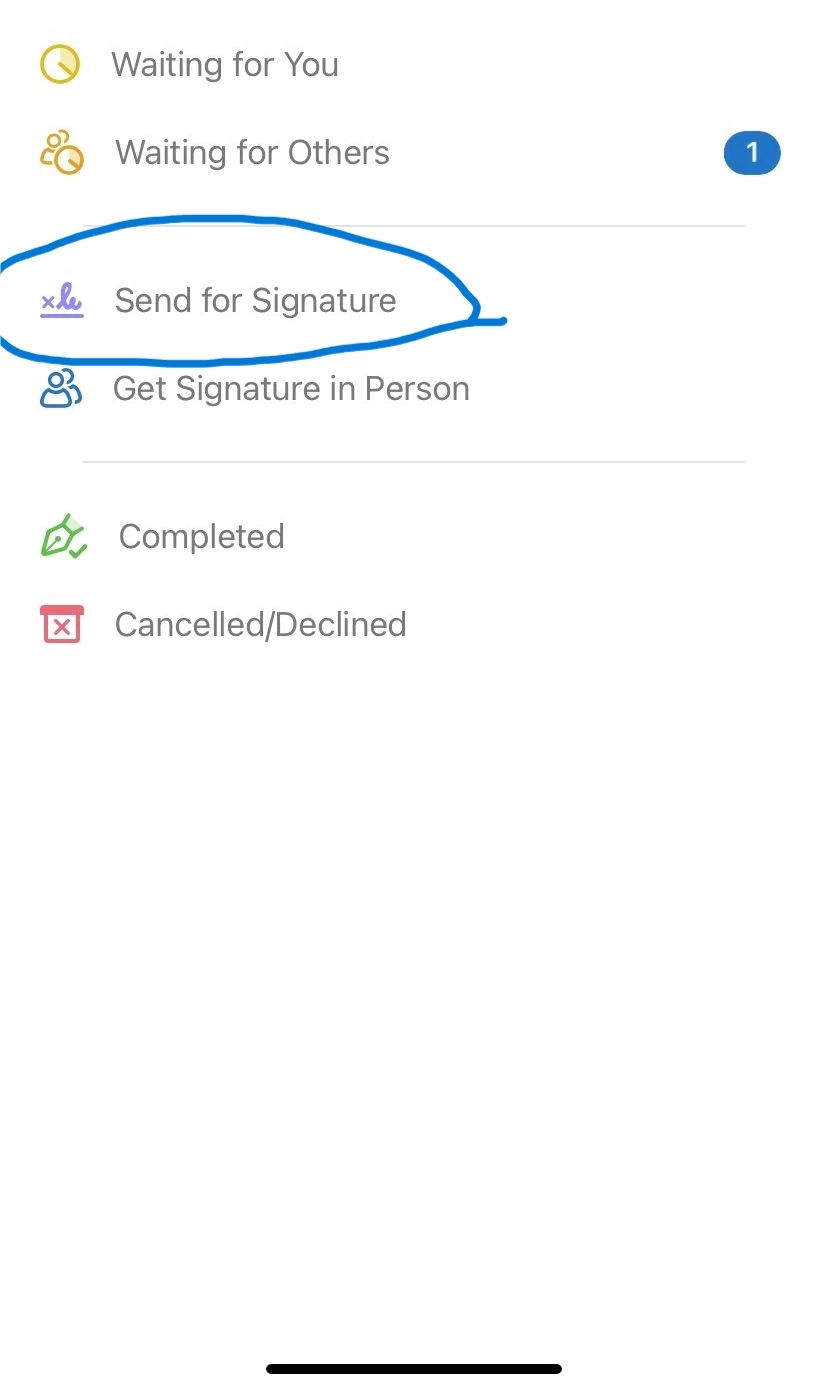
Once in the Adobe Sign application, sign in with your Adobe E-mail Address and once on this page, Select the circled option and it will lead you to the next page as per the image.
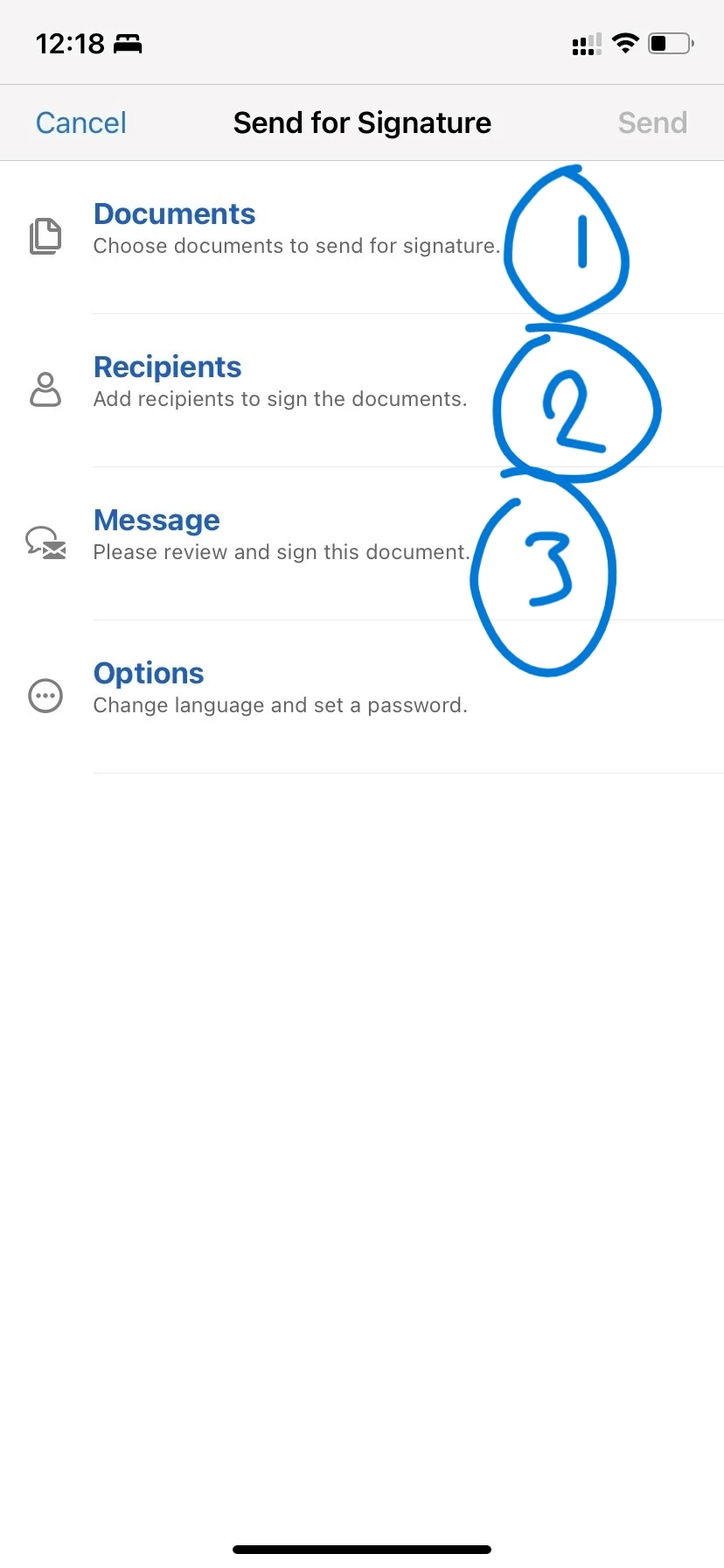
The numbered options will get you the given options.

  1.  Select this option to get the document selected for sending to the other user.
  2.  Here you will need to add the other user's e-mail address to whom you want to send the document for signature.
  3.  If you want to add in any additional message for hte other user to read before signing the document, you can add it through this option.

Once done, click the send option on the top right and it will be sent to the other user for their signature.


Once they have signed the document, you will receive a copy of the document to your e-mail address as well.


Hope this helps.


Regards,

Souvik.

1 reply

Participating Frequently
April 21, 2022

Hello Passion,


Hope you are doing well. From the above description I understand that you want to know the workflow of how to send files using fill and sign to other users.


Since you are using fill and sign, you must be using Acrobat on your desktop device right?


Once you open the file on the application follow the steps as per the below image:

You have to click on the tools icon, just beside the file name and select the option for fill and sign. Once there, you will get the option to either sign the document yourself or send it to a different user for their signature. Select the option as required.

Once you select the option for request signatures, you will get a po-up window that will ask you to add recipients you wnat to send the document to. Type in their e-mail address and they will receive the same over e-mail and can sign it by accessing the link.


Let me know if this helps.


Regards,

Souvik.

Participant
April 21, 2022

Not from a desktop from my iPhone 

Participating Frequently
April 21, 2022

Hello,


Thank you for your response. Since it is through your phone, you will get an option to export on the bottom right from where you can send it through to your clients from the export options available. 

 Please check the option and let me know if it works for you.


Thanks,

Souvik.