


Gujarati text becomes distorted in Acrobat Reader Reading Mode, while Normal Mode displays it correctly
I am using the free version of Adobe Acrobat Reader on Android.
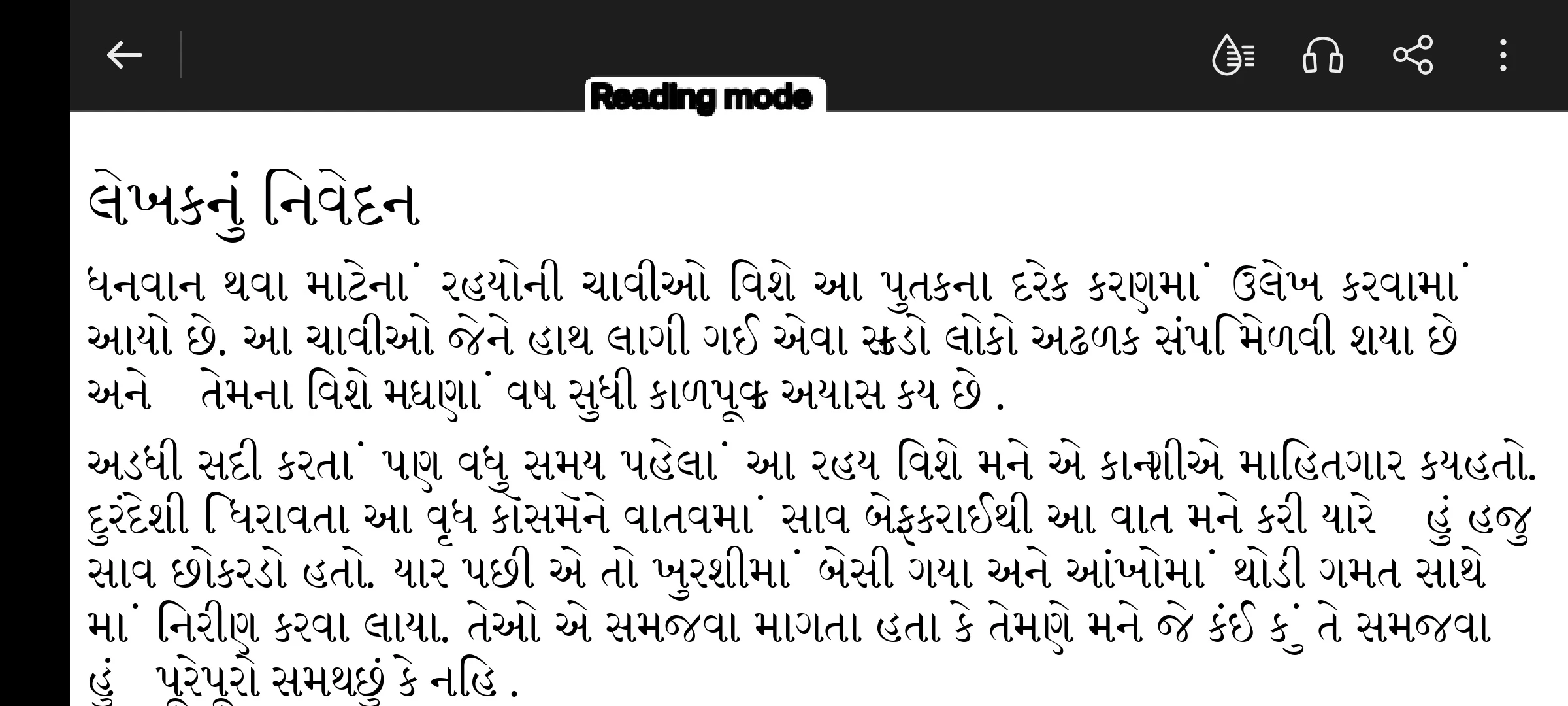
I have noticed a Gujarati text rendering problem in Reading Mode.
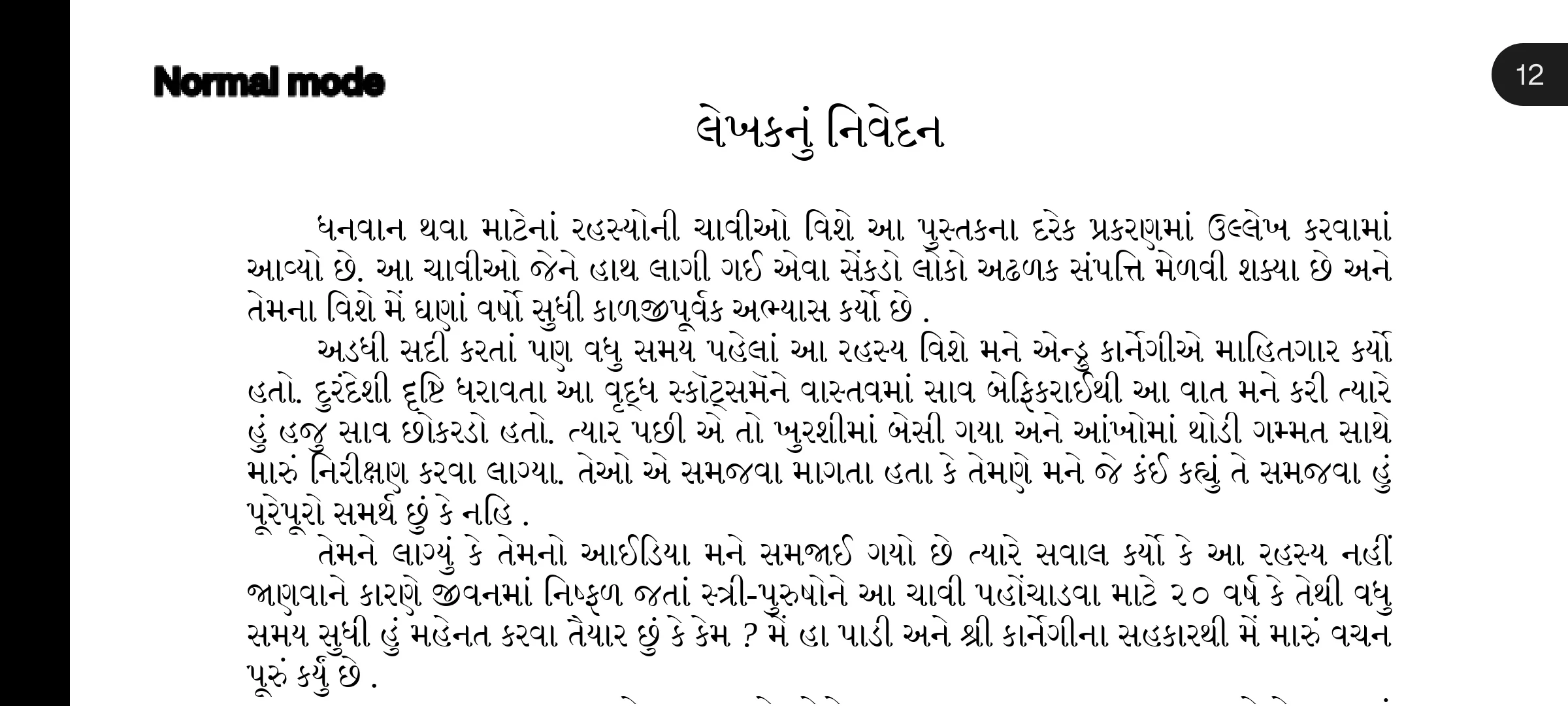
In Normal Mode, the Gujarati text in my PDF is displayed correctly. The Gujarati characters, matras, and conjunct characters appear properly and are readable.
However, when I switch to Reading Mode, the text becomes larger and is reflowed, but some Gujarati characters, matras, and conjuncts become distorted or incorrectly rendered. This changes the visual structure of some Gujarati words and makes the text more difficult to read.
The same PDF displays correctly in Normal Mode, so the problem appears to occur during the Reading Mode text reflow/rendering process.
I have screenshots showing the difference between Normal Mode and Reading Mode and would like to share them as evidence.
Could the Acrobat Reader team please investigate Gujarati Unicode text shaping, font rendering, and complex-script handling during Reading Mode reflow?
I would also like to share a concept called "Soni Book Reader". The concept focuses on making PDF reading more comfortable on mobile devices by intelligently reflowing PDF text while preserving the correct structure and rendering of Gujarati and other complex scripts.
The concept includes:
- Intelligent PDF text reflow
- Correct Gujarati and Indian-language script rendering
- Proper handling of matras and conjunct characters
- Adjustable font size
- Proper line wrapping
- Portrait, Landscape and Auto orientation
- Normal and Dark Reading Modes
- A comfortable layout for long-form reading
I have prepared a separate PDF describing the Soni Book Reader concept in more detail. I would like Adobe to consider these ideas as potential references for improving Acrobat Reader's Reading Mode and regional-language PDF reading experience.
Thank you.
 AdChoices