
Known Participant
April 8, 2025
Question

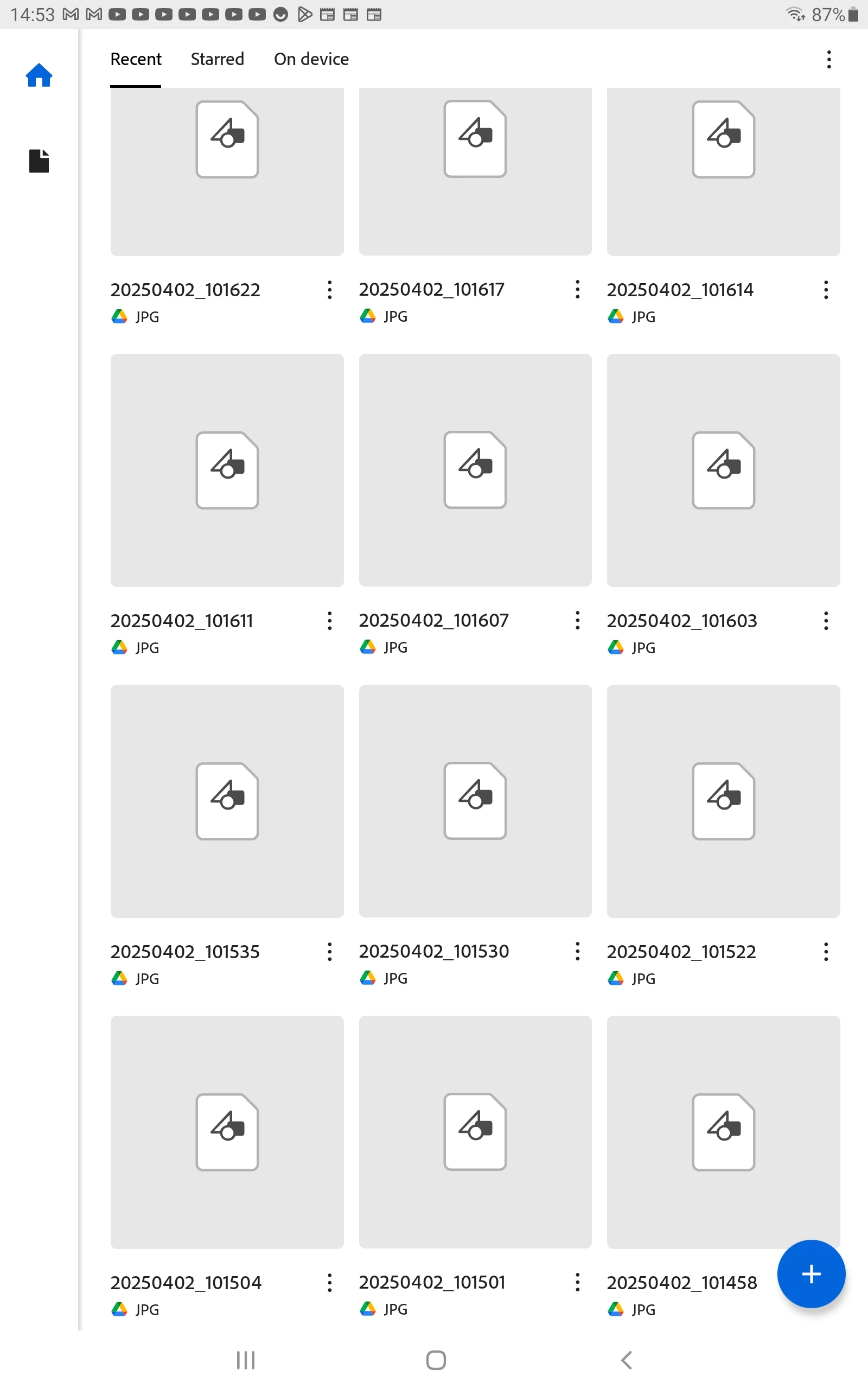
How can I fix this annoying issue, and the Acrobat Reader app remains intact when sharing images in

  • April 8, 2025
  • 1 reply
  • 344 views
Dear DL-acrobat-android-support,
DL-acrobat-android-support <acrobat-android-support@adobe.com>,
 
As the attached image shows, whenever I share some images, the Adobe Reader PDF App Android tablet version,
 
 
It is populated as the attachment shows...
 
How can I fix this annoying issue, and the Acrobat Reader app remains intact when sharing images in Google Drive...?
 
 
### 

1 reply

Amal.
Community Manager
Community Manager
April 8, 2025

Hi there


Hope you are doing well and thanks for reaching out.


Could you please provide more details about the problem? Specifically:

- What device and operating system version are you using?

- Which version of the Adobe Acrobat Reader app is installed?

- What exactly happens when you try to share images? A small video recording of the steps you are taking and the issue as it occurs would be very helpful for more clarity.

In the meantime, here are some general troubleshooting steps that might help:

1. Ensure you're using the latest version of Adobe Acrobat Reader and reboot the device once.

2. Make sure the app has the necessary permissions to access and share files on your device.


lsepolisAuthor
Known Participant
April 10, 2025

Samsung Galaxy Tab S4

SM-T830

Android 10

Adobe Acrobat 25.3.0.38192
 
lsepolisAuthor
Known Participant
April 10, 2025

When I share images with Google Drive, all is OK.

Acrobat just malfunctions every time

I logged out of Acrobat using Gmail

But continues every time share images Google Drive

One Drive sharing NOT problems with Acrobat at ALL