
Answered
How to copy highlighted text using the app?
It’s very frustrating to not be able to copy texts after you highlighted them. Is there anyone who knows if it’s possible to do it in the app?

It’s very frustrating to not be able to copy texts after you highlighted them. Is there anyone who knows if it’s possible to do it in the app?
hi asvsalonga,
May I suggest an alternative for you as followings,
#1. Tap on the highlighted text and the contextual menu should appear as below
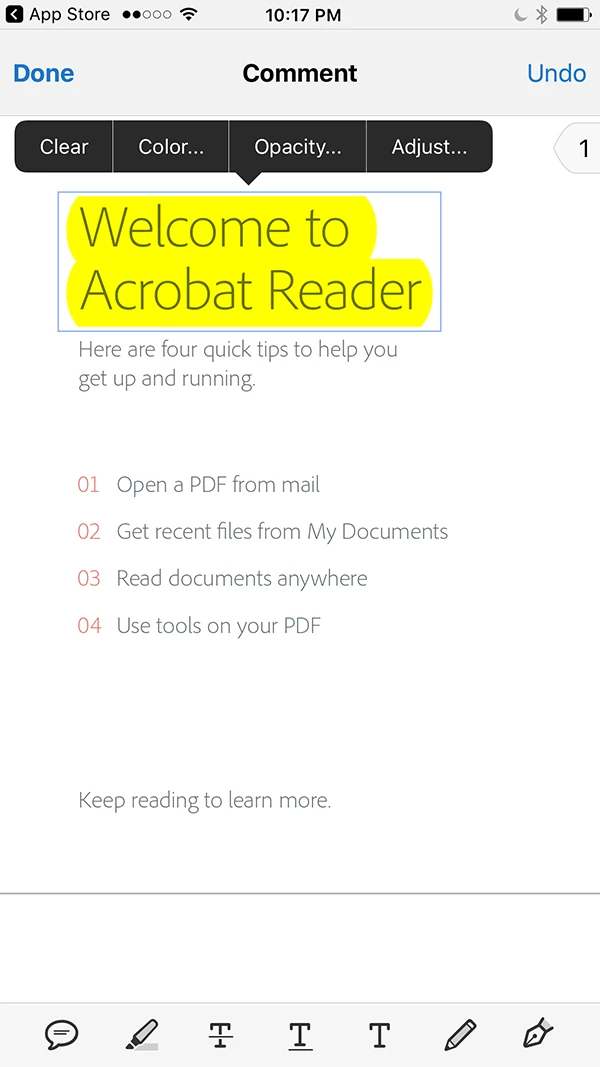
#2. Tap "Clear" in the contextual menu
#3. Now, long press on the desired word for selection, and then grab the text selection handler to adjust the text selection
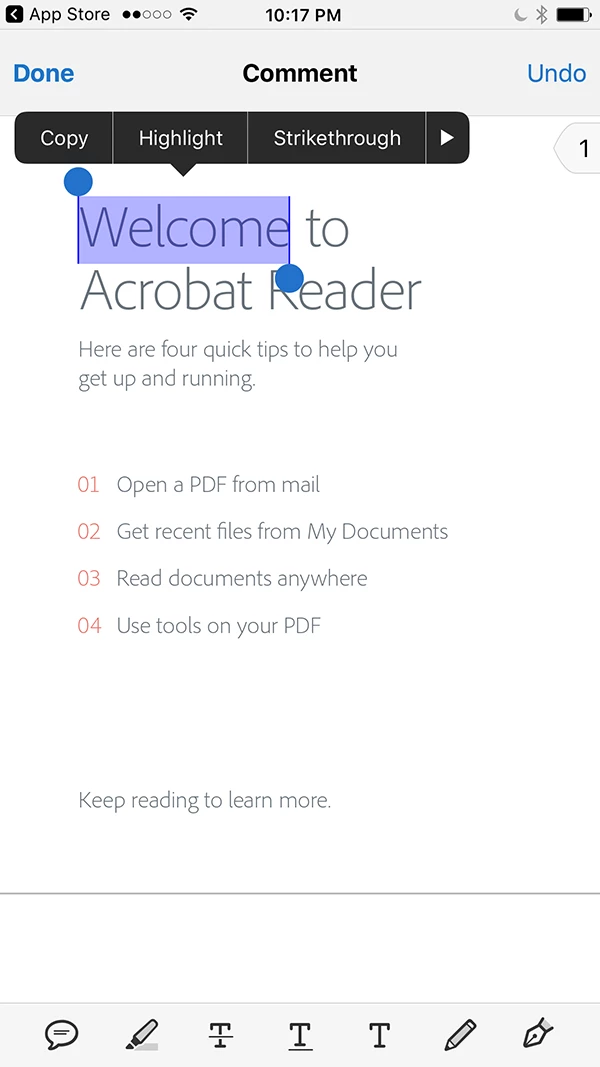
#4. Tap "Copy" in the contextual menu
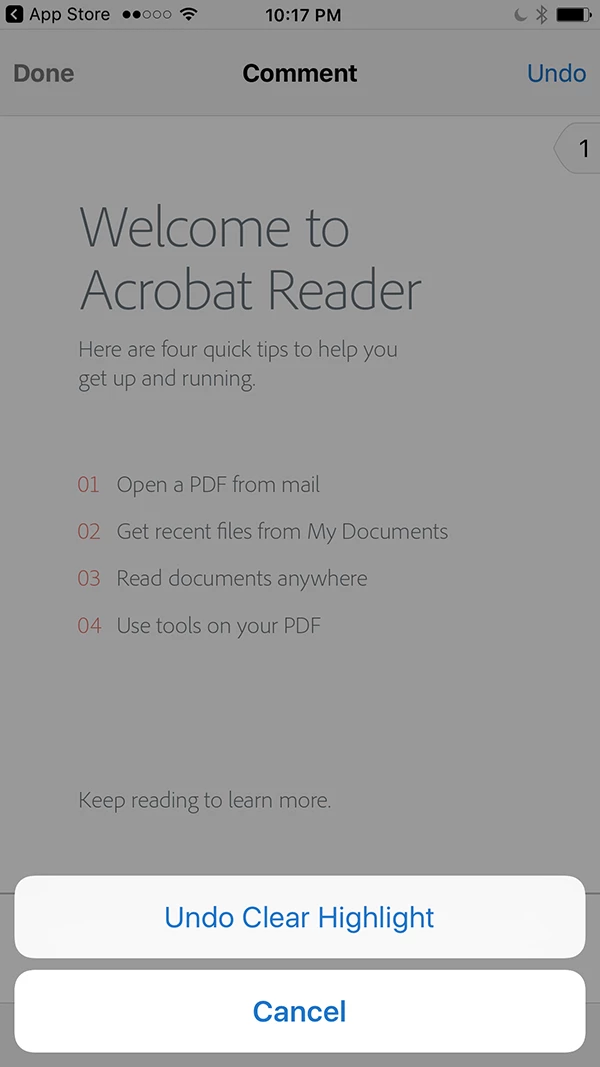
#5. Tap "Undo" button at the upper right hand corner
#6. Tap "Undo Clear Highlight" in the popover menu to get back the highlighted text.
Hope this help.
Best regards,
-derek
Already have an account? Login
No account yet? Create an account
Enter your E-mail address. We'll send you an e-mail with instructions to reset your password.


 AdChoices