



Answered
How to disable floating toolbar when selecting an image?

No matter where I click, this toolbar follows the cursor and also blocks the ENTIRE image I am trying to adjust in adobe acrobat. Is there a way to get rid of this??
To add insult to injury, if you zoom out the toolbar gets so big it covers the entire PDF. What even is the point of this.
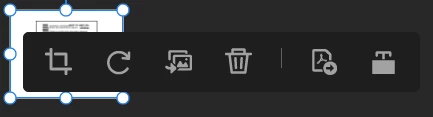
Also, once you add an image the toolbar follows everywhere you click. It doesn’t even have to be on an image. I can’t even see the entire PDF anymore because of this new 2026 “feature”.

 AdChoices