
Answered
How to import a folder of PDFs (or single PDF) from Dropbox into Adobe Acrobat Reader app on ipad?
Can I import a folder of PDFs (or single PDF) from Dropbox into Adobe Acrobat Reader app on my ipad?
Trying to figure this out....

Can I import a folder of PDFs (or single PDF) from Dropbox into Adobe Acrobat Reader app on my ipad?
Trying to figure this out....
hi gailw49918473,
Currently, you could import a single PDF into Acrobat on iPhone and iPad. The steps are as followings,
1. Installed Dropbox and Acrobat applications on your device,
2. Run Dropbox application and sign in to your Dropbox account
3. Run Acrobat application
4. In Dropbox application, open a PDF
5. At upper right hand corner, tap "。。。"
6. Tap "Export" in the drop-down menu
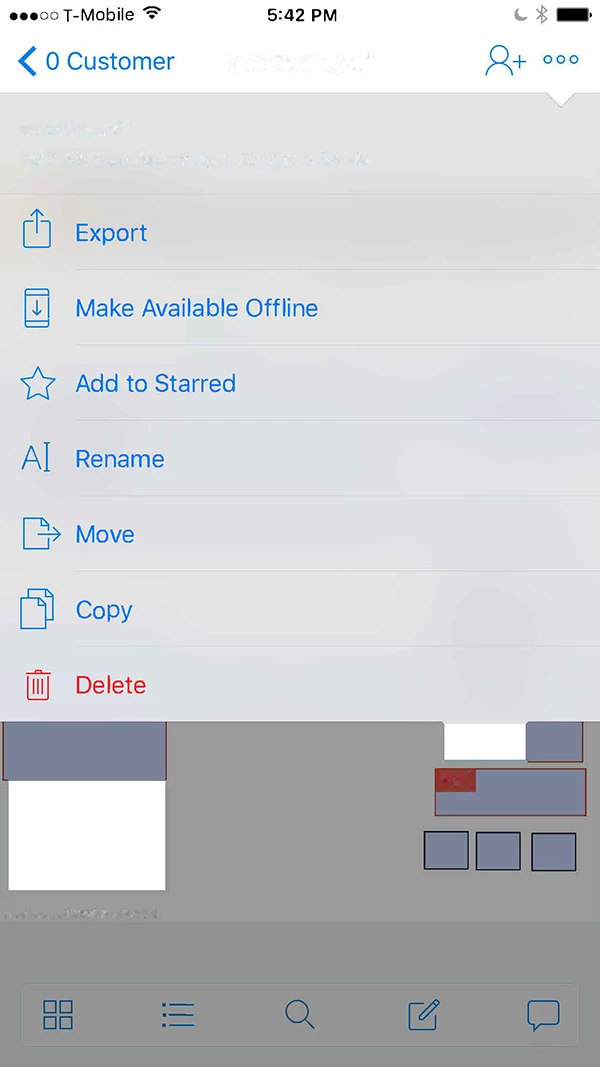
7. Tap "Open In" in the popover menu
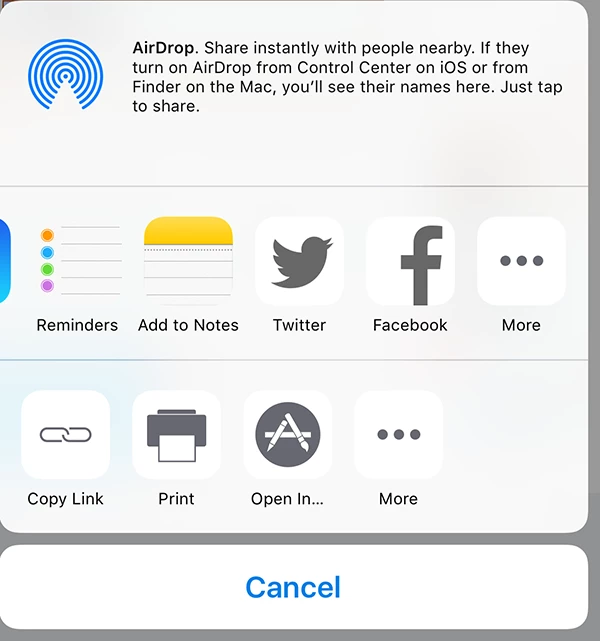
8. Tap "Copy to Adobe Acrobat" in popover menu
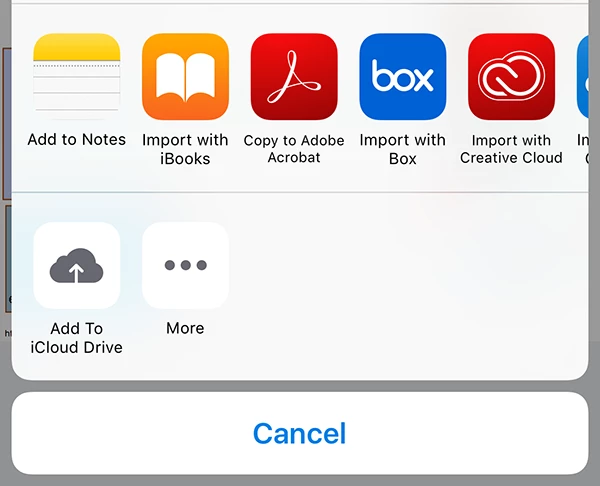
Now, the PDF should be opened and copied to Acrobat "Local".
Hope this help.
Already have an account? Login
Enter your E-mail address. We'll send you an e-mail with instructions to reset your password.


 AdChoices