
Participant
December 4, 2018
Answered

Ipad Acrobat Reader and Google Drive

  • December 4, 2018
  • 1 reply
  • 9727 views

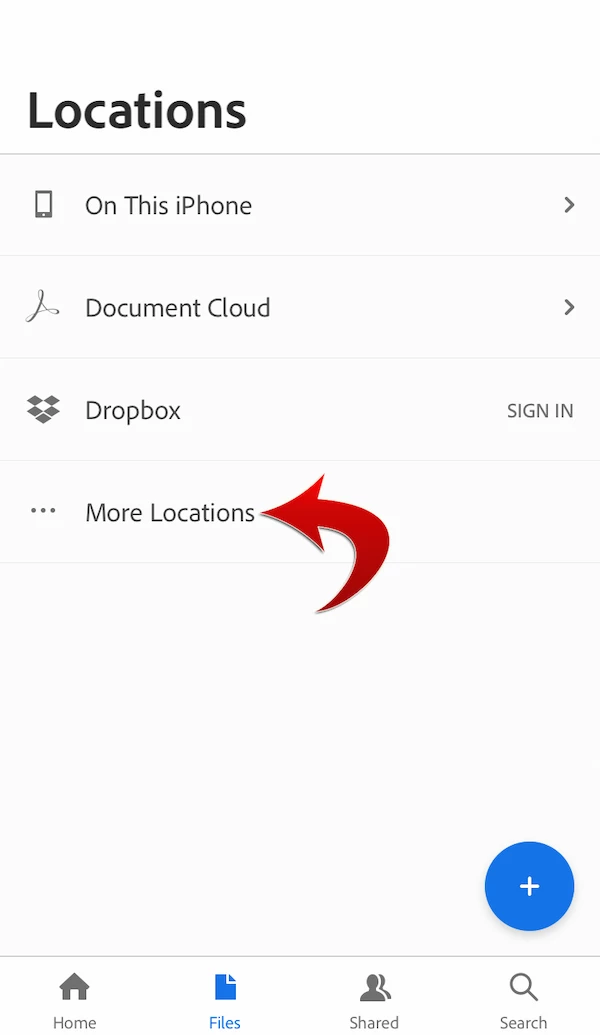
Hi I just downloaded acrobat reader on my ipad. When I open reader and try to connect to google drive (locations->more locations), there is no option to connect to google drive. Forum searches basically refer to selecting google drive from "more locations" in the reader app. All I have in Locations is On This Ipad, Document Cloud, DropBox. Selecting More Locations only gives me ICloud Drive. Google drive is up to date. Any suggestions?
This topic has been closed for replies.
Correct answer MobileDeveloperCK

Hi ryanfdez​,

The user interface shown in the screenshots in my previous reply in this thread is part of iOS (not Acrobat).

As the first step, please tap "More Locations" in Acrobat to get to the next iOS "Browse" screen.

Currently, Acrobat provides integrated cloud storage support for Dropbox only.  It's not possible to add any other cloud storage to the Locations list on the fly.

Sorry for the inconvenience.

1 reply

Community Manager
December 9, 2018

Hi jeffc72829804​,

You mentioned that the Google Drive app is up to date on your iPad.

In the Acrobat app,

  1. Go to Files > Locations > More Locations.
  2. Tap "Browse" in the bottom bar.
  3. Tap "Edit" in the upper-right corner.
  4. Enable Google Drive.

Does Google Drive appear in the Browse screen now?

Please let us know if you have a different problem.

Thank you.

ryanfdez
Participant
January 24, 2019

Hi MobileDeveloperCK,

After enabling Google Drive, it still doesn't show up in the sidebar. Only "On this iPad, Document Cloud, Dropbox, and ... More Locations" are displayed. Any way to add Google Drive to the sidebar so we don't have to go through several steps to get there?

MobileDeveloperCKCommunity ManagerCorrect answer
Community Manager
January 25, 2019

Hi ryanfdez​,

The user interface shown in the screenshots in my previous reply in this thread is part of iOS (not Acrobat).

As the first step, please tap "More Locations" in Acrobat to get to the next iOS "Browse" screen.

Currently, Acrobat provides integrated cloud storage support for Dropbox only.  It's not possible to add any other cloud storage to the Locations list on the fly.

Sorry for the inconvenience.