Participant
January 11, 2023
Question

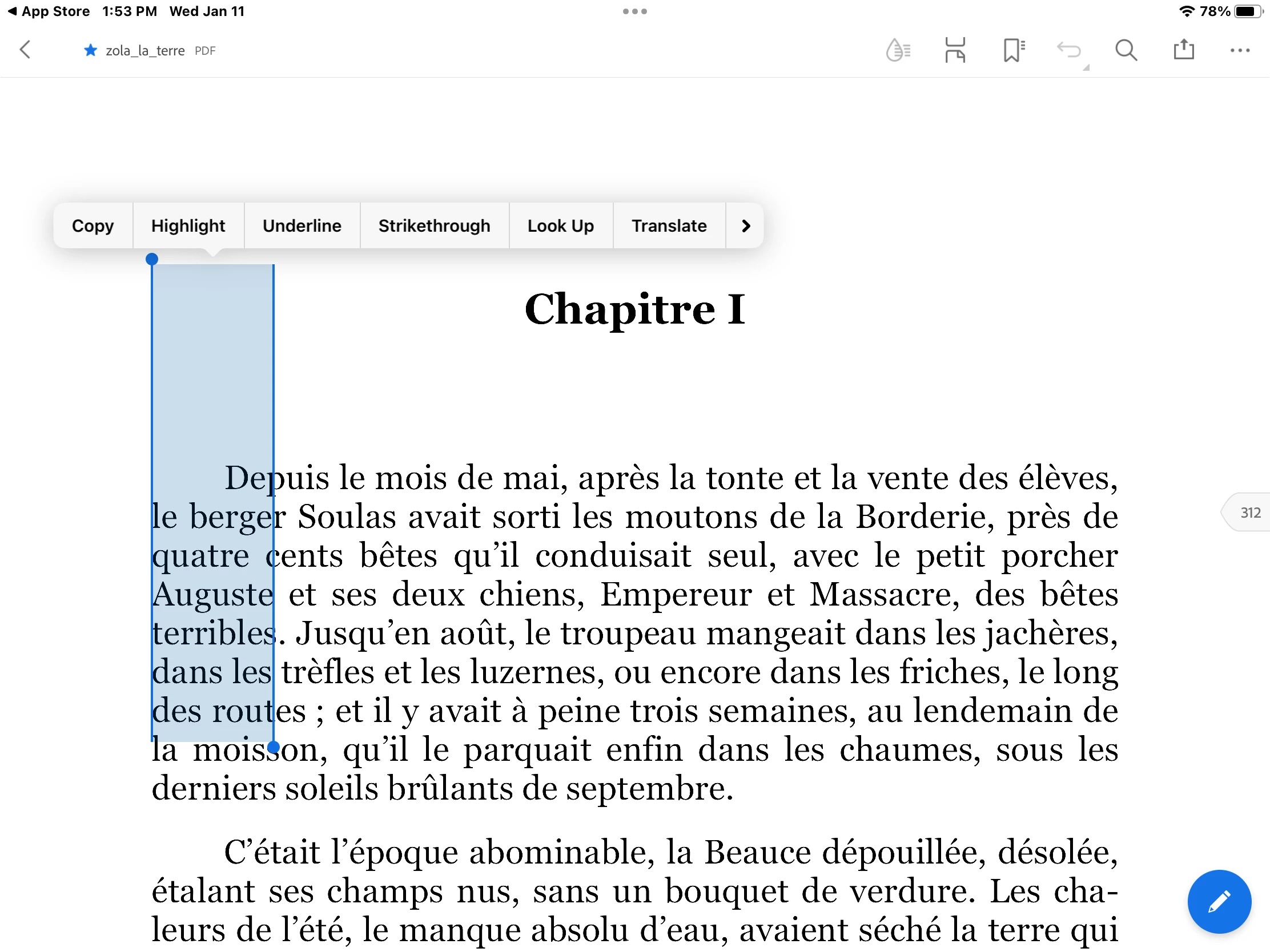
iPad - can no longer select text in Acrobat

  • January 11, 2023
  • 2 replies
  • 1129 views

I am using Acrobat on my iPad and can no longer select text.  Instead of  highlighting the word,  vertical parallel lines appear.  So, I cannot access the translator for any words or copy words. 
This topic has been closed for replies.

2 replies

Eric Dumas
Community Expert
Community Expert
January 11, 2023

Is that happening on all PDFs, or just ths one in particular?

Did you make this PDF yourself? using a different approach?

Participant
January 11, 2023

Looks like only with this one. Any suggestions?

S_S
Community Manager
Community Manager
February 1, 2023

Hi @Mr. Truite,


Sorry for the experience.


With the lastest updates, there were a few performance improvements mad with the application. 


Would you mind trying the same workflow again? This could be with the time for selecting a word on the application where the touch gesture were tweaked in the previous version.


Please let us know if the issue still persist and we would look further into it.


-Souvik.

kglad
Community Expert
Community Expert
January 11, 2023

use the text recognition tool.


in the future, to find the best place to post your message, use the list here, https://community.adobe.com/


p.s. i don't think the adobe website, and forums in particular, are easy to navigate, so don't spend a lot of time searching that forum list. do your best and we'll move the post if it helps you get responses.


<moved from using the community>
