This topic has been closed for replies.
Correct answer MobileDeveloperCK

Hi Tehlirus​,

We just released Acrobat Reader 18.12.00 to the App Store.

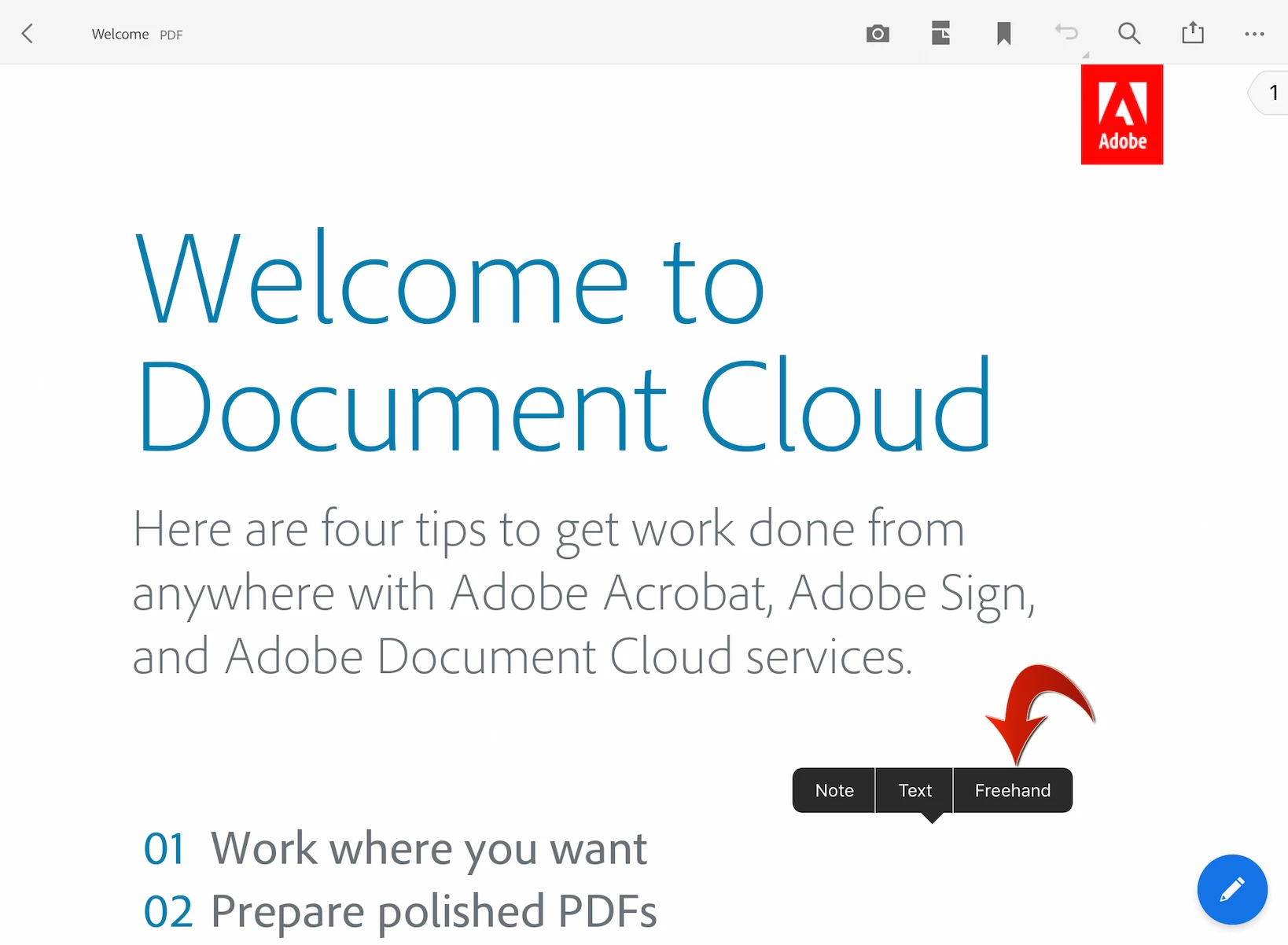
You can long press (press & hold) over an empty page area to quickly add notes, text, and freehand drawing.

Is this better than the other method to add freehand drawing?

We'd appreciate your feedback on this.

1 reply

Meenakshi Negi
Community Manager
Community Manager
November 26, 2018

Hi Tehlirus,

After the recent update, the steps to access the freehand tool has changed.

You get an option to select the freehand draw tool under the comments.

Once you open the Adobe Acrobat Reader, refer to the steps mention below:

- Open the PDF and click on the blue circle with pencil icon at the bottom left corner of the screen.

- Select "Comment" from the options that appear on the list.

- Then select the drawing tool (pencil icon) from the tools provided at the top of the PDF.

Hope that helps.

If you are still not able to get the drawing tool, feel free to update the thread.

Let us know if you are referring to something else.

Regards,

Meenakshi

Tehlirus
TehlirusAuthor
Participant
November 28, 2018

Thank you!

MobileDeveloperCKCommunity ManagerCorrect answer
Community Manager
December 15, 2018

Hi Tehlirus​,

We just released Acrobat Reader 18.12.00 to the App Store.

You can long press (press & hold) over an empty page area to quickly add notes, text, and freehand drawing.

Is this better than the other method to add freehand drawing?

We'd appreciate your feedback on this.