


sreenit54172808
Participant
April 27, 2019
Question

Issues with Comments List on adobe reader 18.4 and higher in Android devices

  • April 27, 2019
  • 1 reply
  • 861 views

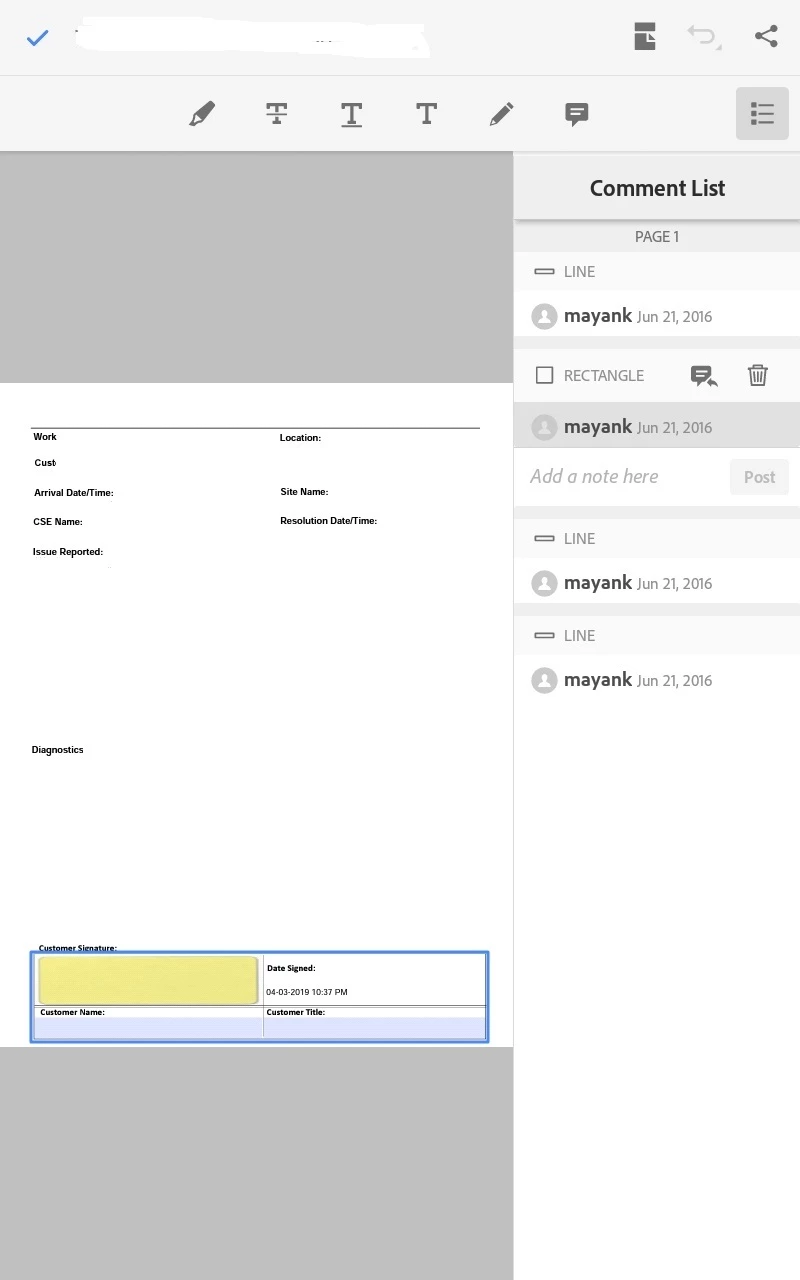
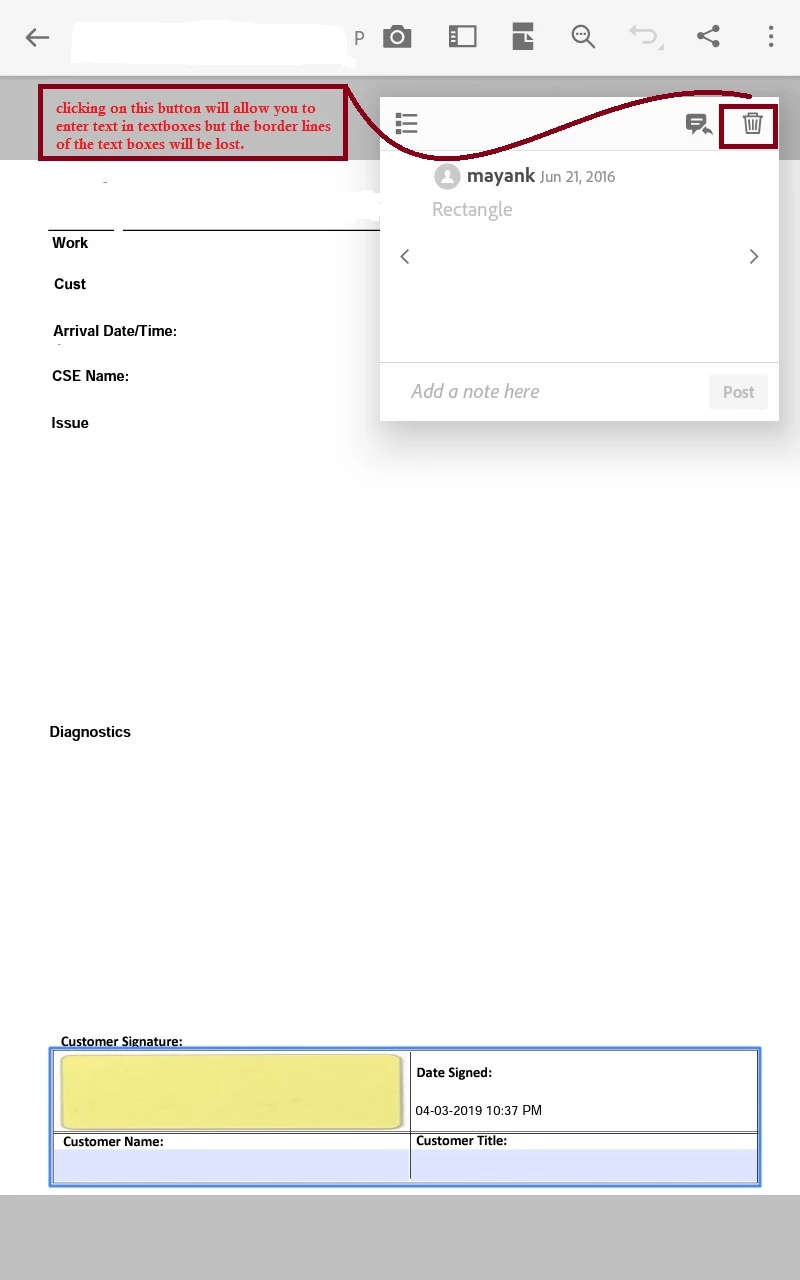
Comment pop up opens up whenever I click on edit text box and will not allow to enter the text. his is happening on my android device with adobe 18.4.1.208250,19.0.0.8512 and 19.2.xxx version, This is very irritating when one wants to enter a text {Comment App(pan) remains opened}.If I click on delete button on the comment popup window it will delete the border lines of the text boxes and then allow to enter text in text boxes. which is resulting a border less text boxes on the pdf which looks bad. Is there a option to disable this Comment List? Is there any solution to fix this issue?
This topic has been closed for replies.

1 reply

jane-e
Community Expert
Community Expert
May 3, 2019

Hi

The rectangle was drawn as a comment, which is why the comment pops up when it is clicked and the rectangle disappears when the comment is deleted. This is not a best practice!

There are two solutions. Both involve the paid version of Acrobat on a computer.

  1. Draw the rectangle in the source document. If the source document was Word, for example, draw the rectangle there and use the Replace Page command to replace the page in Acrobat and keep the form fields.

  2. Open the Prepare Form toolbar in Acrobat. Select the field > right click and choose Properties > create a border for the field.

The plans are here. You can get a monthly plan, which can be cancelled. Make sure you do not get an annual plan, paid monthly, if you only need a month. You might be able to get a 7-day free trial if you have not done that before. Be sure to cancel.

Plans and pricing | Adobe Acrobat DC

And ask again if you need more details on either solution.

~ Jane

June 13, 2019

please help me

Comment pop up opens up whenever I click on edit text box and will not allow to enter the text.

this is happening on my android device with adobe 18.4.1.208250,   19.0.0.8512 and 19.2.xxx version,

This is very irritating when one wants to enter a text {Comment App(pan) remains opened}.

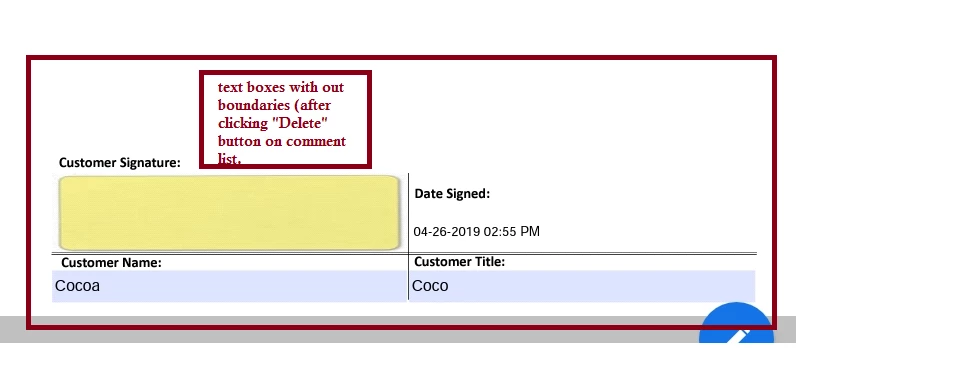
If I click on delete button on the comment popup window it will delete the border lines of the text boxes and then allow to enter text in text boxes. which is resulting a border less text boxes on the pdf, which looks bad.

Is there a option to disable this Comment List?

Is there any solution to fix this issue?
for more snap click here - Issues with Comments List on adobe reader 18.4 and higher in Android devices

Android Version :- 9.0

OS Name:- Pie

Adobe Reader Version :-  18.4.1.208250,   19.0.0.8512 and 19.2

thanks

Regards

Shivaraj