cold_hands
Participant
June 25, 2021
Question

Lines are simplified when handwriting.

  • June 25, 2021
  • 1 reply
  • 1043 views

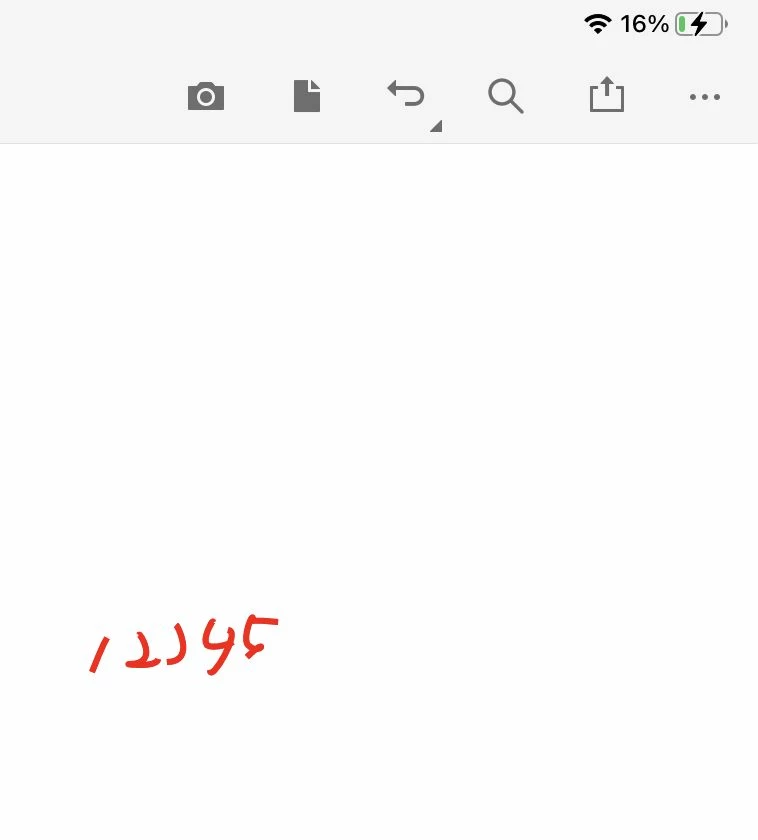
When writing by Apple pencil with the "Pen tool", if you write somewhat small, the path will be simplified when you press the Done button.


The photo on the left is before pressing the button, and the photo on the right is after.
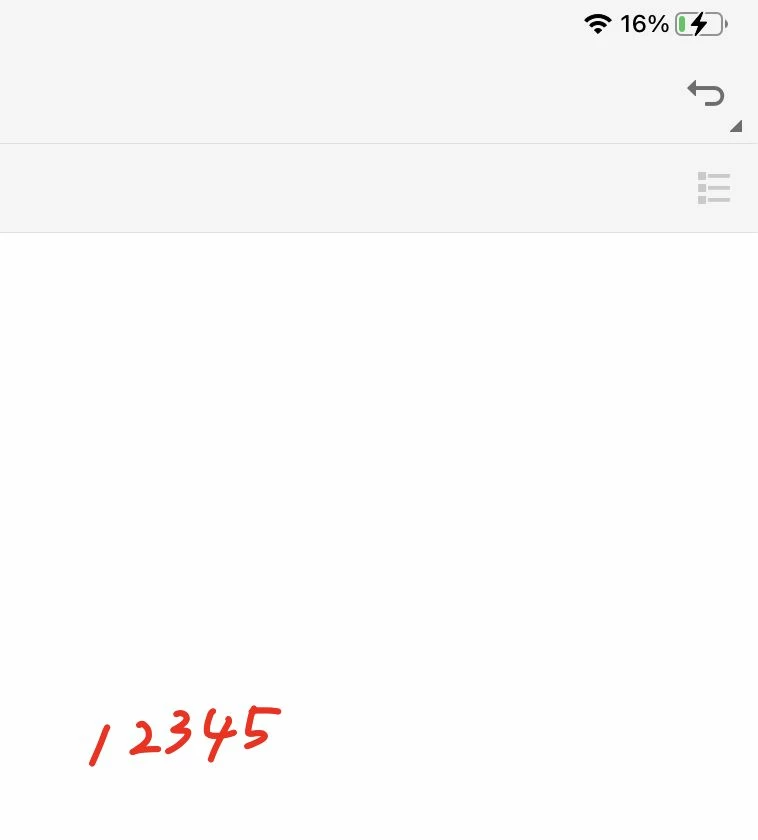


If it is simplified when you first draw it, no problem, but it is not simplified until you click the Done button, so you need to check it after you click the button.


It would be fine if I wrote larger, but I often have to write smaller due to space constraints, and I wonder if there is a way to avoid this problem.

This topic has been closed for replies.

1 reply

Ria Tagra
Inspiring
November 4, 2021

Hi @cold_hands 


Hope you are doing well.


Sorry for the delayed reposne. I would like to inform you that we have released new version of Adobe Acrobat Reader Mobilei.e version 21.10.00. Please update your application and let us know if still face the same issue.


For more help please refer to: https://www.adobe.com/devnet-docs/acrobat/ios/en/index.html


Your response awaited.


Regards

Ria

Participant
November 4, 2021

Yes, the issue is still present, when you press done button it gets deformed. 
I have the last update you've done 21.10.00

Ria Tagra
Inspiring
November 5, 2021

Hi @saratsa98A1 


Could you help us with your device and pen tool details to test the issue further? what is make and model of device along with OS details?


Your response awaited.


Regards

Ria