



Wang lin
Participating Frequently
April 2, 2026
Question

Liquide mode

  • April 2, 2026
  • 1 reply
  • 24 views

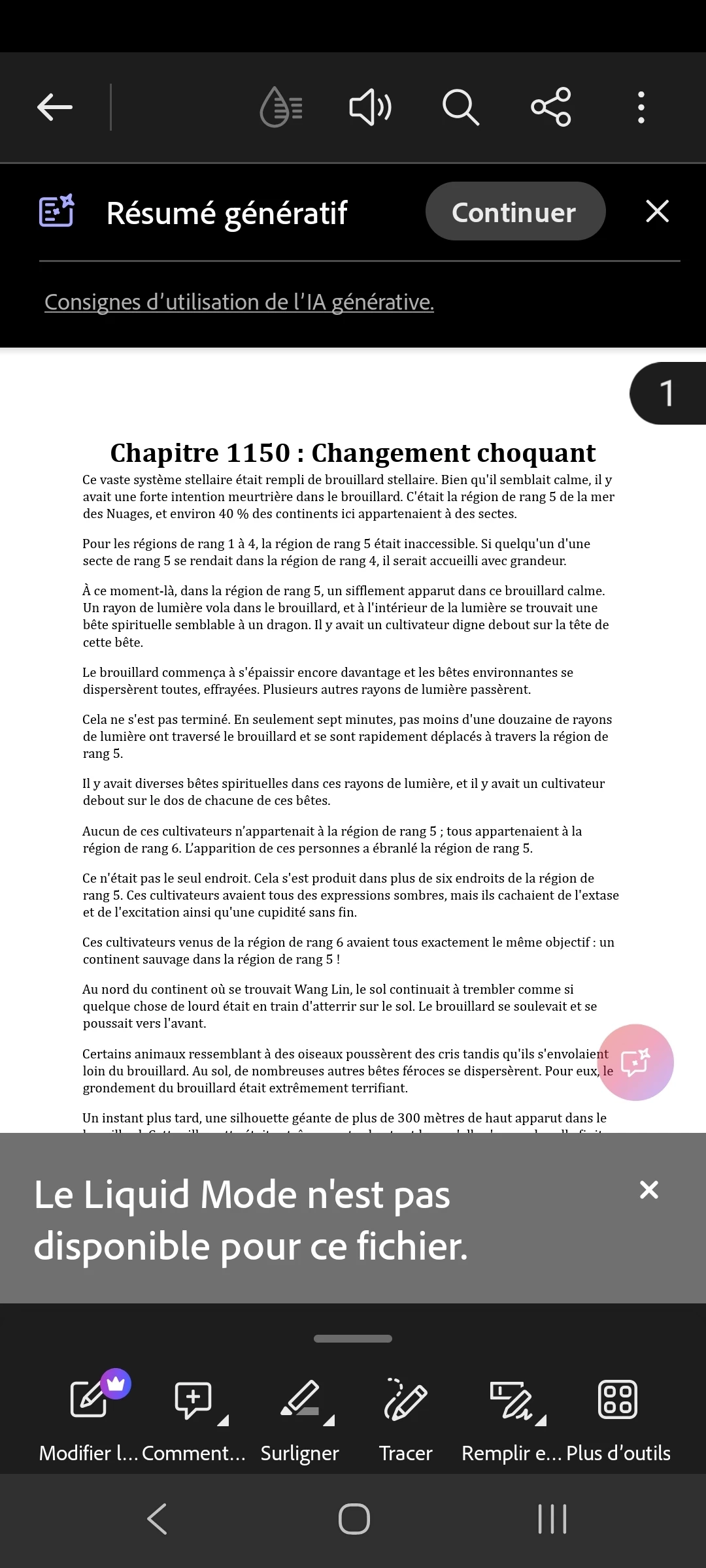
Good evening, Liquid Mode no longer works with any of my PDFs. I tried clearing the cache, but that didn't work, so I deleted and reinstalled the application, but that didn't work either. I tried using Wi-Fi, but that didn't work, nor did mobile data. My PDFs are only 199 pages long and range from 310KB to 1MB in size. Sorry The screenshots are in French.
 

    1 reply

    Amal Jaiswal
    Community Manager
    Community Manager
    April 3, 2026

    Hi there 


    Hope you are doing well and thank you for reaching out and for already trying multiple troubleshooting steps. I understand how frustrating it can be when Liquid Mode suddenly stops working.


    Would you mind answering a few quick questions to help narrow it down?

    • Are these PDFs scanned documents or created digitally (like from Word/PDF export)?
    • Do you see the Liquid Mode icon at all when opening the file?
    • Does Liquid Mode work on any other PDF, or not at all?


    Please check and try the steps below:

    1. PDF structure compatibility: Liquid Mode works best with PDFs that have a clear, structured layout (like tagged PDFs).
      • If your PDFs are scanned or image-based, Liquid Mode may not activate.
      • Even small files can fail if they lack proper tagging.
         
    2. Check if Liquid Mode option appears:
      • When you open the PDF, do you still see the Liquid Mode icon (the “reading” icon)?
      • If yes, does it show an error or just not respond?
         
    3. Try with a different PDF
      • Open a known Liquid Mode-supported file (for example, an eBook or structured document).
      • This helps confirm if the issue is with specific files or the app overall.
         
    4. App version check
      • Please ensure you’re using the latest version of Adobe Acrobat Reader available on the App/Play Store and reboot the device once.
      • Sometimes, feature issues are resolved in updates.


    Let us know how it goes. 


    ~Amal

    Wang lin
    Wang linAuthor
    Participating Frequently
    April 3, 2026

    Hello, to answer your question, no, they're PDFs from the beginning, no changes whatsoever.


    To be honest, they're novels. I'm on the latest update, and it's starting to act like the liquid mode is about to activate until the final touches are added, and then it tells me that liquid mode isn't available for all my PDFs.


    I have more than 50.

    Amal Jaiswal
    Community Manager
    Community Manager
    April 3, 2026

    Hi, would you mind sharing the version of the OS and the Acrobat Reader Mobile app you are using? Tap on the profile icon > About Acrobat. Also share the sample PDF file and a small video recording of the steps you are taking and the issue as it occurs so we can check it further at our end.


    ~Amal