

More storage with Box in Acrobat Reader mobile.
Box is even better with Document Cloud.
You can easily store and access files from your Box consumer or business file storage account when you’re working in Acrobat Reader mobile application on your iPhone and iPad.
Anyone can now take advantage of more storage options via iPhone and iPad. Select, open, and save PDFs in iCloud Drive and other document storage providers like Box, Microsoft OneDrive, and Google Drive.
Here’s how to get started:
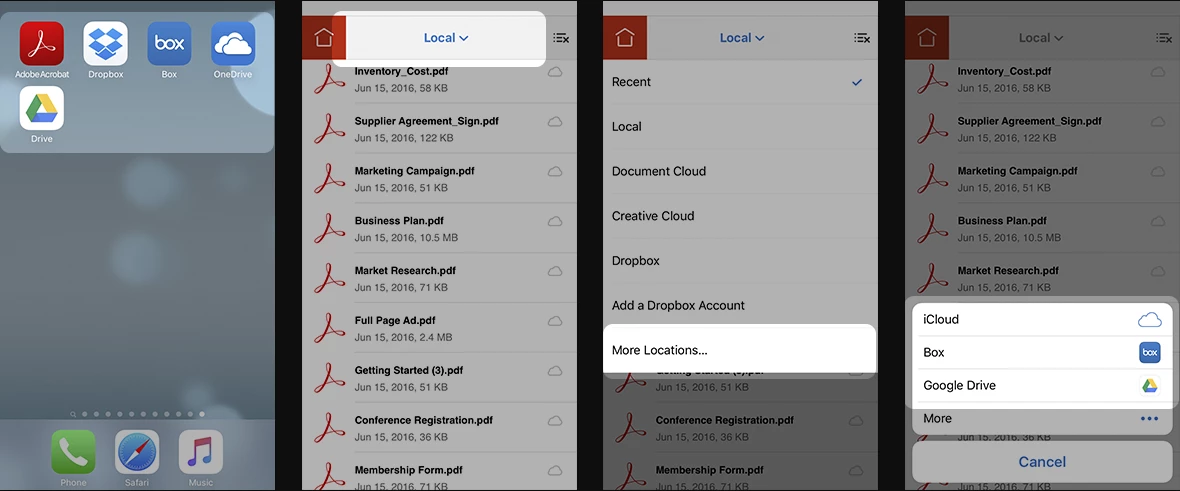
Adding a storage provider:
- Install a cloud storage app such as Box
 on your device.
 - In Acrobat Reader mobile, tap the Location Chooser.
- Tap More Locations…
- You should see the installed app listed. The cloud storage app(s) installed on the device should appear in the window.
Managing storage providers:
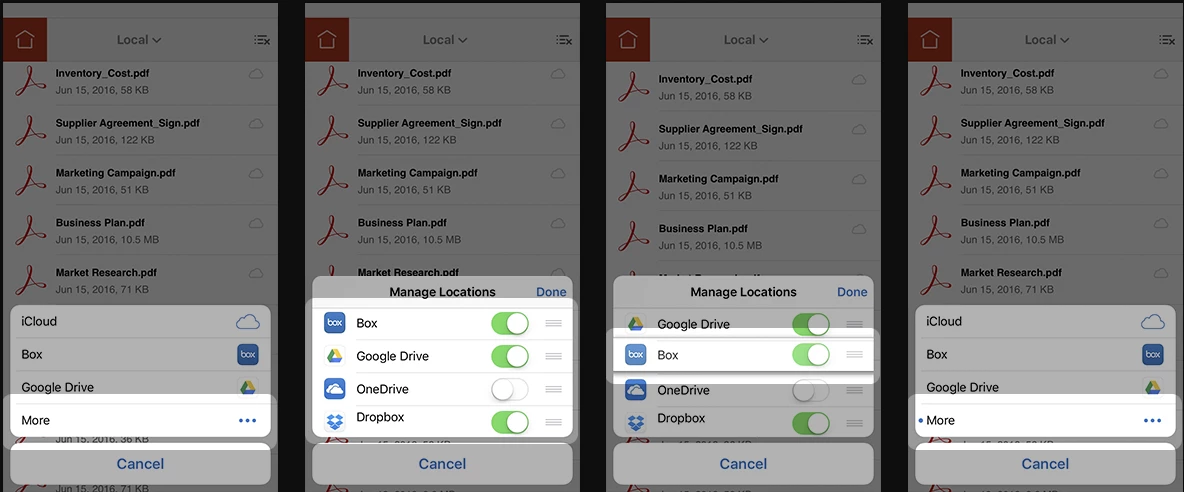
From the Location Chooser, tap More Locations… then More to manage app settings. From here you can:
- Toggle access to file providers on and off.
- Rearrange the order by long-pressing the three-lined icon and dragging the line to a new location.
- View whether an app is newly installed. A blue dot indicates that a new app has been installed and that you can enable it.
Here is a small video for you to know more about Adding and Managing Box storage:
Tell us if these helped you using Protect PDF Files service better. Join the conversation here. We are listening!
To discover a host of other great features – Go straight to: Access Box files in Acrobat, Acrobat Reader | Easy access to OneDrive files in Acrobat | Managing files and folders in Reader mobile


 AdChoices