


Participant
September 11, 2026
質問

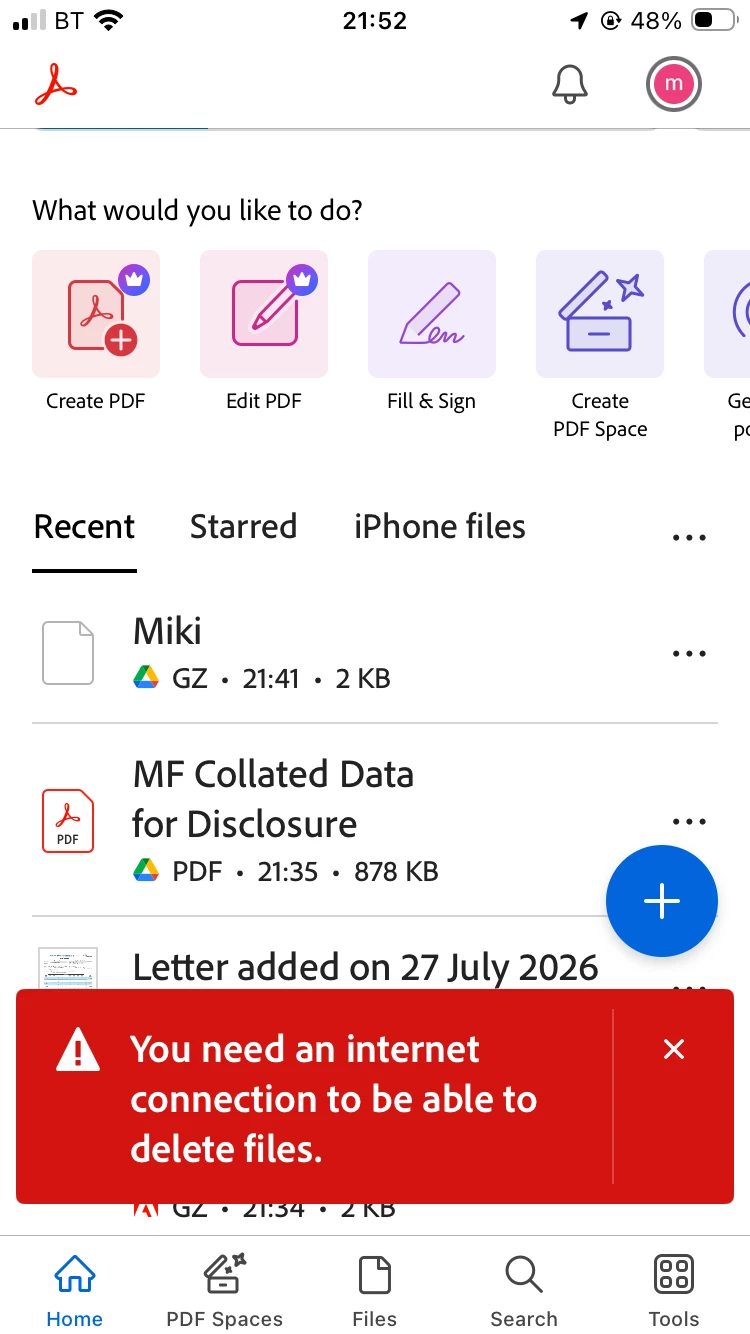
Need to upload pic of issue but it’s saying I need to connect to net to be able to delete my things , I’m on net só why won’t it delete? And the files shouldnt be shared if I upload a copy then I should be able to delete it
  • September 11, 2026
  • 返信数 1.
  • 4 ビュー

I’m on the internet 

    返信数 1

    Amal Jaiswal
    Community Manager
    Community Manager
    September 14, 2026

    ​Hi @motivated_Bee91ea ,

    Hope you are doing well, and thanks for reaching out. We are sorry for the trouble you are experiencing.

    What are you trying to delete: a scanned document, a specific file in your file list, or something else?

    If you're trying to delete a link from Google Drive rather than storing it in Adobe's own cloud storage or directly on your iPhone. Deleting a Google Drive file through Acrobat has to actually reach Google's servers to remove it there, too, not just Adobe's, so this specific action needs its own working connection to Google, separate from your phone's general internet status. As seen in your screenshot, your signal bars in the screenshot show 2 bars of cellular, which could be enough for general browsing, but not always reliable enough for that specific request to Google's servers to succeed.

    A couple of things worth trying:

    • Switch to Wi-Fi specifically (rather than cellular) if you're not already on it, and try deleting again

    • If you are on Wi-Fi, try toggling Airplane Mode on and off to force the connection to reset, then try again

    • If it still fails, the Google Drive connection in Acrobat may need refreshing: tap your Google Drive account in the Files list, tap the three dots in the top-right, select "Manage Google Drive account," then try removing and re-adding that account. This re-establishes the permission link to Google, which can go stale even while your phone is otherwise online

    One more thing worth knowing: since these files live in Google Drive, you can also just delete them directly from the Google Drive app itself, which sidesteps this specific connection issue in Acrobat entirely.

    Let us know if switching networks or refreshing the Google Drive connection gets the delete to go through.


    Regards
    Amal