
Participant
September 12, 2025
Answered

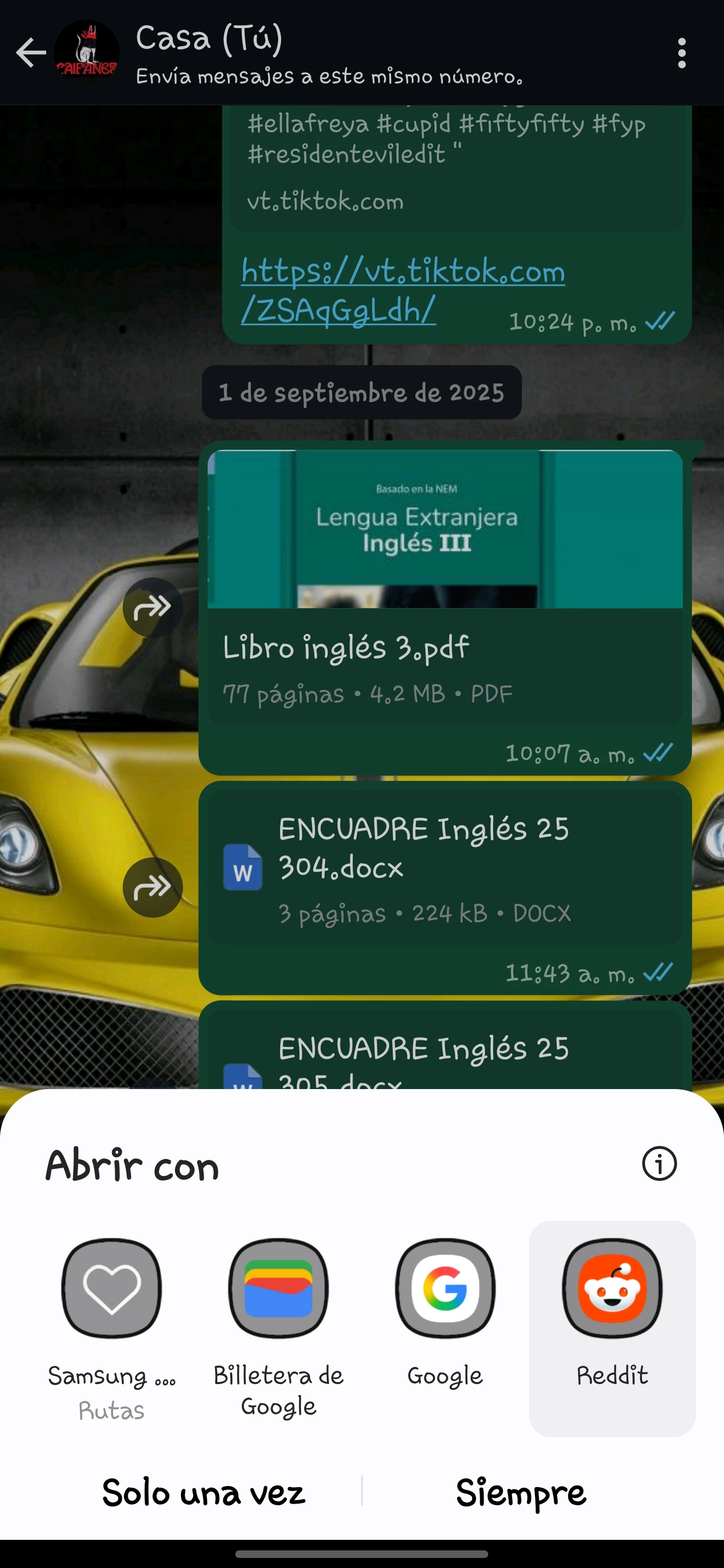
No puedo abrir los pdf desde whatsapp android
  • September 12, 2025
  • 1 reply
  • 216 views

desde ayer me está presentando este problema, tengo todo actualizado y tengo materiales de trabajo 

Correct answer S_S

Hi @Leonardo_Moreno1475,


Hope you are doing well.
 
We were aware of the issue, and this has been fixed.
Please check for any possible updates, restart your device once, and let us know how it goes.


Regards,
Souvik.

1 reply

Amal.
Community Manager
Community Manager
September 12, 2025

Hi there, 


Hope you are doing well and thanks for reaching out. We are sorry for the trouble. 


I have tried to reproduce the issue at my end and its working fine. What happens when you try to open the PDFs from WhatsApp? Do you get any error message? If yes, please share the screenshot of the same for more clarity.


Also, update the app to the latest version available on App/Play Store and reboot the device once and check .


You may also try to update WhatsApp from the Play Store and Clear cache – Go to your phone’s Settings > Apps > WhatsApp > Storage and clear cache. Then try again.


Let us know how it goes. 


~Amal


Participant
September 12, 2025
Tengo todas las apps actualizadasy me parece esto
Amal.
Community Manager
Community Manager
September 12, 2025

Hi there


Hope you are doing well and thanks for reaching out.


We want to inform you about a change affecting how PDFs and other files (like DOCX) are opened from WhatsApp on Android devices.


After a recent WhatsApp update, Acrobat may not appear in the “Open with” options when opening a PDF shared through WhatsApp. Instead, other apps such as Google Wallet may show up.


What this means for you:

  • Acrobat is still fully functional and can open all your PDF files.
  • This change is not related to an Acrobat update or a bug.
  • The behavior is due to changes in how WhatsApp now handles file types on Android.


Workaround: To open a PDF in Acrobat, save the file from WhatsApp to your device and then open it directly from the Acrobat app.

We know this may interrupt your usual workflow, and we appreciate your patience. Our team is monitoring the situation closely, and we’ll share updates if new options or improvements become available.


Thank you for choosing Acrobat on Android.


Amal | The Acrobat Team