


Participant
Jun 28, 2023 1:29 AM UTC
Answered

On Android landscape orientation view not working properly

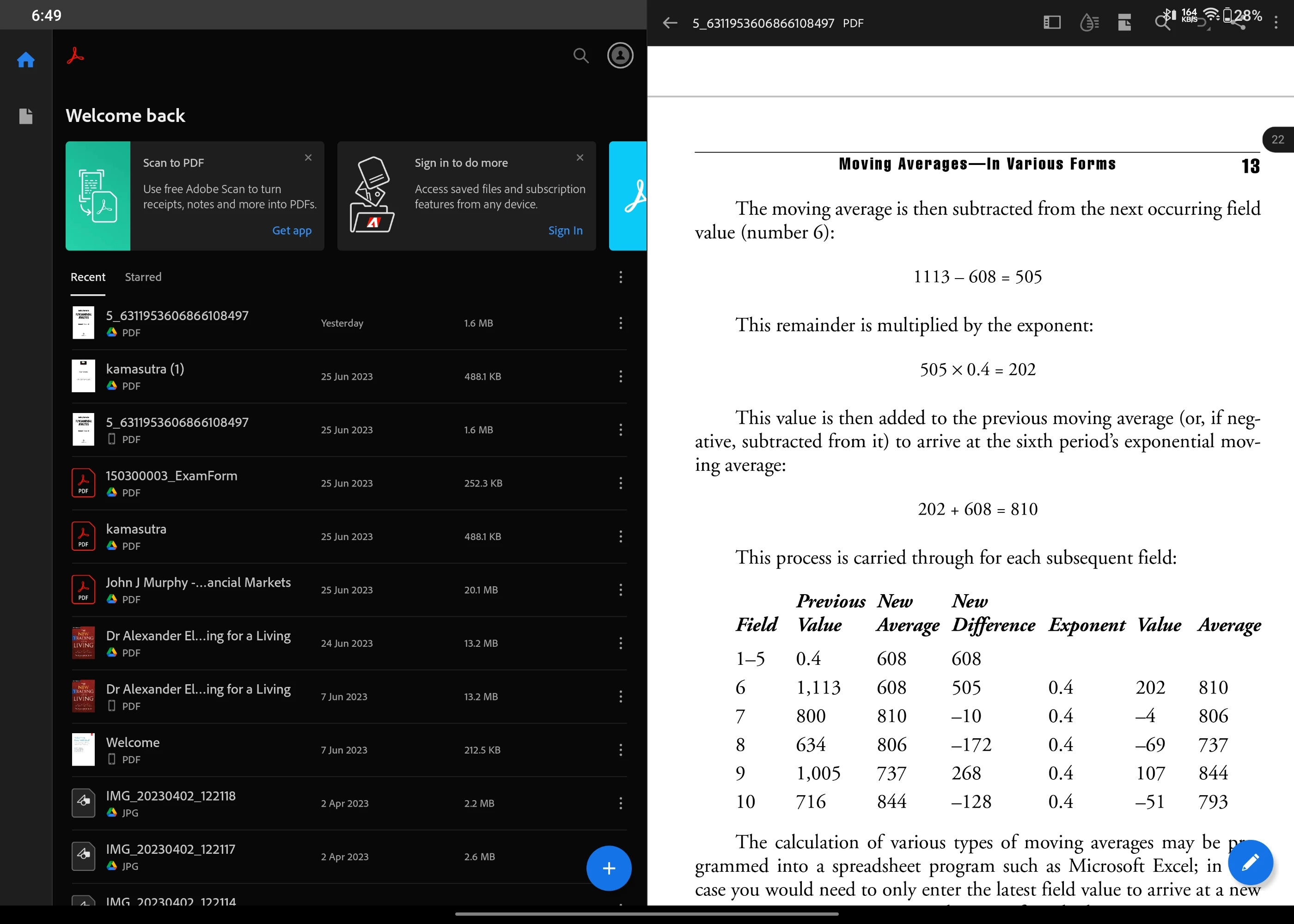
When I auto rotate on my android device the landscape view for Adobe Reader is not working properly.


Along with the page it also shows main menu which is very annoying. And this happens with all the pdf files.


Attaching the respective screenshot.
Jevaughn26031526qm43Correct answer
Participant
Feb 13, 2025 2:52 AM UTC

THANK YOU!! Worked on my Huawei Matepad Pro. Settings > Display & Brightness > App Multiplier > Turn off Adobe Acrobat

19 replies

Participant
Jan 30, 2024 8:31 AM UTC

Hey everyone, I've figured out what is causing this issue on the OnePlus Pad. Go to Settings>Special Features>Dual Windows and try disabling Adobe Acrobat there. Hopefully, it should work, and the problem should be fixed.

Translate
Souvik Sadhu
Legend
Jan 30, 2024 9:21 AM UTC

Hi @vinod35124367cw5d,


Would you mind sharing a screenshot of how you see Acrobat after following the above steps? 


This would help us identify the root cause and also a lot of users who see the same issue.


Thanks,

Souvik

Translate
Participant
Jan 30, 2024 12:08 PM UTC

Hey, sure thing. I've attached two files showing how it looks before and after disabling it in the dual windows setting. This is in the display two pages mode. If it's in the single page mode, the page is displayed in the middle like it should be.

Translate
Participant
Jun 28, 2023 1:32 AM UTC

Iam using Android tablet device. 

Translate
Souvik Sadhu
Legend
Jun 28, 2023 6:13 PM UTC

Hi @Swapnil30759889rik5,


Hope you are doing well. Sorry for your experience with Acrobat Reader Mobile.


Can you try clicking the panel button on the tool menu ( to the left of the liquid drop icon) and check if this helps?


If it does not, please share a few pieces of information for further investigation:

1. The app version of Acrobat Reader Mobile you are using (go to Profile-> About Acrobat);

2. The Android tablet model and Android version you are on;


Look forward to hearing from you.


-Souvik

Translate
Participant
Jul 1, 2023 12:57 AM UTC

Thanks for the reply.

I tried doing that, in fact I tried clicking all of those buttons, but no use.


1.The app version of Acrobat Reader Mobile -> Version 23.5.0.27746

2. The Android tablet -> OnePlus Pad (OxygenOS 13.1 (Official version)

Android version -> Android version 13, Android Security Update 5 June 23


Translate