Participant
Mar 1, 2025 11:44 PM UTC
Answered

Overlay of text remains when editing a document

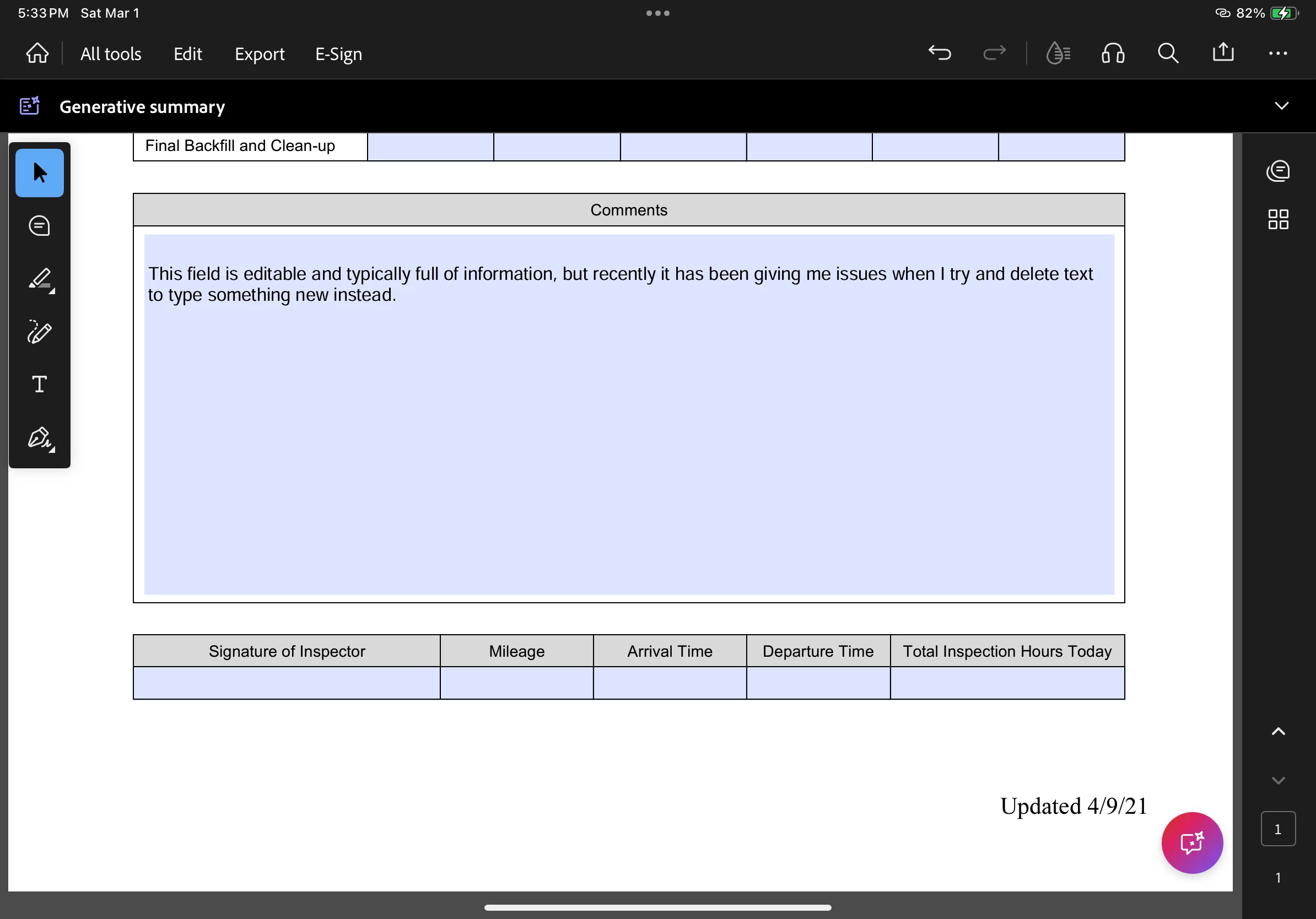
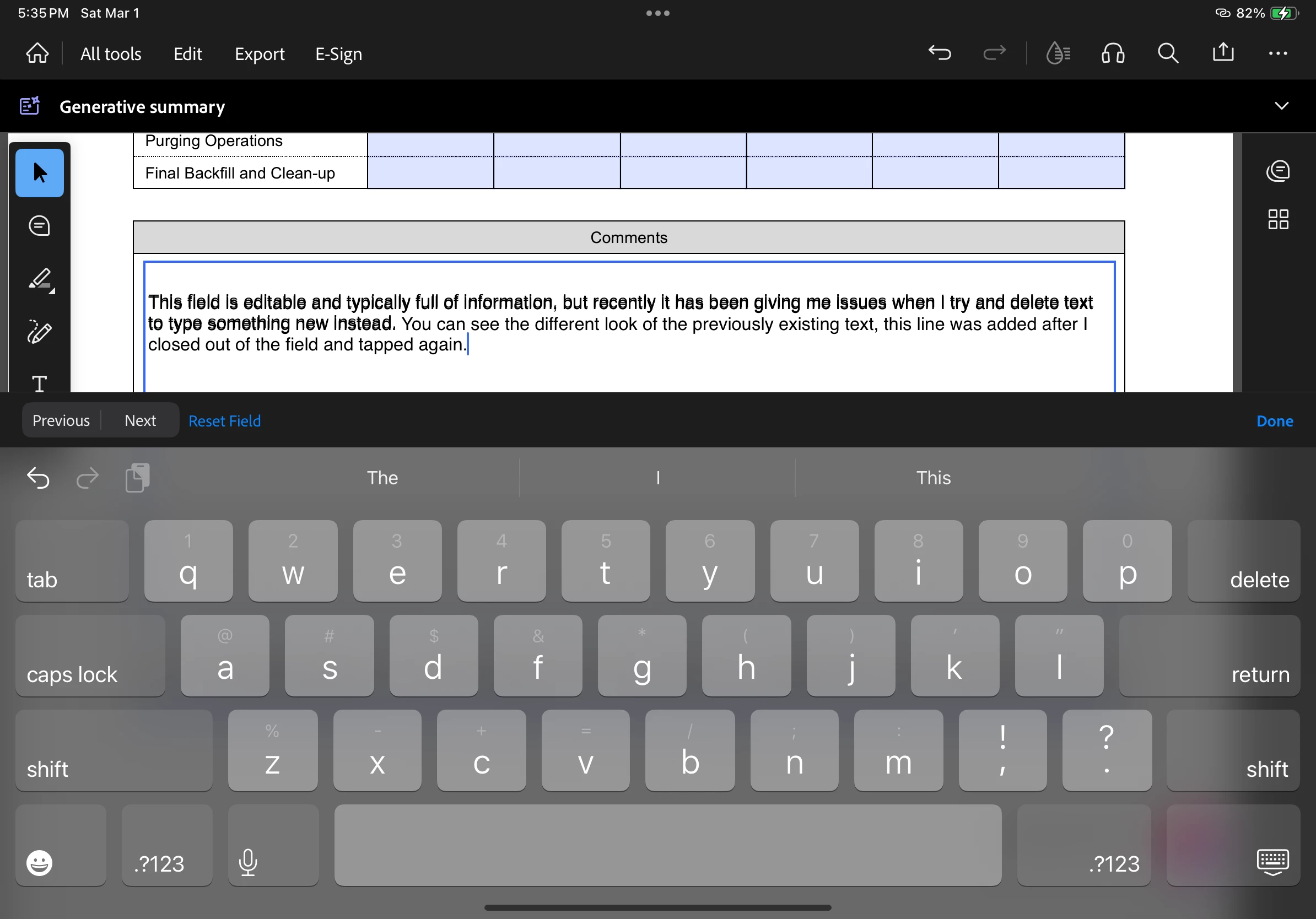
I've finally reached my limit and am now asking for any help for the following issue. If my memory is correct, this issue was a problem before, but I do not know how I solved it. I have a report that I fill out for work, it's an editable document with text fields highlighted in blue. If there is text in the fields from a previous day, it remains visible when I delete it or type over it. It's not until I close the keyboard and deselect the text field that it "updates" what I've just written. I have attached screenshots of the issue. It happens inside any selectable field if text is present.
 

Amal.
Amal.Correct answer
Legend
Apr 25, 2025 3:38 PM UTC

Hi there


Hope you are doing well and thanks for reaching out.


This issue has been addressed in our latest version - 25.03.0 , of Acrobat mobile app. Please update the app from App/Play Store and reboot the device once and check.

12 replies

lee_0400Author
Participant
Mar 19, 2025 8:53 PM UTC

Latest update I have for this app is 3/12/2025, running version 25.02.05 (20250306.074217).

Problem has not been resolved.

Translate
Amal.
Amal.Correct answer
Legend
Apr 25, 2025 3:38 PM UTC

Hi there


Hope you are doing well and thanks for reaching out.


This issue has been addressed in our latest version - 25.03.0 , of Acrobat mobile app. Please update the app from App/Play Store and reboot the device once and check.

Translate
Participant
Mar 18, 2025 11:21 AM UTC

I'm having the same issue... is there a fix.


Translate
Participating Frequently
Mar 18, 2025 5:47 PM UTC

Newest update rolled out today seemed to have fixed it

Translate
Participant
Mar 5, 2025 4:48 PM UTC
  • Having same issue.
Translate
Participant
Mar 7, 2025 10:25 AM UTC

Same!

Translate
Participating Frequently
Mar 5, 2025 12:21 PM UTC

I have the same issue and it's annoying. I hope someone finds a fix.

Translate
Meenakshi_Negi
Legend
Mar 5, 2025 1:09 PM UTC

Hi Adept_Twinkle0602,


Thank you for reaching out.


Please ensure that the application is updated to the latest version. Are you using the on-screen keyboard when experiencing this behavior? Try using the physical keyboard and check if that changes anything. 

It would be helpful if you can share any sample PDF on which the issue occurs. Share the Acrobat and OS version. 


Thanks,

Meenakshi

Translate
Participating Frequently
Mar 5, 2025 4:45 PM UTC

My software is the latest and greatest. I am using the app on my phone.

Translate