Participant
November 15, 2024
Question

Pdf text beim eintippen nicht sichtbar adobe acrobat
  • November 15, 2024
  • 1 reply
  • 357 views

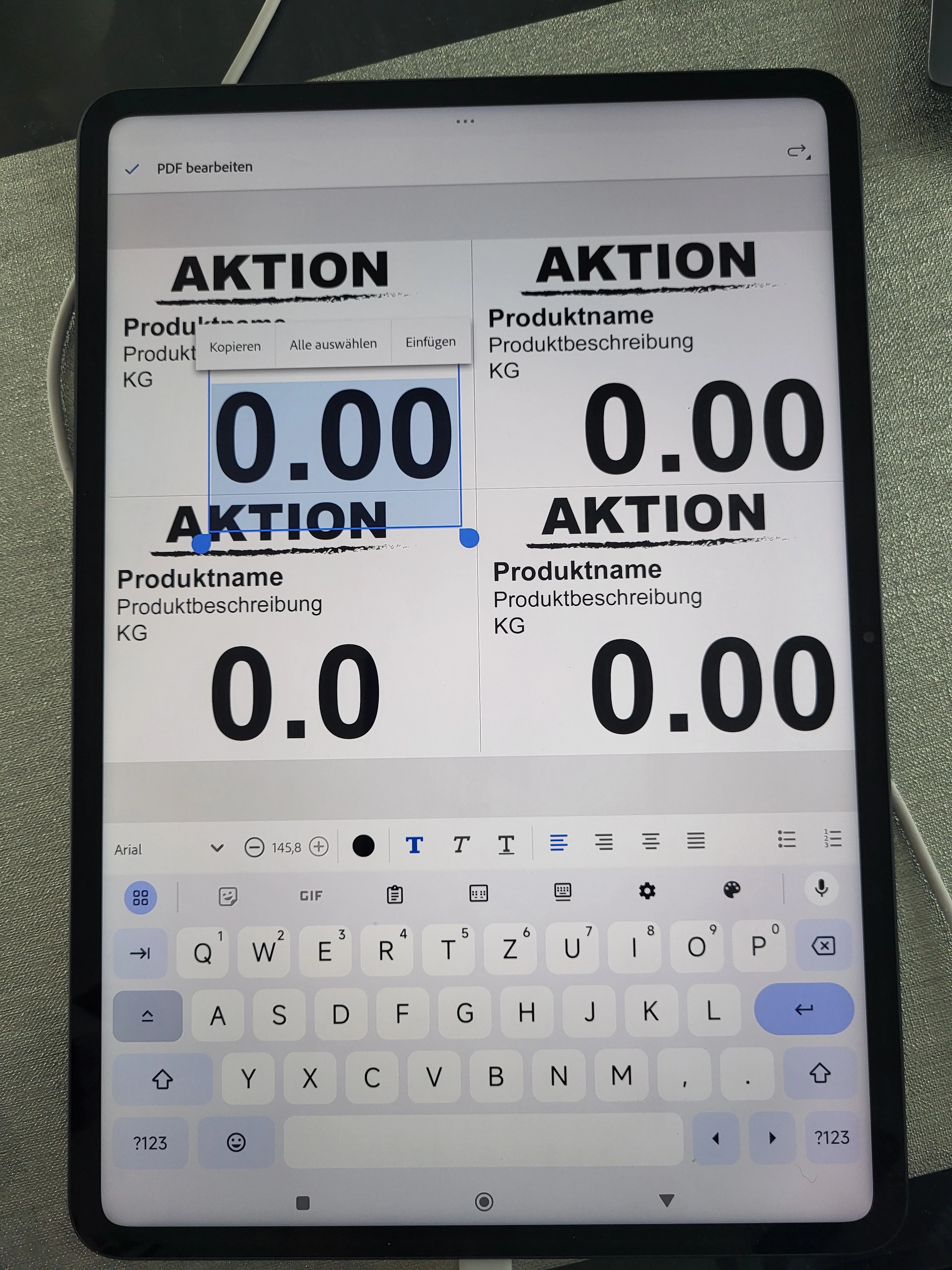
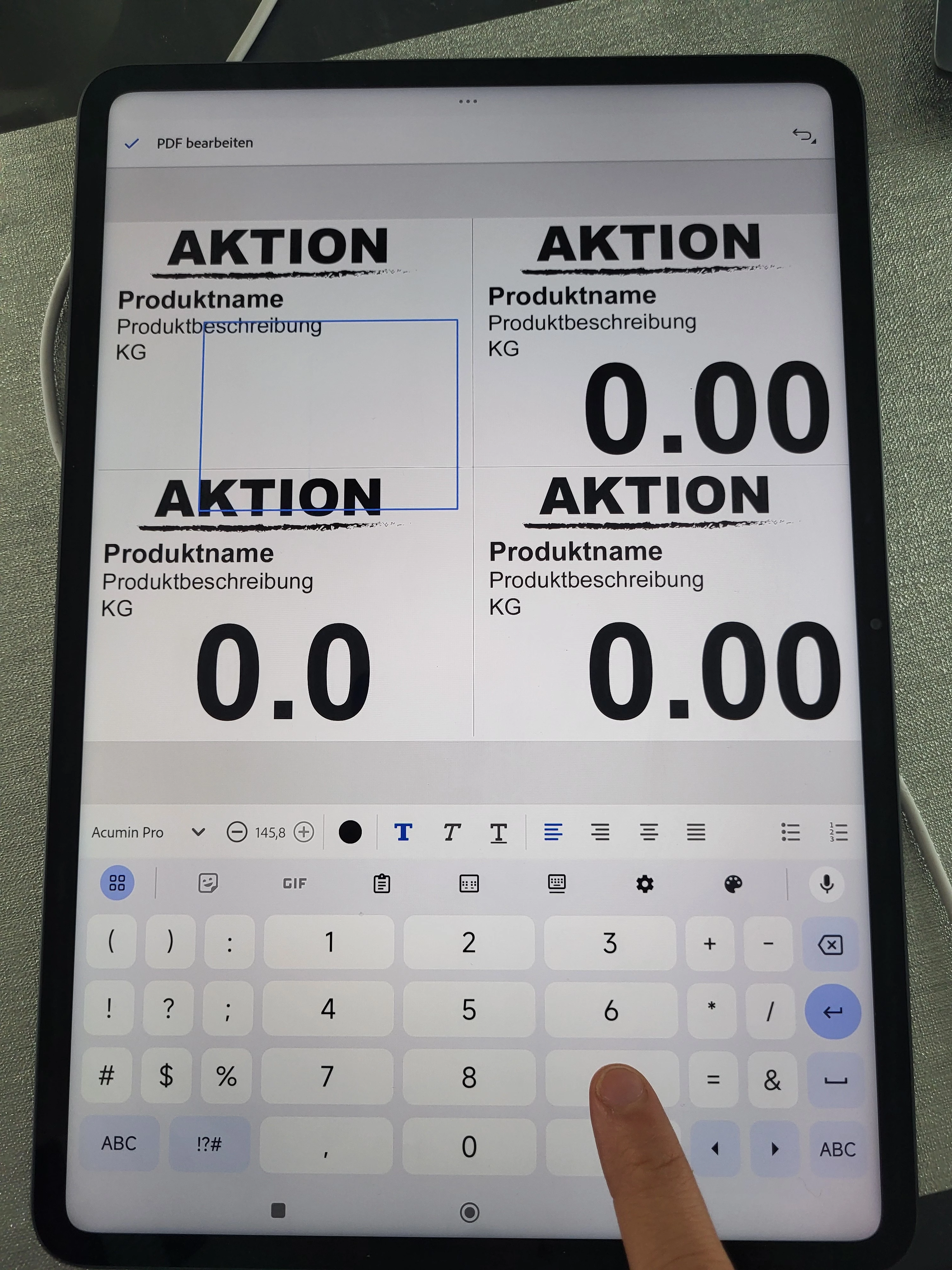
Hallo, ich habe mir die Xiaomi Pad 6s Pro gekauft, Adobe Acrobat Premium abo abgeschlossen. Jetzt möchte ich meine PDF Datei bearbeiten, die Zahlen, buchstaben ändern. Beim Tippe kann ich die Buchstaben oder Zahlen nicht sehen, Farbe Schriftart stimmen. Support konnte mir nicht weiter helfen. Auf das Handy kann ich die schrift beim Tippen sehen nur auf meinem Tablet nicht. auf dem Bild habe ich bereits auf Zahlen getippt, doch es zeigt ein Leeres feld

This topic has been closed for replies.

1 reply

JR Boulay
Community Expert
Community Expert
November 15, 2024

[MOVED TO THE ACROBAT READER MOBILE DISCUSSIONS]

Acrobate du PDF, InDesigner et Photoshopographe
S_S
Community Manager
Community Manager
November 15, 2024

Hi @tugba_6759,


Hope you are doing well. Sorry for the trouble.


Would you mind clicking on the font color and re-select black and let us know if it makes any difference?

Also, could you check if the font you are using to type on your tablet is available on the device? 

To do so, go to System Settings-> Keyboard-> Keyboard settings-> Add a keyboard-> Search for the language-> Add.


Once done, try again.


If this does not help, please share the below information for further investigation:

1. The app version of Acrobat you use (go to Profile-> About Acrobat);

2. The Android version of your device;

3. A screen recording of the issue;

4. A sample file where you experience the issue to test in-house.


Look forward to hearing from you.


-Souvik