neurocomp
Participant
October 9, 2018
Question

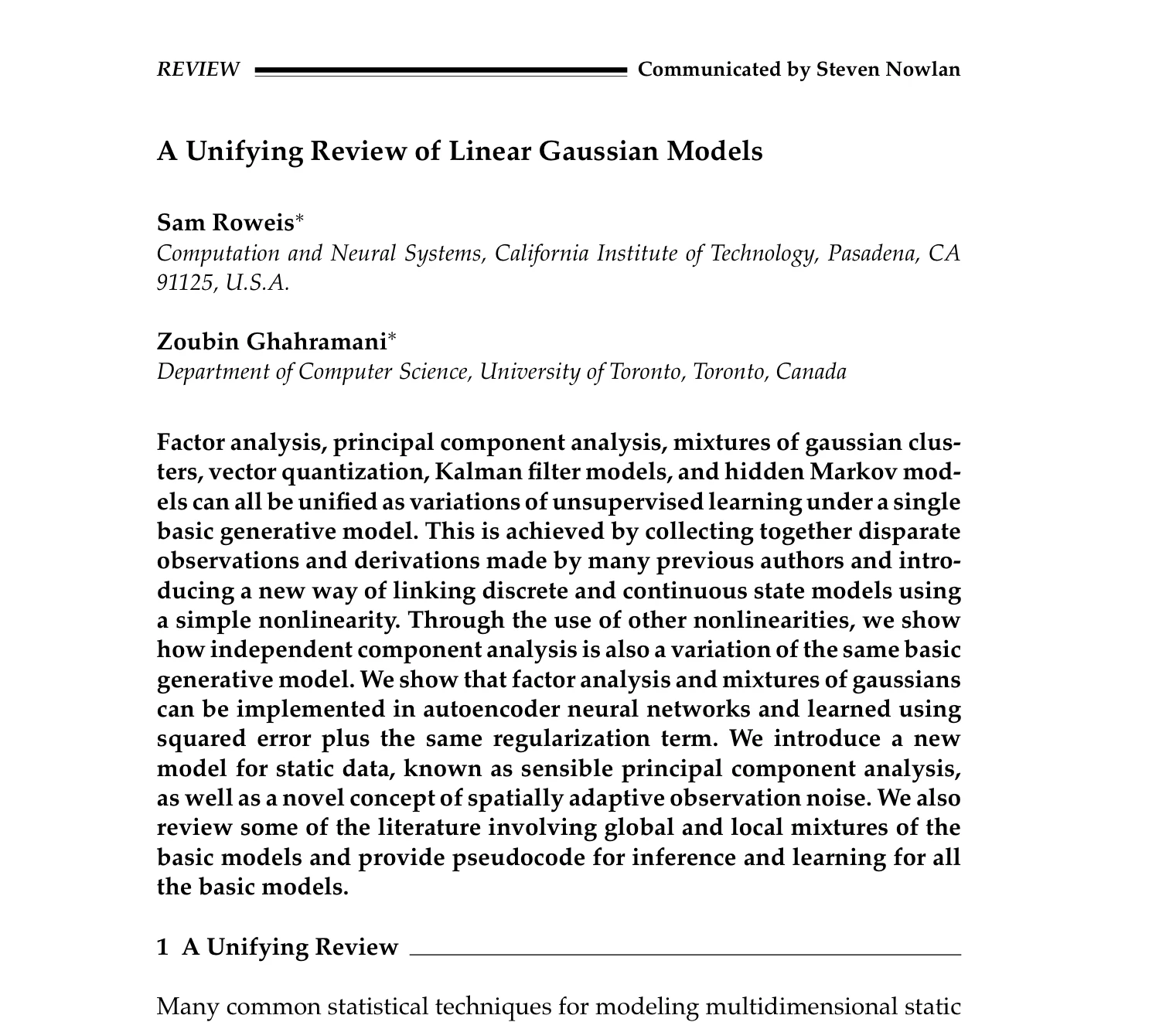
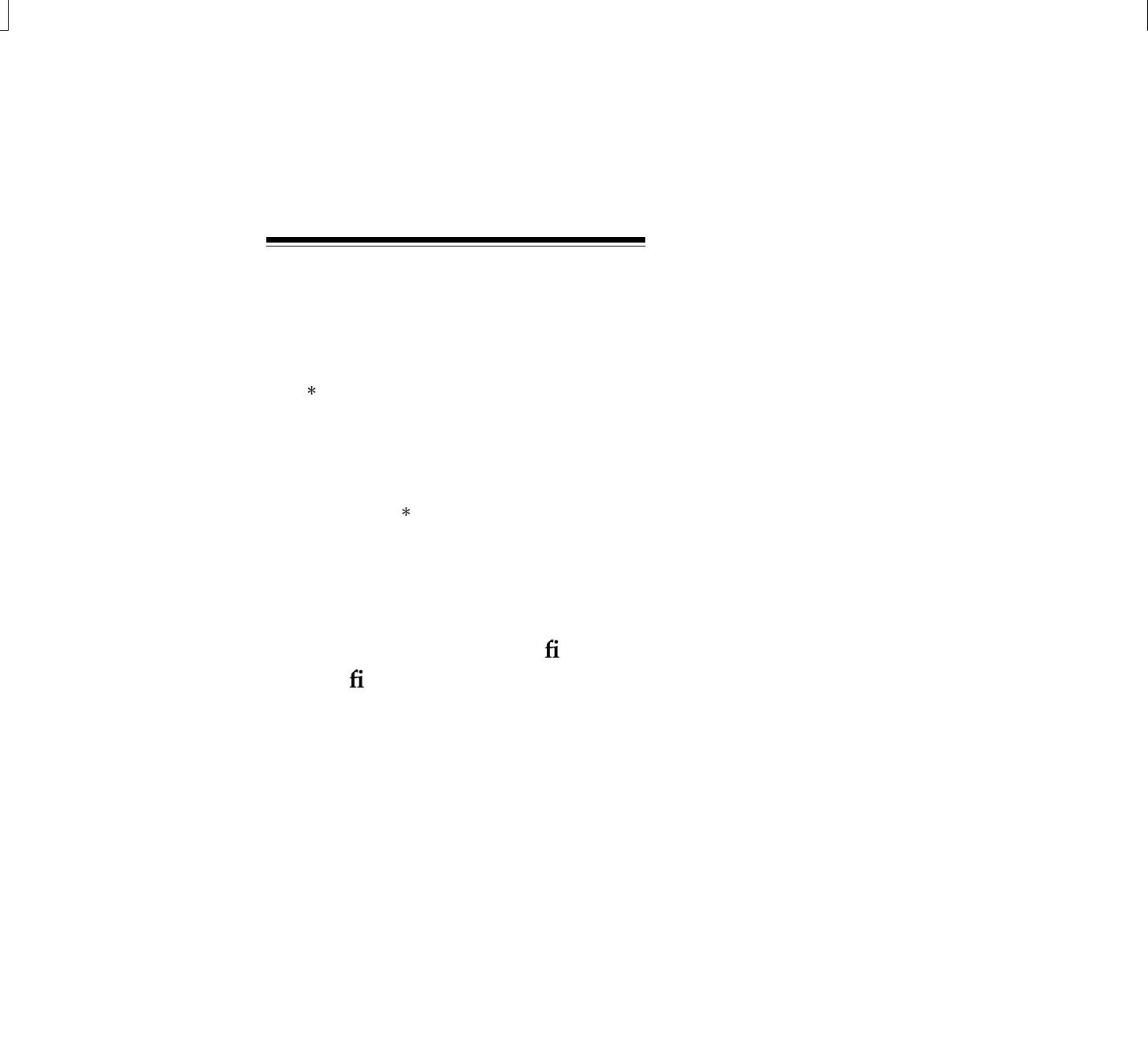
Please see the attached images, new ios app doesn’t open some pdfs

  • October 9, 2018
  • 1 reply
  • 2479 views

This is the original pdf

And, the following is what the app shows
This topic has been closed for replies.

1 reply

Meenakshi Negi
Community Manager
Community Manager
November 21, 2018

Hi Ibayern,

Sorry for the delay in response.

Are you still experiencing the issue in opening the PDF on the iOS application?

If yes, please share the details as asked below:

- Application version

- OS version

- From where you are opening the PDF? Is it saved on Local or some other location?

- Does it occur with a particular file?

- If it is an issue with a particular PDF, is it possible to share that file?

Use the steps mentioned here How to share a file using Adobe Document Cloud to share the file.

Let us know if you need any help.

Regards,

Meenakshi

neurocomp
neurocompAuthor
Participant
November 23, 2018

Dear Meenakshi:

Thank you very much for your consideration,

Unfortunately, I have still same issue with this file.

- Application version

18.11.00

- OS version

12.1

- From where you are opening the PDF? Is it saved on Local or some other location?

I opened it both from local and adobe cloud storage, but it is same.

- Does it occur with a particular file?

It occurs with this specific file and a few more files unfortunately I could not find them.

- If it is an issue with a particular PDF, is it possible to share that file?

I expirienced same issue with one or two more files from this journal publication(not all of them). I do not have any problem with these files when I open them in Acrobat Reader DC on my PC.

- If it is an issue with a particular PDF, is it possible to share that file?

Here is the shared link:

Adobe Document Cloud

Cheers

RA

Participant
May 3, 2022

I'm having this exact problem with one of my files on the iOS version of Adobe Reader.

The file reads fine in the PC version of Adobe Reader, and it reads fine in the iOS default PDF viewer or whatever they use to view PDF's.  But this file doesn't display right in Adobe Reader.


- Application version: 22.03.01

- OS version: iOS 15.4.1

- From where you are opening the PDF? Is it saved on Local or some other location?  I get the same problem whether I try to view the file from the "iCloud Drive", or "On my Phone" in the Files area.   As I said.  The file loads and displays fine using iOS's inbuilt PDF viewer.  But displays just like the original poster's file at the top of this thread when loaded in Adobe Reader.


- Does it occur with a particular file?  Yes.  It seems to happen with this file.  The app seems to display other files no problem.   If this issue is happening with this particular file though, I'm sure that if I go through all my couple hundred PDF's, I will probably end up finding more that have this issue.  So far, I've only discovered this problem with this one file. 

- If it is an issue with a particular PDF, is it possible to share that file?  Yes.  Just tell me where to send it.