
Participant
February 6, 2022
Question

Poor quality annotation linework on iPad Pro with Apple Pencil 2

  • February 6, 2022
  • 1 reply
  • 3932 views

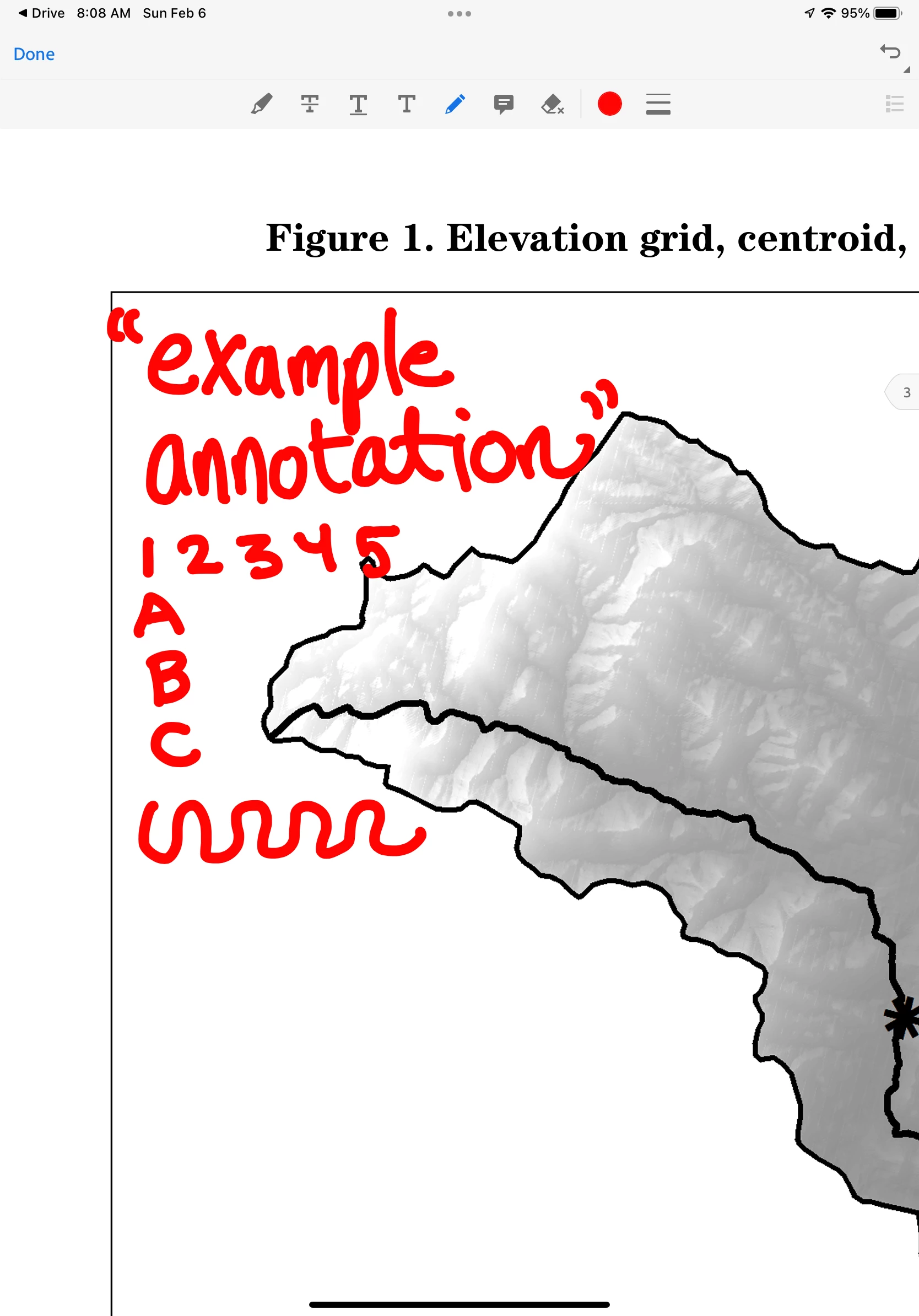
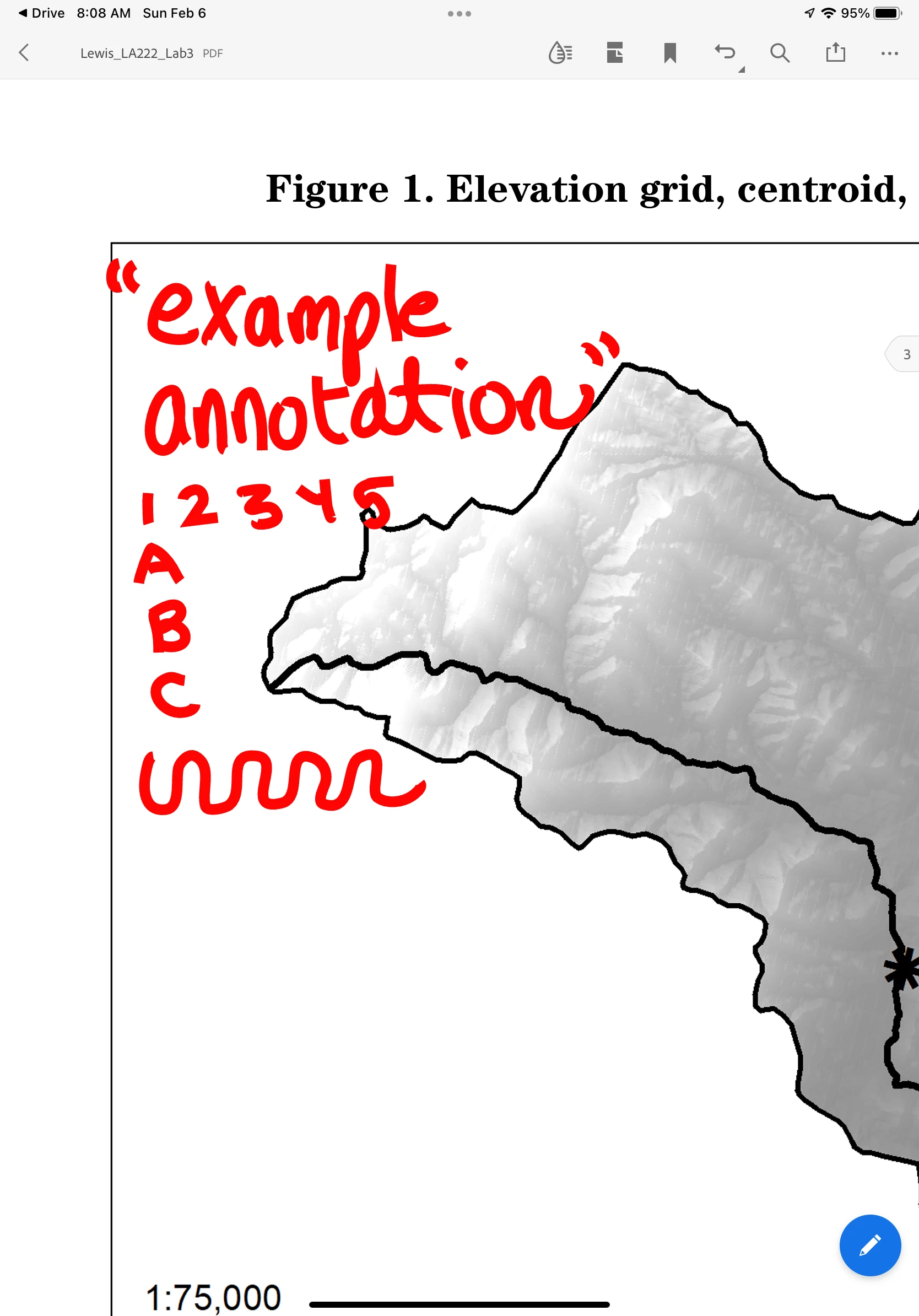
Wondering if there is a solution to this issue. When handwriting notations using the Apple Pencil on iPad, the app appears to capture handwriting precisely. However, once you click Done or move on to writing the next comment, it severely downsamples the handwriting. In some cases this makes the annotations unreadable. There is no such issue in other PDF annotation apps like Notability or the built in iBooks, but I'd prefer to keep using Adobe for other reasons.


While writing, high quality:
 

After clicking Done, handwriting is downsampled:
1 reply

Harsh Vardhan Pareek
Community Manager
Community Manager
February 7, 2022

Hi @skylerlewis94 


Would you mind sharing a few more details to understand the issue better?

1. Application version?

2. iOS version?

Make sure that the app is updated to the latest version.


We are looking forward to hearing back from you.


Thanks,

Harsh


Participant
October 28, 2022

Was this ever resolved? I have the same issue. When I annotate, the script looks fine until I click done, where lines turn jagged and spikey.

S_S
Community Manager
Community Manager
November 1, 2022

Hi @DubyaC,


Hope you are doing well. This issue has already been identified as a bug, and our team is working hard to get this fixed in the upcoming updates.


Sorry for the frustration caused by this.


-Souvik.