
Participant
April 30, 2023
Question

Removing Google drive recent files

  • April 30, 2023
  • 2 replies
  • 5633 views

Hello all

Does anyone knows how to remove recent files of Google drive from my list?

I've tried uninstalling and reinstalling the app, signing out and in, but with no solution. The only option I get when selecting a google drive linked pdf file is either to share it or delete it, but there is no option that says ( remove from recent) however all other accounts files, and device files have this option. It feels like you're stuck to see these files forever, even after uninstalling the app and with the file no longer existing in local storage.
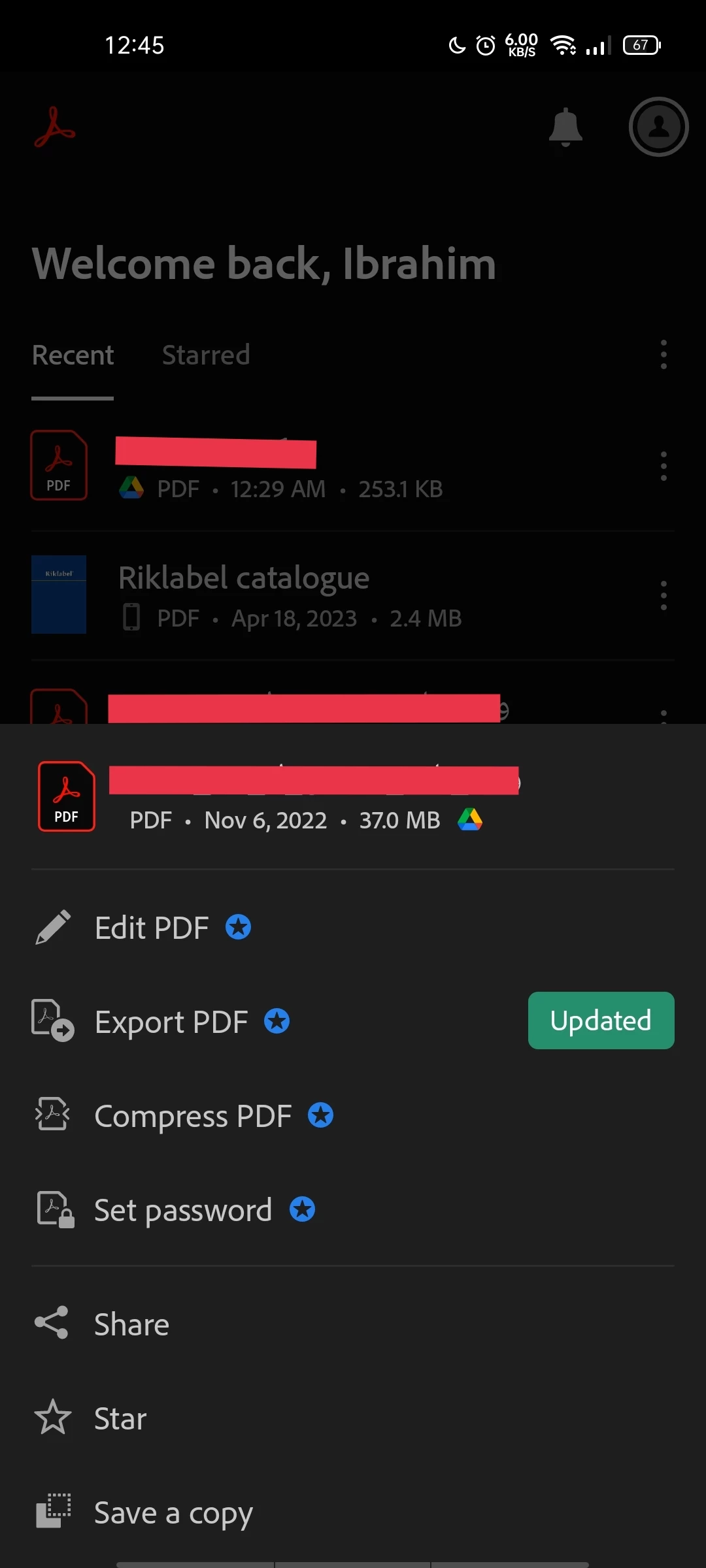
Thanks in advance for any help 

This topic has been closed for replies.

2 replies

Participant
May 23, 2024

There is no recent option , in three dots , along with , Google drive files , in Adobe reader recent files . It's a constant headache to continuously see those files .

S_S
Community Manager
Community Manager
May 28, 2024

Hi @Idrisiaamna,


Hope you are doing well. Thanks for writing in!


Would you mind updating the application to the latest version? I checked the workflow to remove files opened through Google Drive, and it worked for me (screenshot attached).


Also, you might want to try long pressing to select the file and then click the three dots to the top right-> Click "Clear from recent." 


Let me know if this helps.


-Souvik


Got your issue resolved? Please label the response as 'Correct Answer' to help your fellow community members find a solution to similar problems.

S_S
Community Manager
Community Manager
May 9, 2023

Hi @Ibrahim296656913ew6,


Hope you are doing well. Sorry for your experience with Acrobat Reader Mobile.


On the menu, you opened click the three dots on the right of the file name, scroll up to get to the bottom of the menu to see the option "Remove from Recents"


You should be able to remove the file name from the list. 


The other option would be to completely remove all the file names from the list by clicking the menu button on the top right of the home tab and clicking "Clear recent files".


Hope this helps.


-Souvik