
lidesany
Participant
June 13, 2017
Question

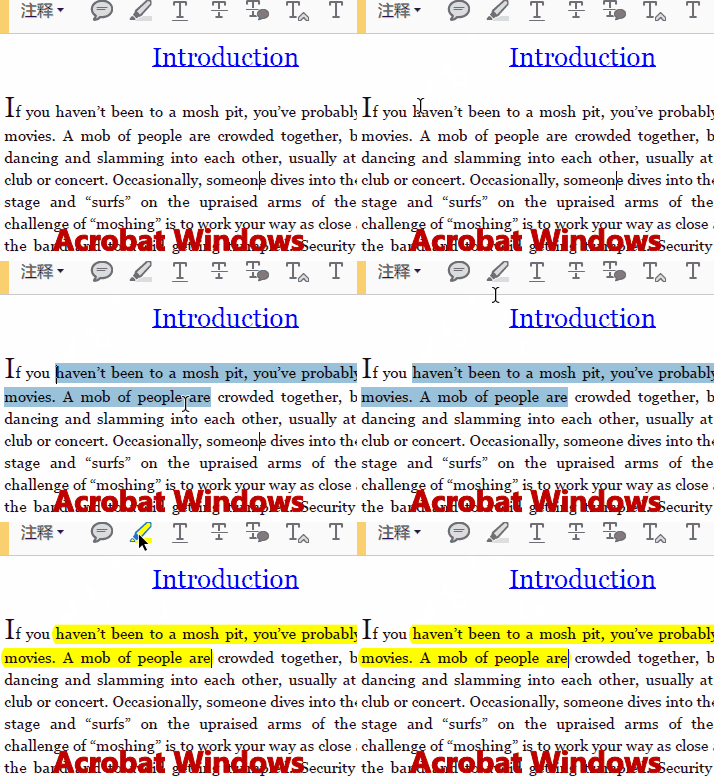
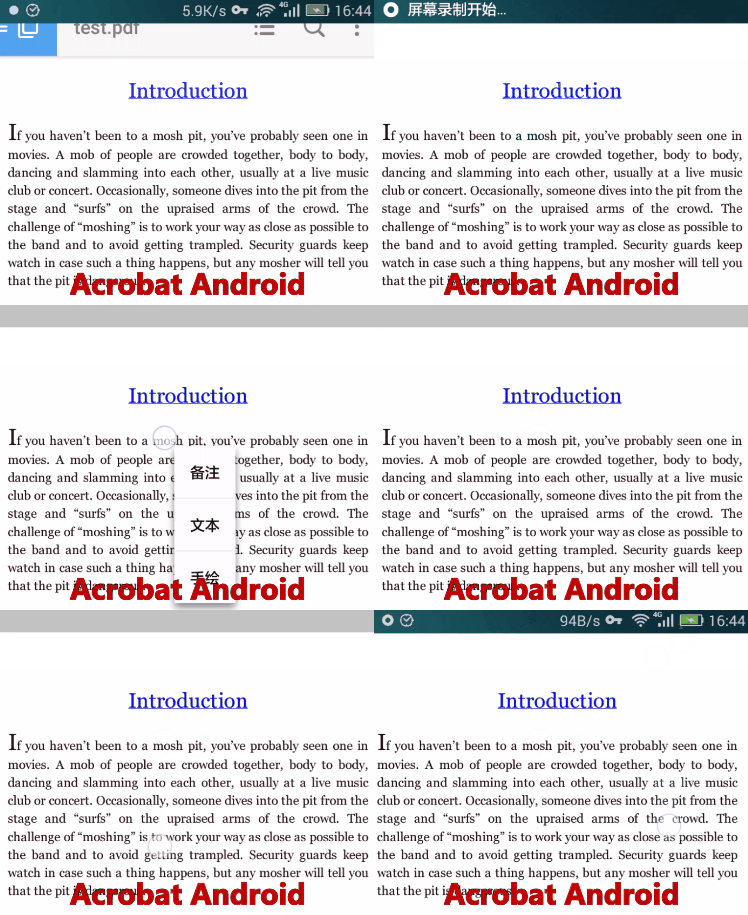
Same PDF, Acrobat Windows CAN highlight, Acrobat Android CANNOT highlight

  • June 13, 2017
  • 2 replies
  • 974 views

WHY? Obviously it's not scanned image.

Here is test.pdf: http://waldens.github.io/test.pdf

It's just one page for test and copyright free, feel free to download and test in you Android. Thanks
This topic has been closed for replies.

2 replies

lidesany
lidesanyAuthor
Participant
July 2, 2017

Any help or suggestion?

Meenakshi_Negi
Legend
June 13, 2017

Hi lidesany,

I tried to replicate the issue at my end. I am able to highlight the text in PDF that you have shared.

When you open the PDF in an Android application, tap on the PDF and you will see four options provided at the bottom.

Tap on the second icon that is comment icon and then select the highlight tool.

Now try to highlight the PDF and check if it works or not.

You may also refer the steps provided here: Acrobat Reader Help for Android: Annotating Pages

Let us know if the issue still persists.

Regards,

Meenakshi

lidesany
lidesanyAuthor
Participant
June 13, 2017

You're right! It indeed can highlight text.

My mistake, what I really ask is, "Same PDF, Acrobat Windows CAN select text, Acrobat Android CANNOT select"

When we press the screen long time on a text, Acrobat should select the text and pop up a menu, like GIF1 shows in the below.

But in GIF2, why can't I select text by this way? can how can I select and copy text in text.pdf?

lidesany
lidesanyAuthor
Participant
June 17, 2017

Four days from the last reply...Will this problem become an pending case that cannot be solved?