
Participant
November 21, 2024
Question

Signature Fill on Acrobat iOS and Android

  • November 21, 2024
  • 1 reply
  • 367 views

We have several accounts with both Standard and Pro licenses. Additionally, we have employee using both iOS and Android devices.


Based on this, we would like to know why the application behaves differently on iOS and Android.


On iOS, we are able to sign and select the color of the signature, but on the Android version, we are unable to select the color.


Is there any workaround for this issue?
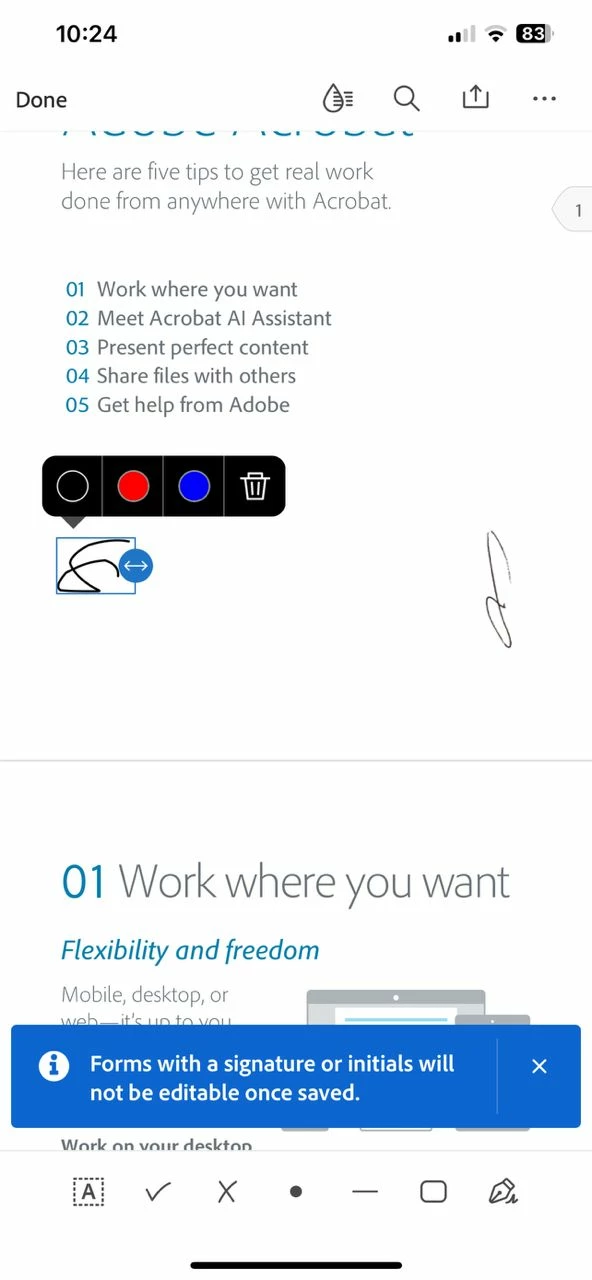


iOS Device
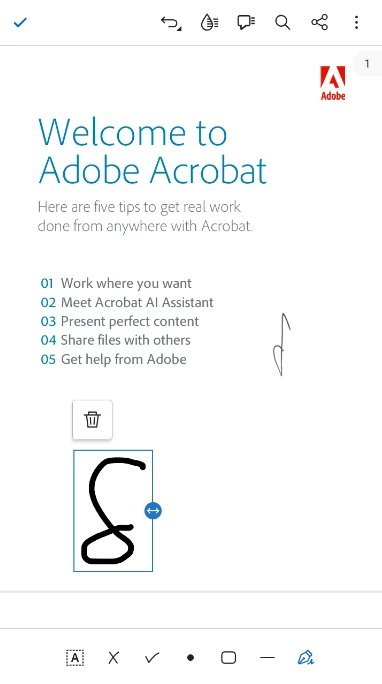
 

Android Device


[Moderator moved the thread to the correct forum]

This topic has been closed for replies.

1 reply

Abambo
Community Expert
Community Expert
November 21, 2024

Android and iOS are different OSs, so the development of the applications and the capabilities of the OS may be different. Even if the applications try to match the look and feel accross systems, that is not always possible.


ABAMBO | Hard- and Software Engineer | Photographer
Participant
November 21, 2024

Based on the reply, does this mean there is no way to change the signature color on an Android device?

Amal.
Community Manager
Community Manager
November 25, 2024

Hi there


Hope you are doing well.


Changing colors for signatures is available only on the desktop version of the application. As a workaround, you can use a colored signature image and add that as a signature to your document.


You can add this feature request to https://adobe.ly/3Zm6EWb to ensure your feedback reaches the product team for review and future implementation.


Hope this helps.


~Amal