


상원이46270416
Participant
October 23, 2018
Answered

The document does not open.(문서가 열리지 않습니다.)

  • October 23, 2018
  • 3 replies
  • 928 views

문서가 열리지 않습니다.

아이패드를 사용하는 학생입니다.

아이패드 버젼 :최신

adobe acrobat reader : 최신

1. 아이패드를 이용해서 필기를 하는 도중 저장을 누르지 않고 덮을때가 종종있습니다.

2. 이후 다시 아이패드에 파일을 열려고하면 파일이 열리지 않습니다.

( 구글 드라이브를 사용해서 그런가요?)

지속되는 문제로 고통받고 있습니다. 도와주세요,

---

The document does not open.

Students using the iPad.

IPad version: latest

adobe acrobat reader: latest

1. There are times when I use the iPad to cover without holding the save while writing.

2. If you try to open the file on the iPad again, the file will not open.

(Did you use Google Drive?)

I am suffering from persistent problems. Help,

---

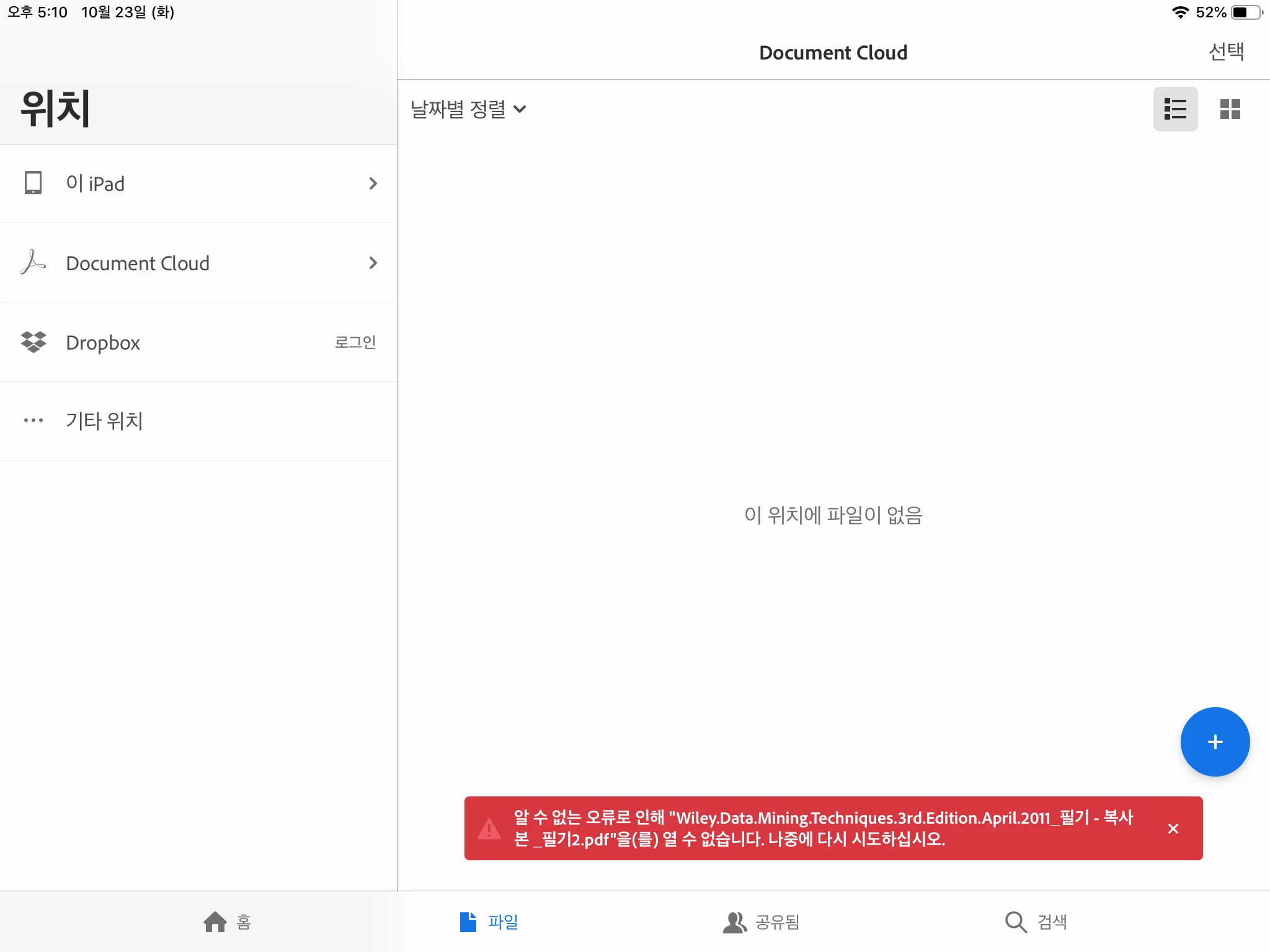
에러메세지는  알수없는 오류료 인해 파일을 열수 없습니다. 나중에 다시 시도해주세요.

The error message can not be opened due to an unknown error. Please try again later.
This topic has been closed for replies.
Correct answer MobileDeveloperCK

Hi 상원이46270416​,

Has your problem already been solved?

If not, please update to Acrobat Reader 18.12.00.  We believe 18.12.00 contains the fix for issues with Google Drive.

Would you please let us know if Acrobat Reader 18.12.00 works better for you?

Thank you.

3 replies

MobileDeveloperCKCorrect answer
Legend
December 15, 2018

Hi 상원이46270416​,

Has your problem already been solved?

If not, please update to Acrobat Reader 18.12.00.  We believe 18.12.00 contains the fix for issues with Google Drive.

Would you please let us know if Acrobat Reader 18.12.00 works better for you?

Thank you.

Meenakshi_Negi
Legend
October 31, 2018

Hi 상원이,

We have recently released an update for Acrobat Reader i.e. 18.10.02 to the App store.

Please update the application and check if the problem is resolved after updating.

Let us know how it goes.

We appreciate your patience.

Regards,

Meenakshi

Legend
October 24, 2018

Hi 상원이46270416​,

This problem occurs only with Microsoft OneDrive.  Acrobat can open documents from other cloud storage (iCloud Drive, Google Drive, Box, etc.).

We are currently investigating and working on a fix for the problem with OneDrive.

As a workaround, would you please try the following steps?

  1. Launch the Files app.
  2. Tap "Browse" in the bottom bar.
  3. Tap "OneDrive".
  4. Open the document in the Files app.
    This forces the document to be downloaded from OneDrive.
  5. Switch to Acrobat.
  6. Tap "Files" in the bottom bar.
  7. Tap "More Locations".
  8. Select the same document that you've opened in the Files app at Step 4.

We will let you know once we have a public release containing the fix for the problem.

Sorry for the inconvenience.