Participant
January 22, 2024
Answered

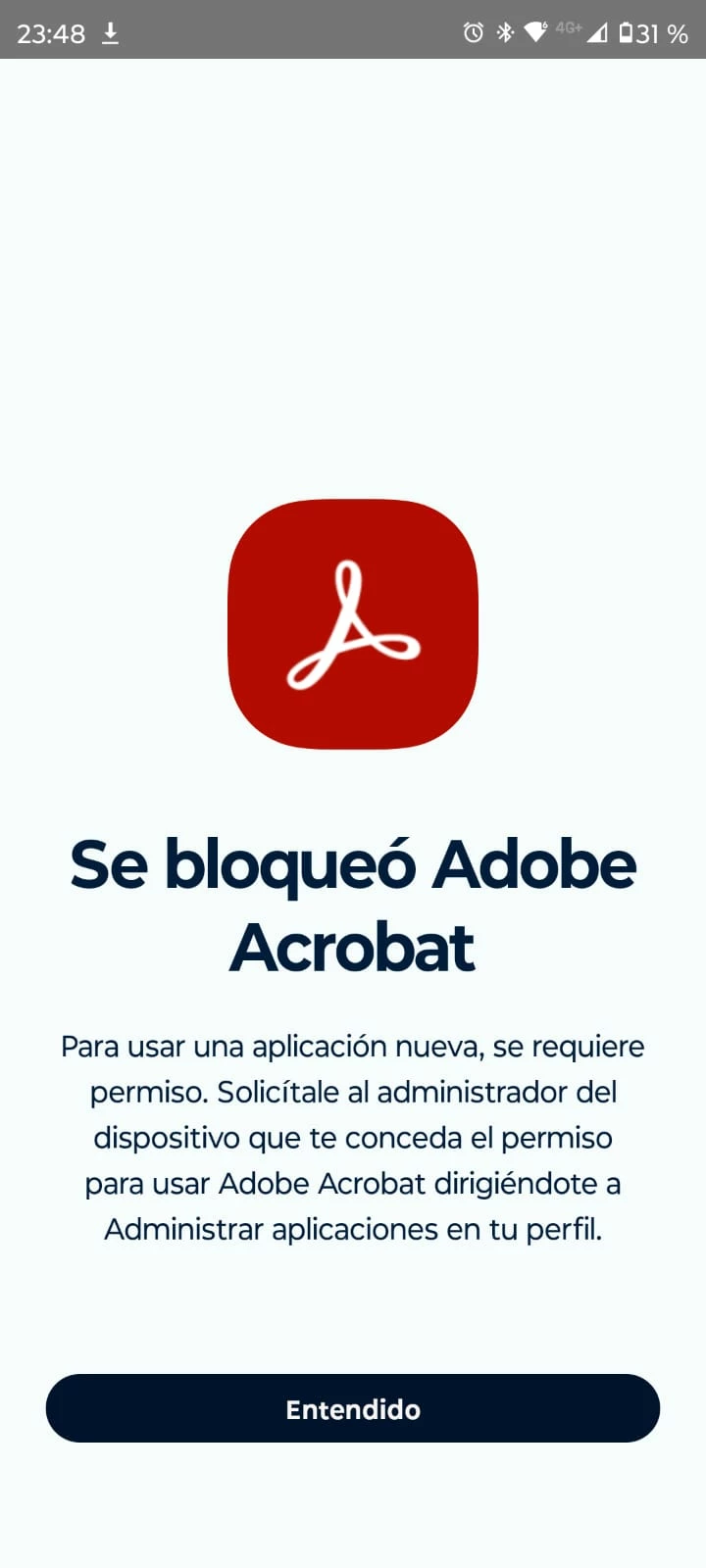
Unable to use Adobe Acrobat app
  • January 22, 2024
  • 1 reply
  • 636 views

I get this message immediately after downloading Acrobat Reader for android. I have no chance to sign in or anything and all permissions are on

This topic has been closed for replies.
Correct answer S_S

Hi @Daniel32335302f3zl,


Hope you are doing well. Sorry for your experience!


It looks like you are using an account managed by your organization. 

Would you mind following the below steps:

1. Go to Phone Settings-> Apps;

2. Click on Acrobat-> click "Storage"-> click "Clear Data."

3. Once done, restart the device and then try again.


Hope this helps.


-Souvik

1 reply

kglad
Community Expert
Community Expert
January 22, 2024

in the future, to find the best place to post your message, use the list here, https://community.adobe.com/

p.s. i don't think the adobe website, and forums in particular, are easy to navigate, so don't spend a lot of time searching that forum list. do your best and we'll move the post (like this one has already been moved) if it helps you get responses.


<"moved from using the community bugs">
S_S
Community Manager
S_SCommunity ManagerCorrect answer
Community Manager
January 23, 2024

Hi @Daniel32335302f3zl,


Hope you are doing well. Sorry for your experience!


It looks like you are using an account managed by your organization. 

Would you mind following the below steps:

1. Go to Phone Settings-> Apps;

2. Click on Acrobat-> click "Storage"-> click "Clear Data."

3. Once done, restart the device and then try again.


Hope this helps.


-Souvik