charlie3878
Inspiring
February 3, 2018
Answered

Why isn’t Acrobat Reader listed in Share Sheet?

  • February 3, 2018
  • 1 reply
  • 1815 views

I’ve supported iPads since the first model, but this problem is driving me nuts!

iPad 5 iOS 11.2.5

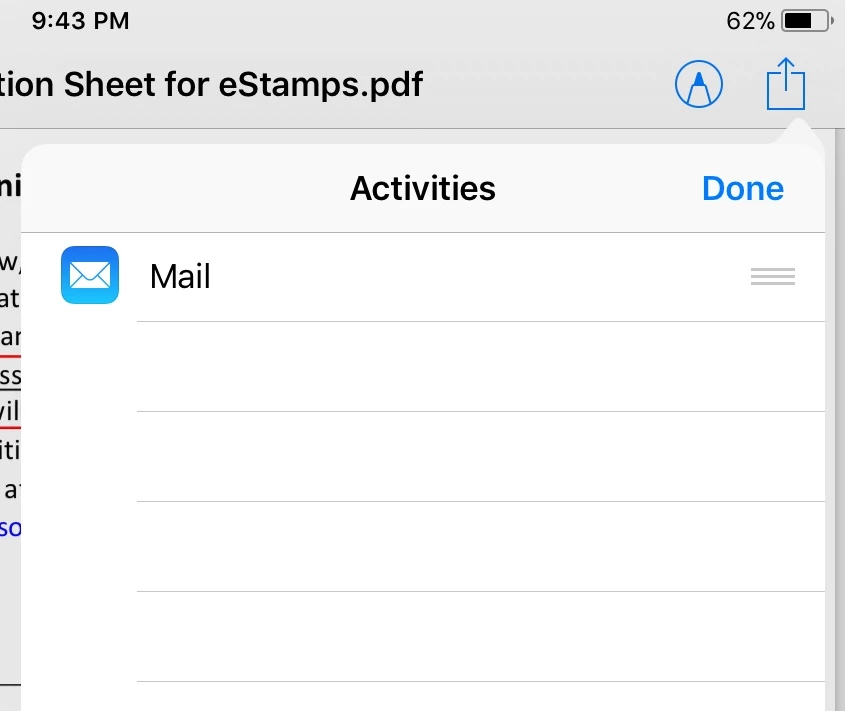
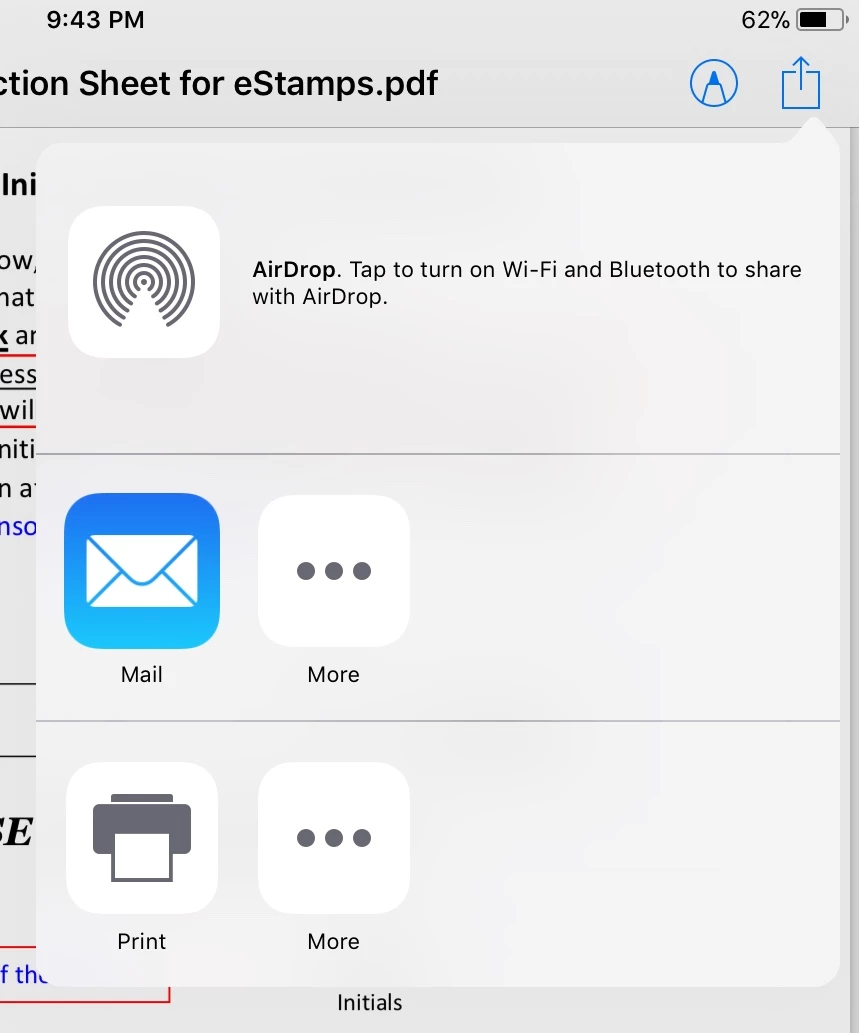
When I open a PDF from email in Apple’s default reader, I tap the Share button, but the Reader app isn’t listed. Neither is iBooks or other apps In the first row. Only the default Mail app displays. After tapping the More button, nothing except the Mail app displays. Even PDF Expert is not listed.  How can I open the file in Reader?

Thanks for your help,

Charlie
Does Reader not have a Share Sheet ext
This topic has been closed for replies.
Correct answer MobileDeveloperCK

Hi charlie3878​,

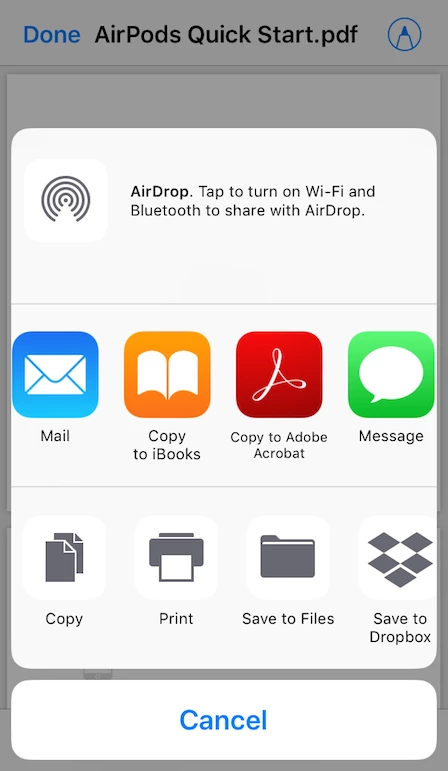
This is what my Share sheet on iOS 11.2.5 looks like.

The Share sheet options and order may vary.  However, your Share sheet does not even show "Copy" or any Apple iOS apps (e.g. iBooks, Notes), either.

Is it possible that the problem is happening only with your iOS devices owned by your company?

With Enterprise Mobility Management (EMM), your company can protect information by controlling what you can access or share on the company-owned mobile devices.

Please consult with your company's IT department.

Thank you.

1 reply

MobileDeveloperCKCommunity ManagerCorrect answer
Community Manager
February 3, 2018

Hi charlie3878​,

This is what my Share sheet on iOS 11.2.5 looks like.

The Share sheet options and order may vary.  However, your Share sheet does not even show "Copy" or any Apple iOS apps (e.g. iBooks, Notes), either.

Is it possible that the problem is happening only with your iOS devices owned by your company?

With Enterprise Mobility Management (EMM), your company can protect information by controlling what you can access or share on the company-owned mobile devices.

Please consult with your company's IT department.

Thank you.

charlie3878
Inspiring
February 3, 2018

Thanks for the tip. We manage the devices with MobileIron and security policies are applied. I’ll check with Network team on Monday.

Thanks again,

Charlie