


Acrobat Plug-in missing in toolbar for Office 365
Hello,
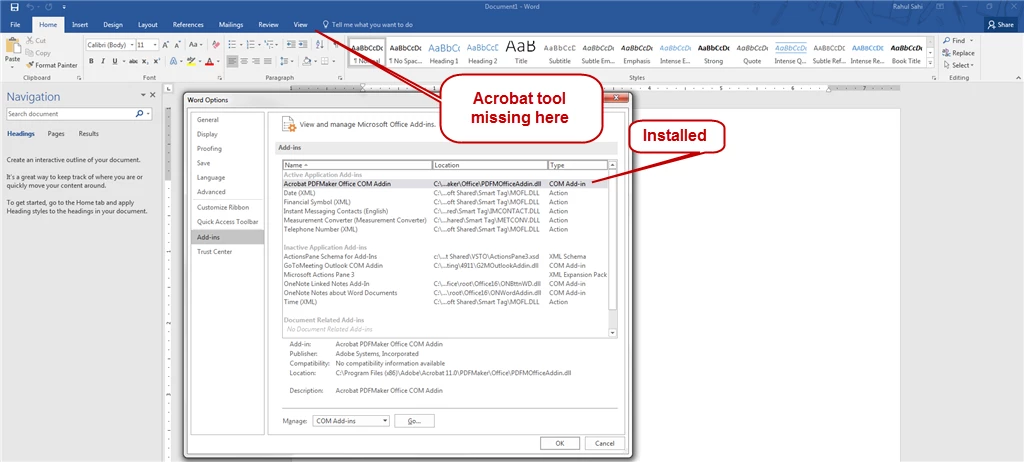
Issue: Acrobat tab is not visible in MS Word. I am able to convert a word doc to PDF from File>export to PDF or Save as PDF, but this way I am loosing on Navigation stuff, to keep the PDF version intact I have always used the tool since I updated office. On a diff. computer when I use the Acrobat tab to create PDF I am getting expected results. I have tried following solution:
1. Reinstalled MS Word
2. Reinstalled Acrobat XI pro
3. Checked the registry for 'Load values' to zero and three.
4. Uninstall/reinstall Acrobat plug-in
5. Changed location for Acrobat Add-in, from user profile and Program Specific
6. Tried to update office product using Deferred channel configuration file
7. Run as Administrator etc.
I have attached the screenshot showing Acrobat plug-in installed and enabled but missing from toolbar in word. I am using following Versions:
MS Word: 16.0.6741.2048
Acrobat XI pro
Any help would be greatly appreciated!
 AdChoices