
Participant
May 15, 2019
Answered

Adding Calculations to PDF Fields

  • May 15, 2019
  • 1 reply
  • 884 views

Hi,

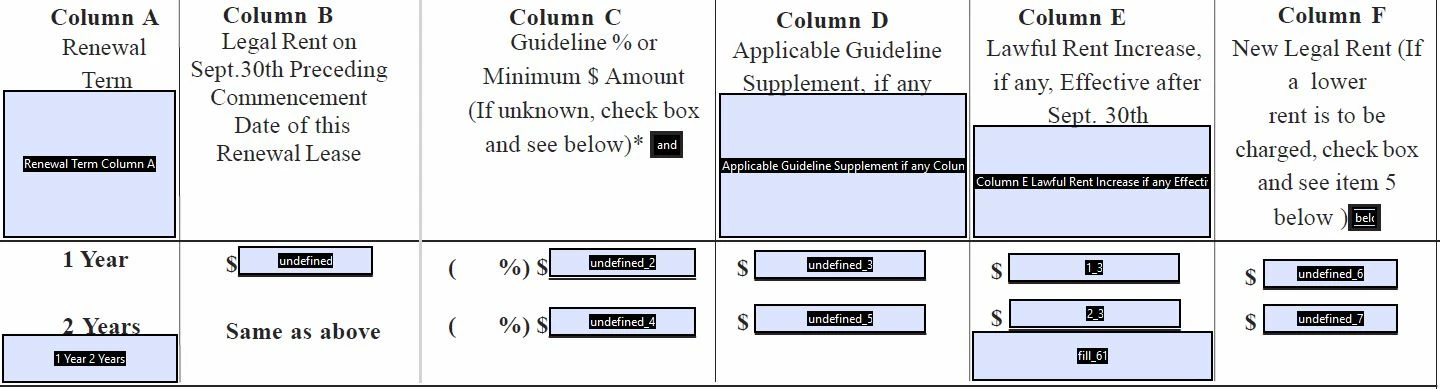
I'm trying to make some of my fields calculate basic math like adding two fields together as a sum in a third field and making fields link to have the same number in them throughout the pdf document. Attached is the form I am trying to add the calculations to.

Fields "Undefined 6 and Undefined 7" should be the sums of "undefined" + "undefined 2" and "undefined 4".

Thank you for any and all help!!! I have banged my head on the desk about 111 times thus far.
This topic has been closed for replies.
Correct answer Bernd Alheit

Select the field name and press the space bar.

1 reply

try67
Community Expert
Community Expert
May 15, 2019

Use the built-in Sum option under the Calculate tab of the field where you want to display the result.

Participant
May 15, 2019

Hi,

Thanks for the super fast reply! I did try this several times but it is not letting me select the two fields to add together in the list. It's not letting me assign a check mark to the box of the field and it would let me select anything. I tried several times. Please see the ss below.

Bernd Alheit
Community Expert
Bernd AlheitCommunity ExpertCorrect answer
Community Expert
May 15, 2019

Select the field name and press the space bar.