
Adobe Acrobat - Reader-enabling Tools
Hello everyone, I need help on my Adobe Acrobat Reader DC. It's been 3 weeks trying to solve this problem and it's frustrating.
I want to add a custom menubar in my Adobe Acrobat Reader DC, I tried to put a BasicPlugin.api in:
"C:\Program Files (x86)\Adobe\Acrobat Reader DC\Reader\plug_ins". When I tried to run again, I don't see any changes the in menubar.
Also changed the setting in Edit -> Preferences -> General (tab) -> and I unchecked the checkbox button where it says Use only certified plugins, Currently in Certified Mode: Yes. But it seems like Certified Mode is always set to Yes, it doesn't change at all.
I downloaded the Acrobat DC SDK, and looked into the files, there is a folder Reader-enabling Tools\win.
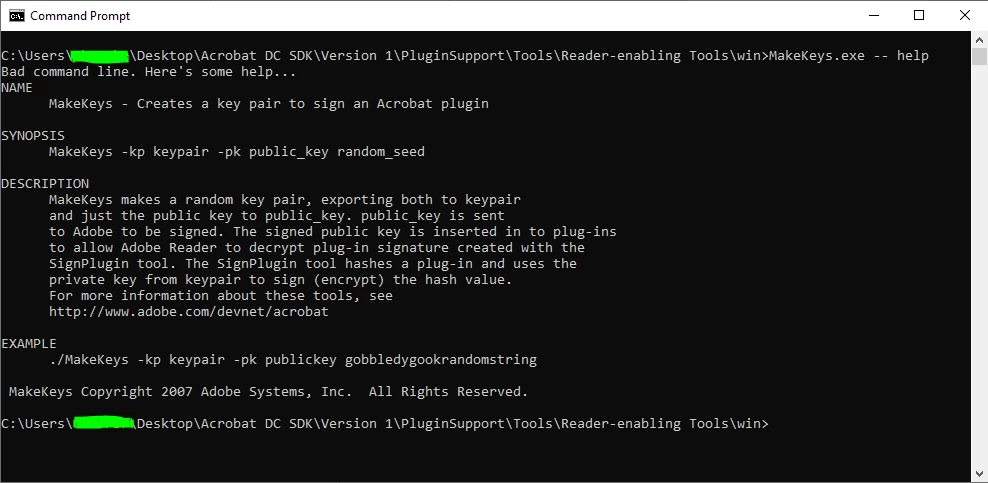
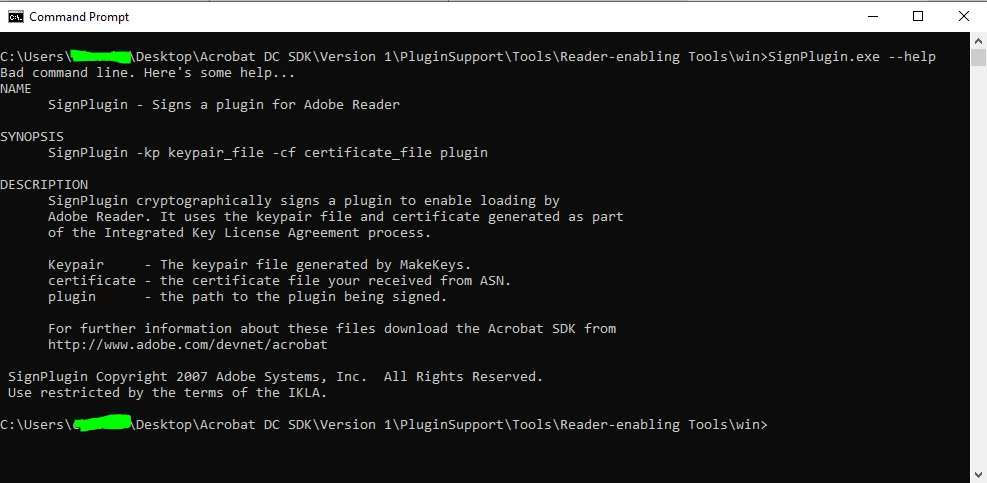
And inside this folder there are 2 executable files (MakeKeys.exe and SignPlugin.exe):

When I tried to run the Makekeys.exe:
When I tried to run the SignPlugin.exe:
I searched all over but haven't get any clue how to use these command lines.
- Do I need my plugin to be in Certified Mode by Adobe before I can create a test plugin?
- Do I need to use these SignPlugin and MakeKeys to be in Certified mode?
- Should I have license Adobe Acrobat so I can run my plugins? I just want to make a simple basic plugin first.
Please help me what am I doing wrong, I need help..


 AdChoices