courtneyb4980338
Participant
July 15, 2020
Answered

Help with Java

  • July 15, 2020
  • 1 reply
  • 487 views

Hello - I am very new to Java coding, and need some assistance with this task. 

I am not getting any errors with this code, BUT at the same time, nothing is happening with the form.


What i am trying to do

I have a checkbox.  I need to assign a  $ amt to the box

If check box is checked   - I need $ amt to appear in separate text box "ColAMT"

If check box is NOT checked -  i need 0 to appear in separate text box "ColAMT"


What I think should happen in the form, is the unchecked box should appear as "0" in the "ColAMT" box until it is checked.  Once it is checked an assigned number should appear


This is the code i am trying

var value = 5365; if (this.getField("COLBox").value!="On") Value += Number(this.getField("ColAMT").value);

var newValue = 0; if (this.getField("COLBox").value!="Off") newValue += Number(this.getField("ColAMT").value);

event.value = newValue;


Thank you, Courtney

This topic has been closed for replies.
Correct answer ls_rbls

Hey courtney, I think that you're complicating the script too much.  Also your code is not JAVA; you're using Acrobat JavaScript.


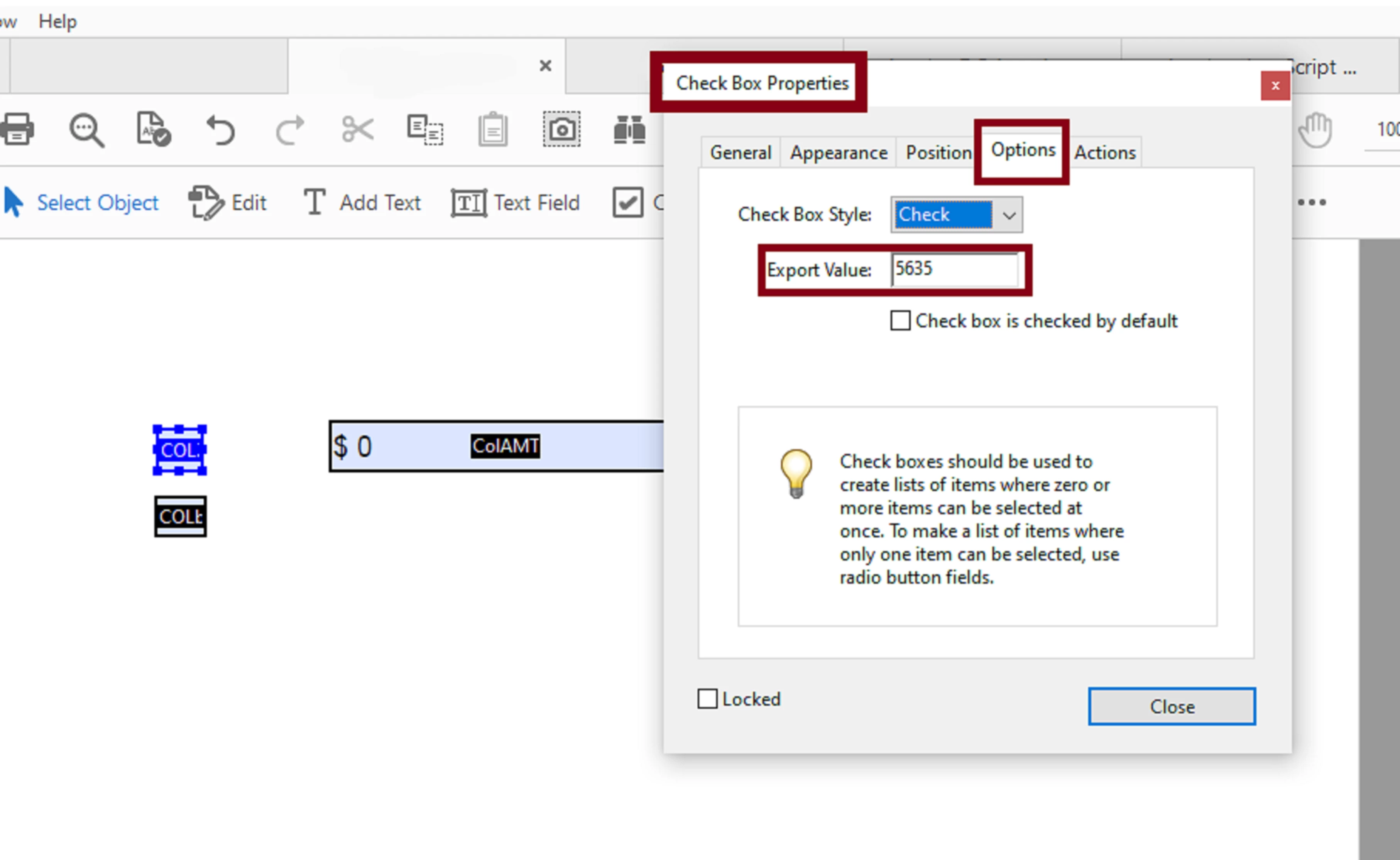
For the checkbox "COLbox",  all you have to is set the export value to "5635" (without the quotes, of course). See slide:


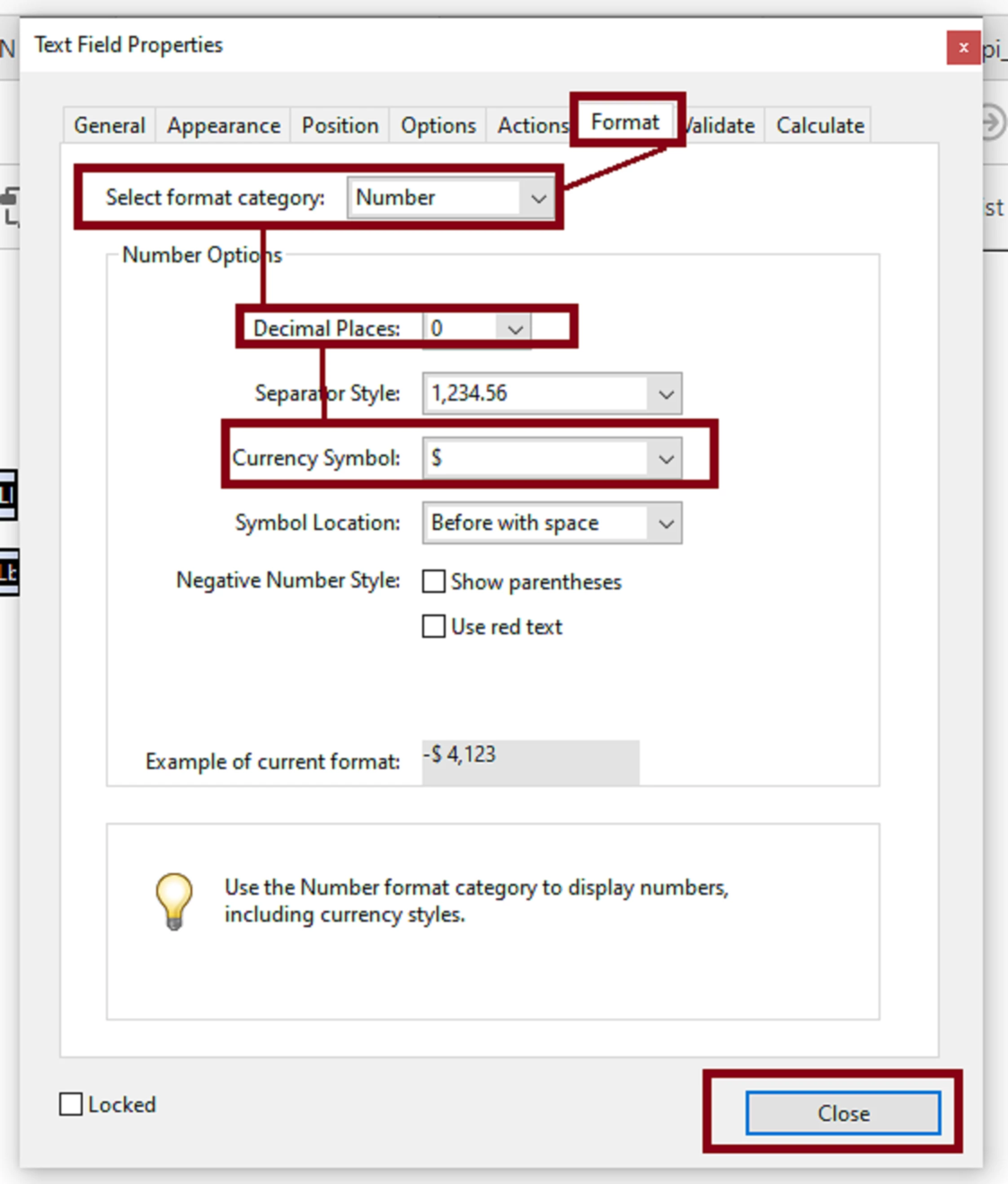
And then go to filed   properties of  "colAMT"; set  the  custom format  for Number and "$" using the Acrobat custom built-in formats:


See next slide:


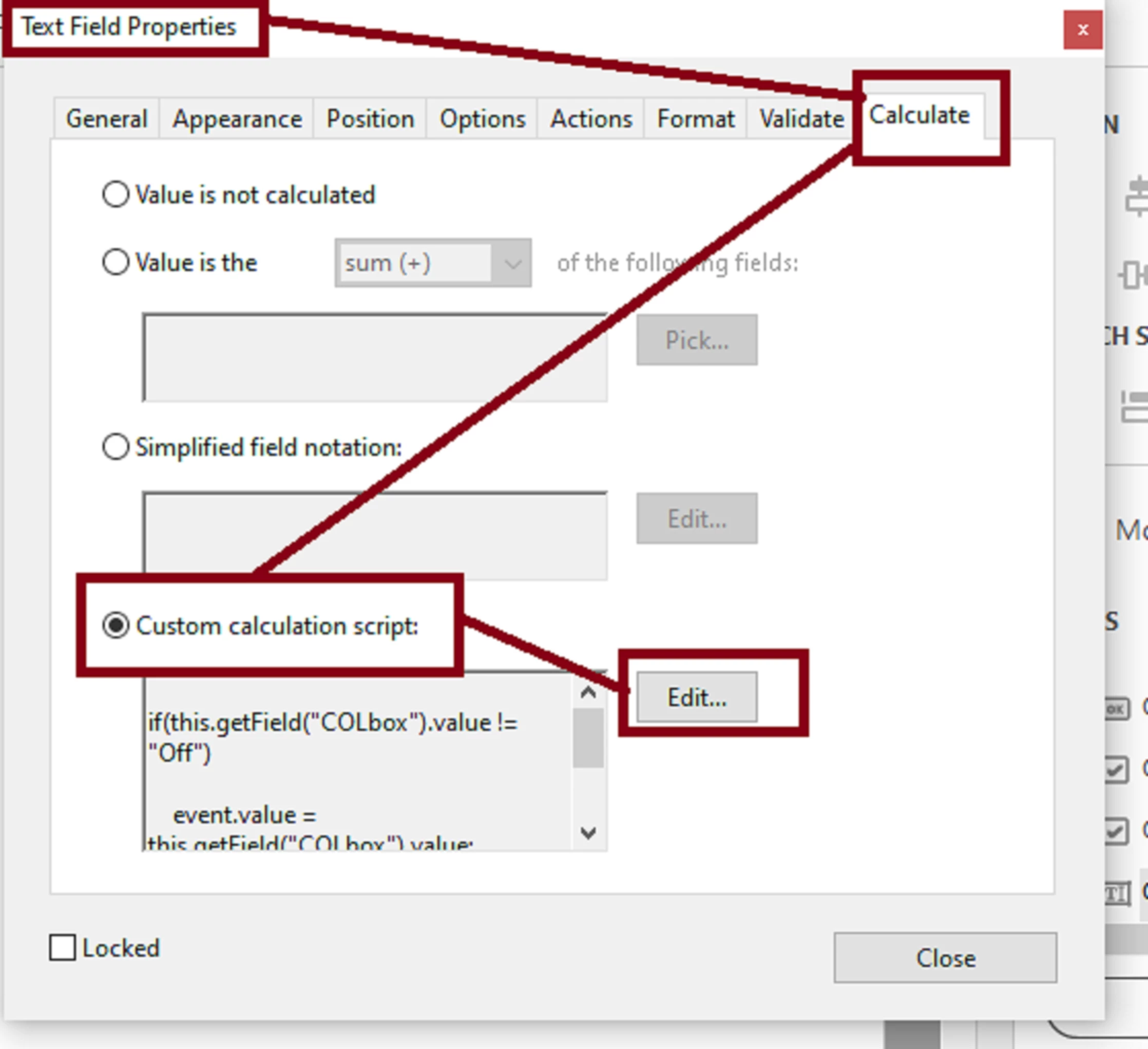
Next,  add the following custom calculation script to colAMT field:


if(this.getField("COLbox").value != "Off")

    event.value = (this.getField("COLbox").value);


See last slide:


1 reply

ls_rbls
Community Expert
ls_rblsCommunity ExpertCorrect answer
Community Expert
August 7, 2020

Hey courtney, I think that you're complicating the script too much.  Also your code is not JAVA; you're using Acrobat JavaScript.


For the checkbox "COLbox",  all you have to is set the export value to "5635" (without the quotes, of course). See slide:


And then go to filed   properties of  "colAMT"; set  the  custom format  for Number and "$" using the Acrobat custom built-in formats:


See next slide:


Next,  add the following custom calculation script to colAMT field:


if(this.getField("COLbox").value != "Off")

    event.value = (this.getField("COLbox").value);


See last slide: