
Participant
December 2, 2021
Question

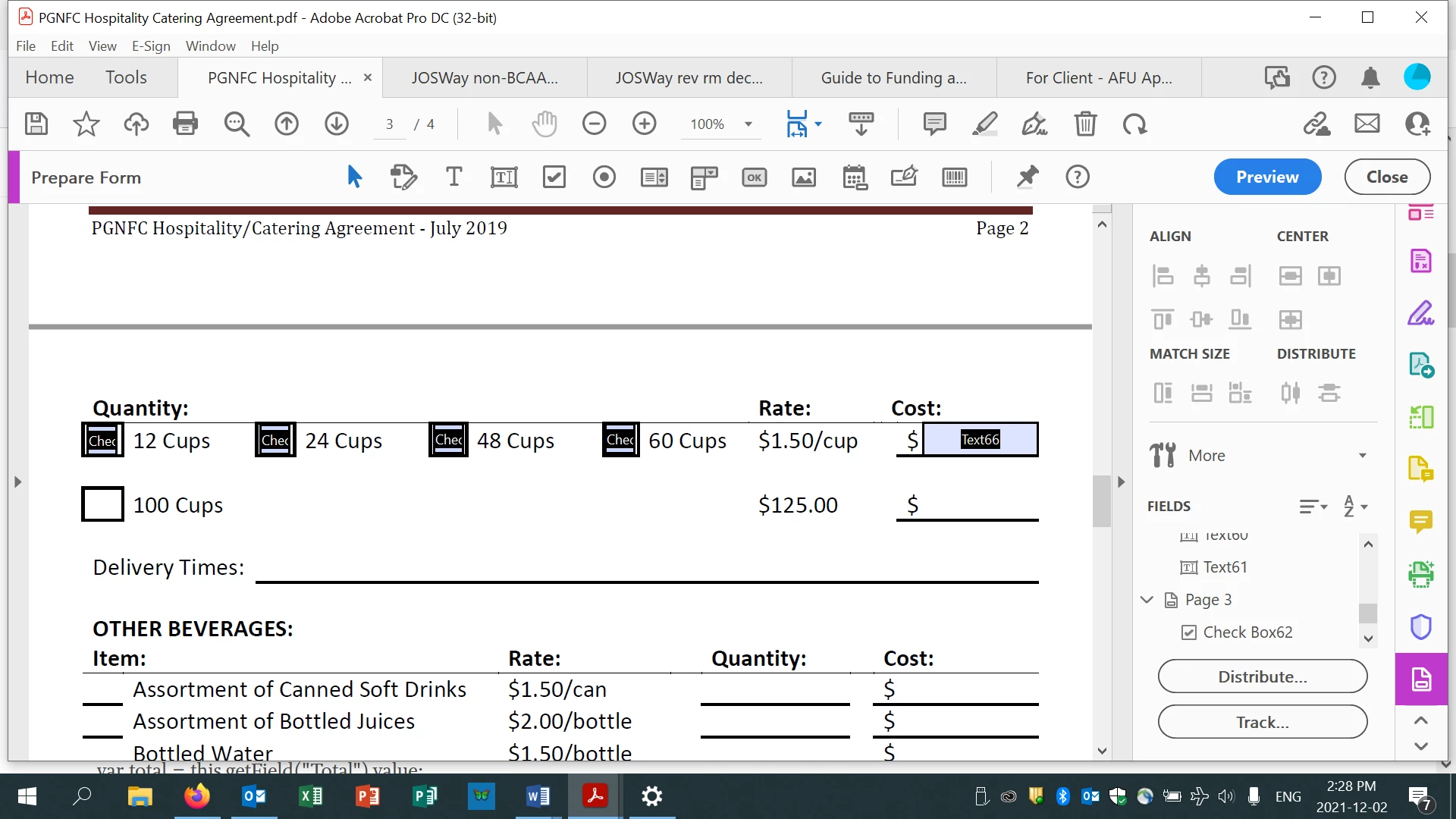
How to Calculate Cost if Box is Checked

  • December 2, 2021
  • 1 reply
  • 333 views

I need a code that will calculate the total cost if one of the check boxes are clicked.  For example, if people check "12 Cups" then the "Cost" text box will calculate: 12*1.50/ cup.  If people want 24 cups, then just change the calculation to: 24*1.50/ cup.  So on and so forth.  Any ideas?


This topic has been closed for replies.

1 reply

Nesa Nurani
Community Expert
Community Expert
December 3, 2021

If I understand this correctly, you don't need script for this.

I assume user can select only one checkbox at a time?

Here is example how to do it:

Name all 4 checkboxes to something like "Cups" so they all have same name so they become mutually exclusive and user can only select one at a time, now go to each checkbox properties -> options tab and change their 'export value' to be number of cups (change 1st checkbox export value to 12, 2nd to 24...etc) now go to field where you want calculation , go to 'Calculate' tab and select 'Simplified field notation' and enter: Cups*1.5