smilin69
Known Participant
May 21, 2020
Answered

Making two dropdown lists dependent on exported value

  • May 21, 2020
  • 2 replies
  • 1713 views

Hi,

I'm very new to working with forms and javascript so please bear with me.


I've got two dropdown lists with export values used for simple calculation. (i.e.:  event.target.value = this.getField("12Round").value; in a separate text box)

Both of the dropdown lists have three options: None, One, and Two with export values of 0, 2, and 4 respectively.


The issue I have is that both are dependent on the other.

Example:  Take a box with two lids that can have two different sets of openings; Round or Square. When the dropdown choice comes up, the quantity outputs for each field work fine, however (2) of each dropdown can't be chosen.  Conditions that work are: (1) of either type, (2) of one type, or (1) of each.


Is there a way to have the dropdown box selections (freeze/ change colour?) as soon as the maximum is reached between both of them?


Thanks!!

This topic has been closed for replies.
Correct answer Bernd Alheit

Hi Bernd_Alheit,

Unfortunately adding that line to the custom calculation script, no matter which line I put it on, doesn't change the result.  Here's the current script I have as custom calculation for the text field and I know the first line is the only one getting a value. I've tried putting this in as a validation script but same result... the nSum > nMax don't override.


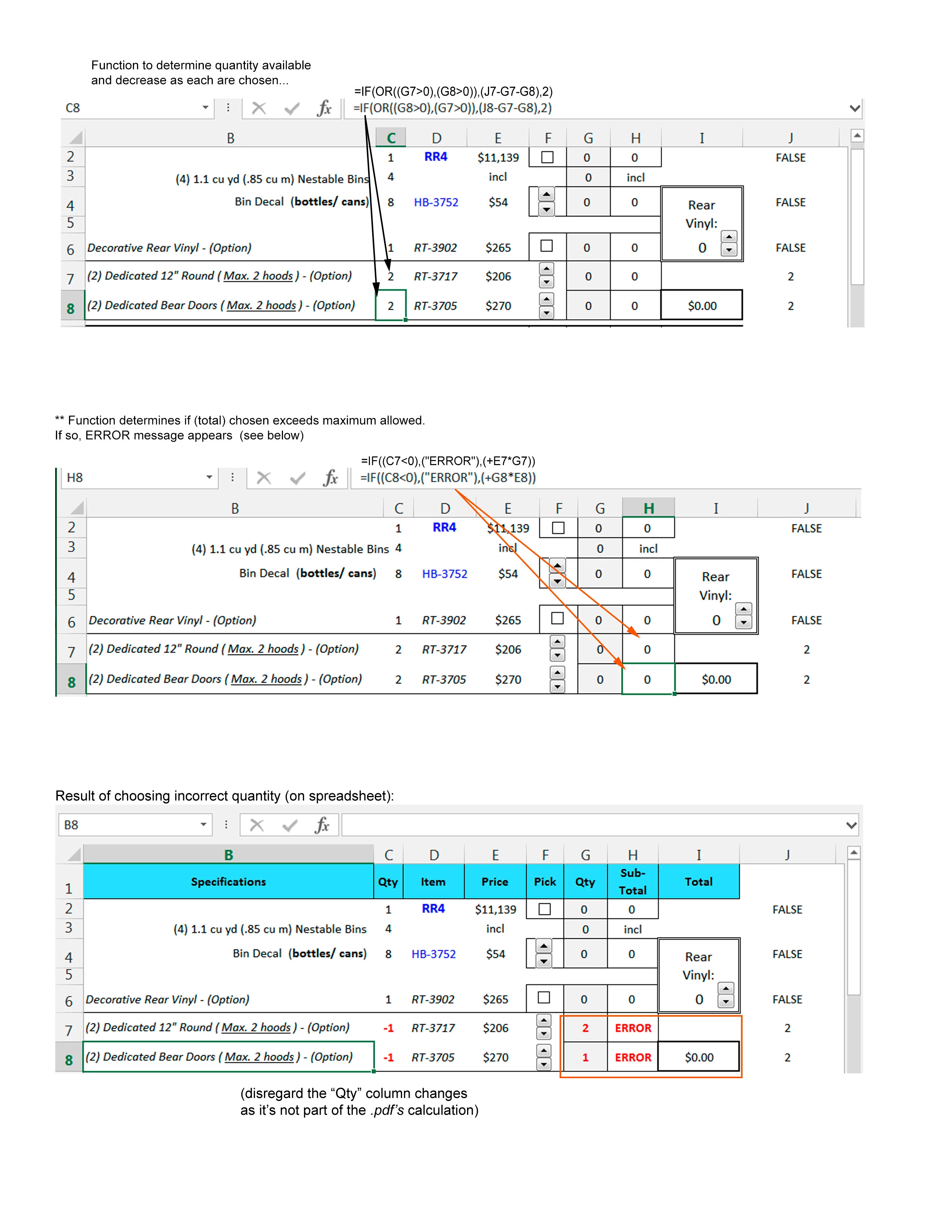
Attached is a sample of how my spreadsheet responds when incorrect values are chosen.  Would a List choice option work better for this script?


event.target.value = this.getField("12Round").value;

var nSum = this.getField("12Round").value + this.getField("Bear").value;
var nMax = 4;
if(nSum > nMax)

{

this.getField("12Round").readOnly = true;
this.getField("Bear").readOnly = true;

}


Use readonly not readOnly

2 replies

smilin69
smilin69Author
Known Participant
May 25, 2020

Hi,

Unfortunately this didn't work on my form. Not sure what was causing two things to happen... first, both fields were still allowing the total values to show; dropdown not becoming a read-only. Then the formula wasn't allowing any calculation to happen.


See my attached .jpg and let me know if I'm missing something else, or have the formula entered incorrectly.


Thanks!

Bernd Alheit
Community Expert
Community Expert
May 25, 2020

Where have you nMax defined?

smilin69
smilin69Author
Known Participant
May 25, 2020

Hi Bernd_Alheit,

As try67 noted, it's not defined anywhere... at this point.


I figured it needed to be as the function needed to know what that (max) would be.  I tried putting (something) like var nMax = 4 at the beginning  (not knowing where it should be or how it should read, of course)... and nothing.


Help!

Thom Parker
Community Expert
Community Expert
May 22, 2020

Yes, use the calculation script in the text field to make the dropdowns ReadOnly when the max is reached.


var nSum = this.getField("12Round").value + this.getField("Other dropdown").value;

if(nSum > nMax)

{

     this.getField("12Round").readOnly = true;

     this.getField("Other dropdown").readOnly = true;


Thom Parker - Software Developer at PDFScriptingUse the Acrobat JavaScript Reference early and often
try67
Community Expert
Community Expert
May 25, 2020

This code is missing the definition of the nMax variable.