

privileged function in Action context
Hi, I have created a privileged function "executeSave" to save a document by the saveAs() method. I can't access folders at the folder level (but that's not important right now), so I put the function definition in the privileged Action context.
// privileged function declaration
var executeSave = function(
	cPath,
	cConvID,
	bPromptToOverwrite,
	bCopy
){
	app.beginPriv();
		saveAs({
			cPath: cPath,
			cConvID: cConvID,
			bPromptToOverwrite: bPromptToOverwrite,
			bCopy: bCopy
		});
	app.endPriv();
}

// inserting a privileged function into app.trustedFunction()
app.trustedFunction(executeSave);
I put all this code into the privileged Action context and named the action executeSave. I restarted the Acrobat application and inserted code into the button in the form to call the "executeSave" function
// call "executeSave" from button MouseUp event
executeSave(
	"/C/Users/Uzivatel/OneDrive/INPUT/myExportFile.ps",
	"com.adobe.acrobat.ps",
	false,
	true
)
Here is a screen shot of how I inserted the above code into the Action:
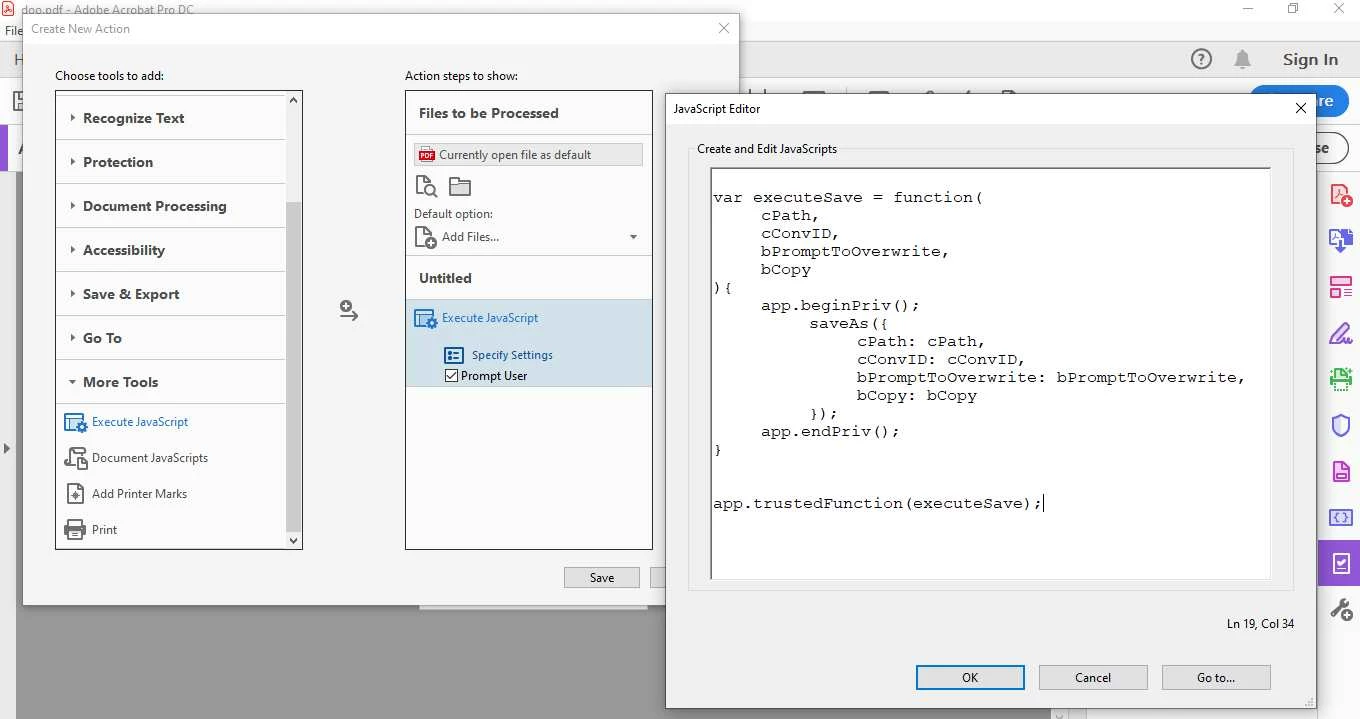
The function works well, but one thing strikes me: it's not enough to just reset the app, I have to clear the named action button and only then can I run the function in the button without any problem. The trouble is also that although the action button has disappeared, I have no idea where to find the code in Acrobat where the privileged function is located. Even after resetting Acrobat the privileged function still exists in the system. As I hinted in the introduction, I don't have access to Acrobat folders, so I'm wondering if it's possible to find all the functions I've wrapped in app.TrustedFunction() somehow through the UI?
Then I'm wondering one more thing. Here I have a list of values for the cConvID method:
"com.adobe.acrobat.docx"
"com.adobe.acrobat.doc"
"com.adobe.acrobat.eps"
"com.adobe.acrobat.html"
"com.adobe.acrobat.jpeg"
"com.adobe.acrobat.jp2k"
"com.callas.preflight.pdfa"
"com.callas.preflight.pdfe"
"com.callas.preflight.pdfx"
"com.adobe.acrobat.png"
"com.adobe.acrobat.ps"
"com.adobe.acrobat.pptx"
"com.adobe.acrobat.rtf"
"com.adobe.acrobat.xlsx"
"com.adobe.acrobat.spreadsheet"
"com.adobe.acrobat.plain-text"
"com.adobe.acrobat.accesstext"
"com.adobe.acrobat.tiff"
"com.adobe.acrobat.xml-1-00"
but which method creates a so-called "optimized" save?
Here is the screen. What I mean by optimized: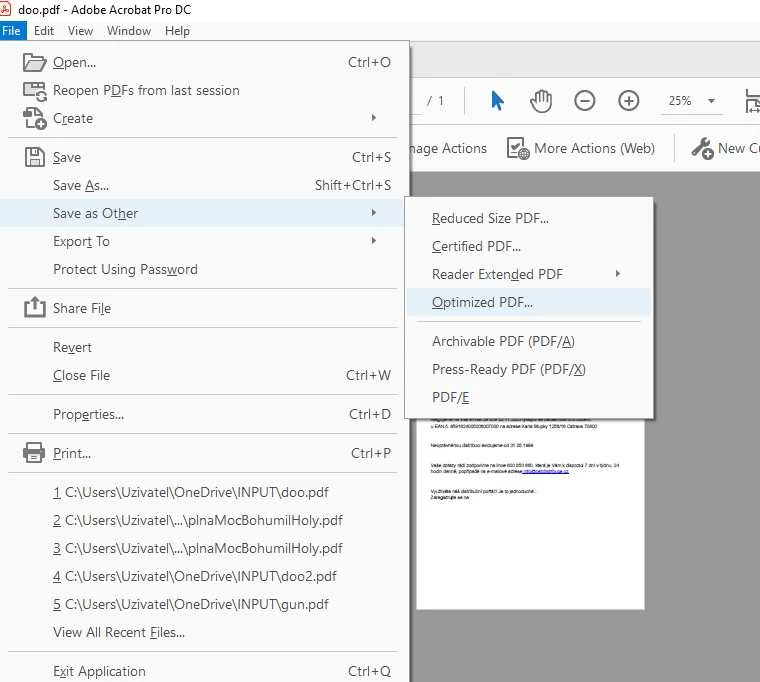
Thanks for help


 AdChoices