

JMFreeman
Inspiring
January 22, 2020
Answered

Problem in my For Loop?

  • January 22, 2020
  • 3 replies
  • 1938 views

This has been infuriating me for a few hours, and it seems like the kind of problem fresh eyes can help with. The issue is explaining it all... I've mentioned my project numerous times, and the same 3 or 4 community members continue to rally to my cause, so I'll get right to it.


The following script is intended to run from a button which is next to a photo. It should move said photo and all photos past it down a slot, leaving the slot it was in "blank", ready for a different photo.

function insTop(){
//If the last photo is already filled in, this spawns a new page first
if(getFieldOn("botPh", this.numPages - 1).buttonGetIcon() != this.getField("blnk").buttonGetIcon()) spawnNewPage();

event.target.setFocus();
	
//these variables are arrays for the affected photos/captions
//they are filled in the order they appear in the document
var topPhs = [];
var topCaps = [];
var botPhs = [];
var botCaps = [];
for(var p = event.target.page; p < this.numPages; p++){//loops through each page starting where the button is clicked
    topPhs.push(getFieldOn("topPh", p));
    topCaps.push(getFieldOn("topCap", p));
    botPhs.push(getFieldOn("botPh", p));
    botCaps.push(getFieldOn("botCap", p));
}//end of pages for loop; arrays are now filled in page order

for(var p = event.target.page; p < this.numPages; p++){//loops back through each page replacing fields
    var tP = getFieldOn("topPh", p);
    var tC = getFieldOn("topCap", p);
    var bP = getFieldOn("botPh", p);
    var bC = getFieldOn("botCap", p);

    bP.buttonSetIcon(topPhs[p - event.target.page].buttonGetIcon());
    bC.value = topCaps[p - event.target.page].value;

    if(p == event.target.page){
        tP.buttonSetIcon(this.getField("blnk").buttonGetIcon());
        tC.value = "";
    }else{
        tP.buttonSetIcon(botPhs[p - event.target.page - 1].buttonGetIcon());
        tC.value = botCaps[p - event.target.page - 1].value;
    }

}//end of pages for loop
    
}

The issue is definitely somehwere near the end, possibly in the if statement. It is supposed to bump each picture either from the top of its page to the bottom of its page, or from the bottom of its page to the top of the next page. 
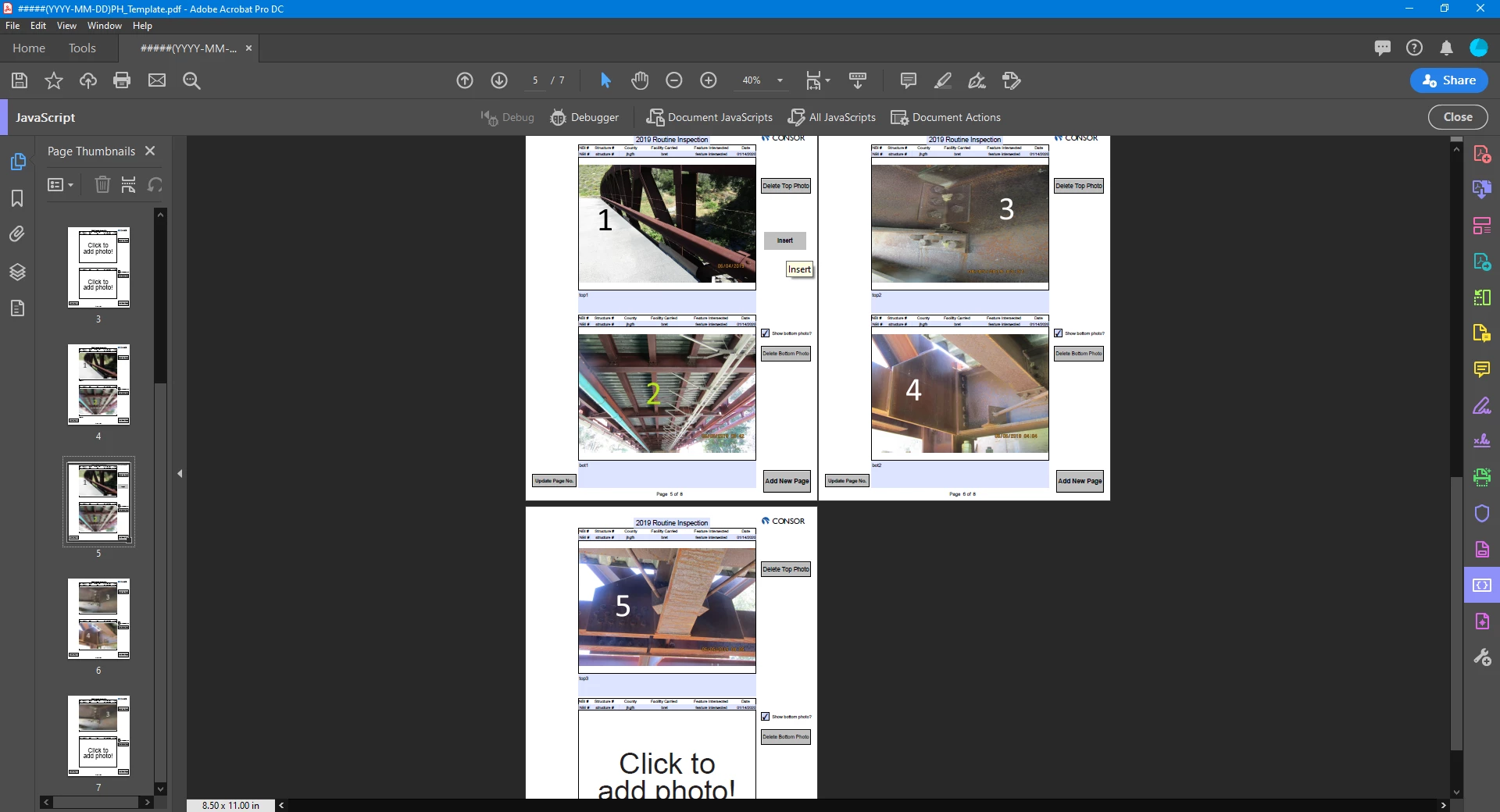
 

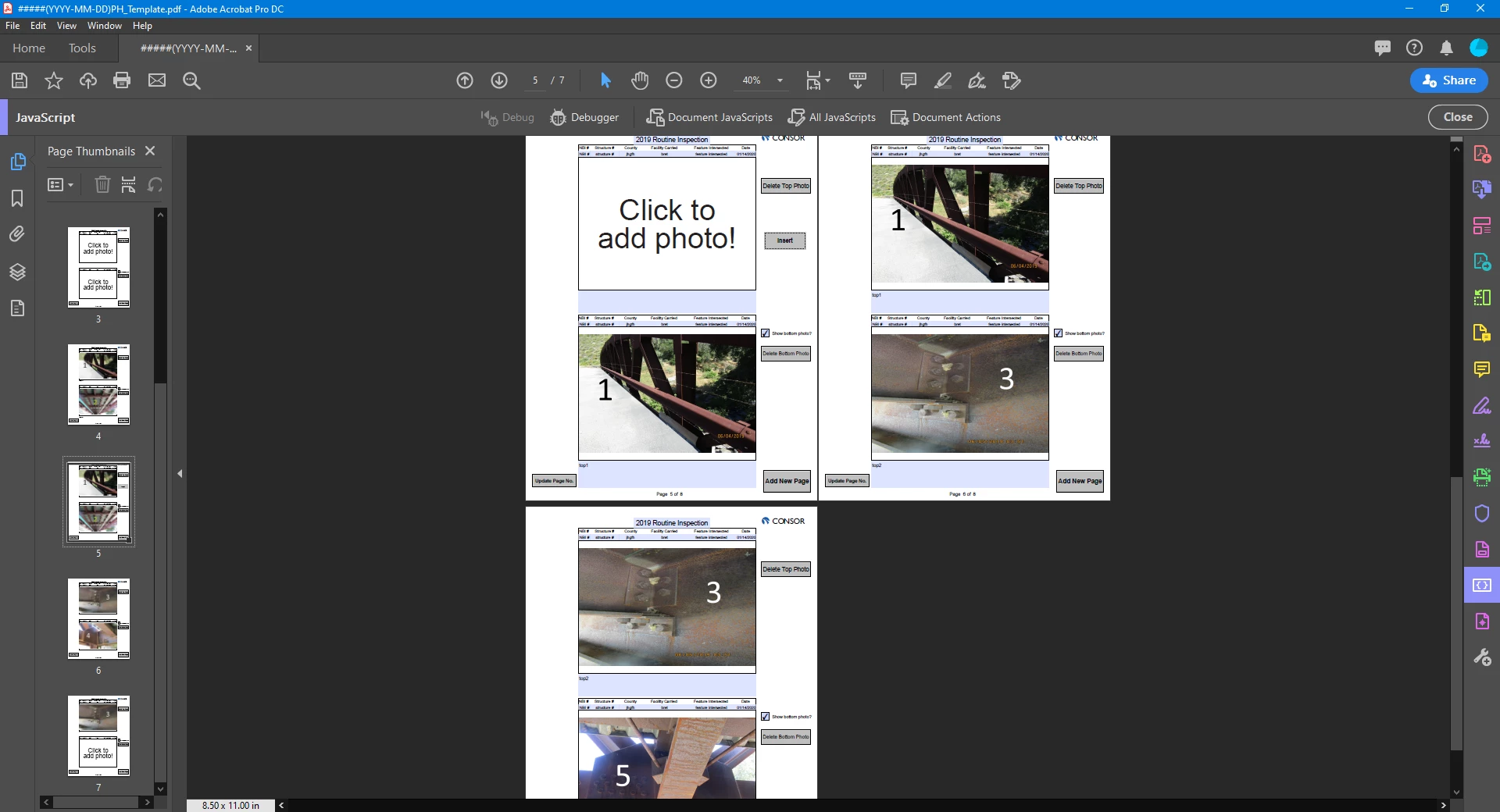
This shows the before state. We are on pg 5 of the PDF, and the photos are labeled to easily see the order.After running the above script, I now have blank, 1; 1, 3; 3, 5 (expected: blank, 1; 2, 3; 4, 5). The bottom photo is working fine. But the top... The most baffling part is the photos its assigning to the top should not be stored in botPhs[] at all! I've pulled all the small parts of this out, and I cannot for the life of me understand what I've done. Please help!
This topic has been closed for replies.
Correct answer Bernd Alheit

For the second for loop use:

for (var p = this.numPages-1; p >= event.target.page; p--) {

3 replies

JMFreeman
JMFreemanAuthor
Inspiring
January 23, 2020

I substituted in the following:

		if(p == event.target.page){
			tP.buttonSetIcon(this.getField("blnk").buttonGetIcon());
			tC.value = "";
		}
		if(p == 3){
			tP.buttonSetIcon(botPhs[0].buttonGetIcon());
			tC.value = botCaps[0].value;
		}else if(p == 4){
			tP.buttonSetIcon(botPhs[1].buttonGetIcon());
			tC.value = botCaps[1].value;
		}

and got the exact same result as the first version (where the array index is calculated). I think this confirms something is going wrong with my array botPhs[]. The photos its applying to the top buttons should not be stored in botPhs at all (at least at the time the arrays are populated). They are only on top photos when the array is made. I know this has to be some misunderstanding on my part! Maybe someone could translate my original posted script to pseudo code. When I try to do that, it seems to me that it should work. So frustrating!

Bernd Alheit
Community Expert
Community Expert
January 23, 2020

You have changed the bottom of the first page before you transfer this to the top of the second page.

JMFreeman
JMFreemanAuthor
Inspiring
January 23, 2020

Something simliar happened when I made the button that does this same thing for the bottom photo. I don't understand it though.

function insBot(){

    //If the last photo is already filled in, this spawns a new page first
    if(getFieldOn("botPh", this.numPages - 1).buttonGetIcon() != this.getField("blnk").buttonGetIcon()) spawnNewPage();

    event.target.setFocus();
	
	//these variables are arrays for the affected photos/captions
	//they are filled in the order they appear in the document
	var topPhs = [];
	var topCaps = [];
	var botPhs = [];
	var botCaps = [];
	for(var p = event.target.page; p < this.numPages; p++){//loops through each page starting where the button is clicked
		topPhs.push(getFieldOn("topPh", p));
		topCaps.push(getFieldOn("topCap", p));
		botPhs.push(getFieldOn("botPh", p));
		botCaps.push(getFieldOn("botCap", p));
	}//end of pages for loop; arrays are now filled in page order

	for(var p = this.numPages-1; p >= event.target.page; p--) {//loops back through each page replacing fields
		var tP = getFieldOn("topPh", p);
		var tC = getFieldOn("topCap", p);
		var bP = getFieldOn("botPh", p);
		var bC = getFieldOn("botCap", p);

		if(p == event.target.page){
			bP.buttonSetIcon(this.getField("blnk").buttonGetIcon());
			bC.value = "";
		}else{
			bP.buttonSetIcon(topPhs[p - event.target.page].buttonGetIcon());
			bC.value = topCaps[p - event.target.page].value;
			tP.buttonSetIcon(botPhs[p - event.target.page - 1].buttonGetIcon());
			tC.value = botCaps[p - event.target.page - 1].value;			
		}

	}//end of pages for loop
    
}

 It messed up similar to what the other button was doing when the end looked like this instead

if(p == event.target.page){
	bP.buttonSetIcon(this.getField("blnk").buttonGetIcon());
	bC.value = "";
}else{
	tP.buttonSetIcon(botPhs[p - event.target.page - 1].buttonGetIcon());
	tC.value = botCaps[p - event.target.page - 1].value;
	bP.buttonSetIcon(topPhs[p - event.target.page].buttonGetIcon());
	bC.value = topCaps[p - event.target.page].value;
}

I cannot understand why this works differently. The getButtonIcon() is paired with the array. Is the value of tP, bP etc. affecting the values in the topPhs[] and botPhs[] arrays?? Does the content of the array change dynamically since the contents are objects? That must be it.......

Bernd Alheit
Community Expert
Community Expert
January 23, 2020

Where does you use the script?

JMFreeman
JMFreemanAuthor
Inspiring
January 23, 2020

I immediately regretted not attaching the PDF when I posted. Hopefully my link works right.


The script I originally posted is stored at document level and is assigned to run on mouse up of the 'Insert' button (temporarily only found on page 3 of the document).

Bernd Alheit
Community Expert
Bernd AlheitCommunity ExpertCorrect answer
Community Expert
January 23, 2020

For the second for loop use:

for (var p = this.numPages-1; p >= event.target.page; p--) {

ls_rbls
Community Expert
Community Expert
January 23, 2020

Can you briefly share what are the suggestions that other community memebers have offered?

JMFreeman
JMFreemanAuthor
Inspiring
January 23, 2020

Sorry, I didn't mean regarding this specific question. I have been asking questions about this specific project for a couple weeks so far, but I have not posted regarding this situation.