Inspiring
January 8, 2019
Answered

Skip to page based on radio button choice

  • January 8, 2019
  • 1 reply
  • 965 views

Hi,

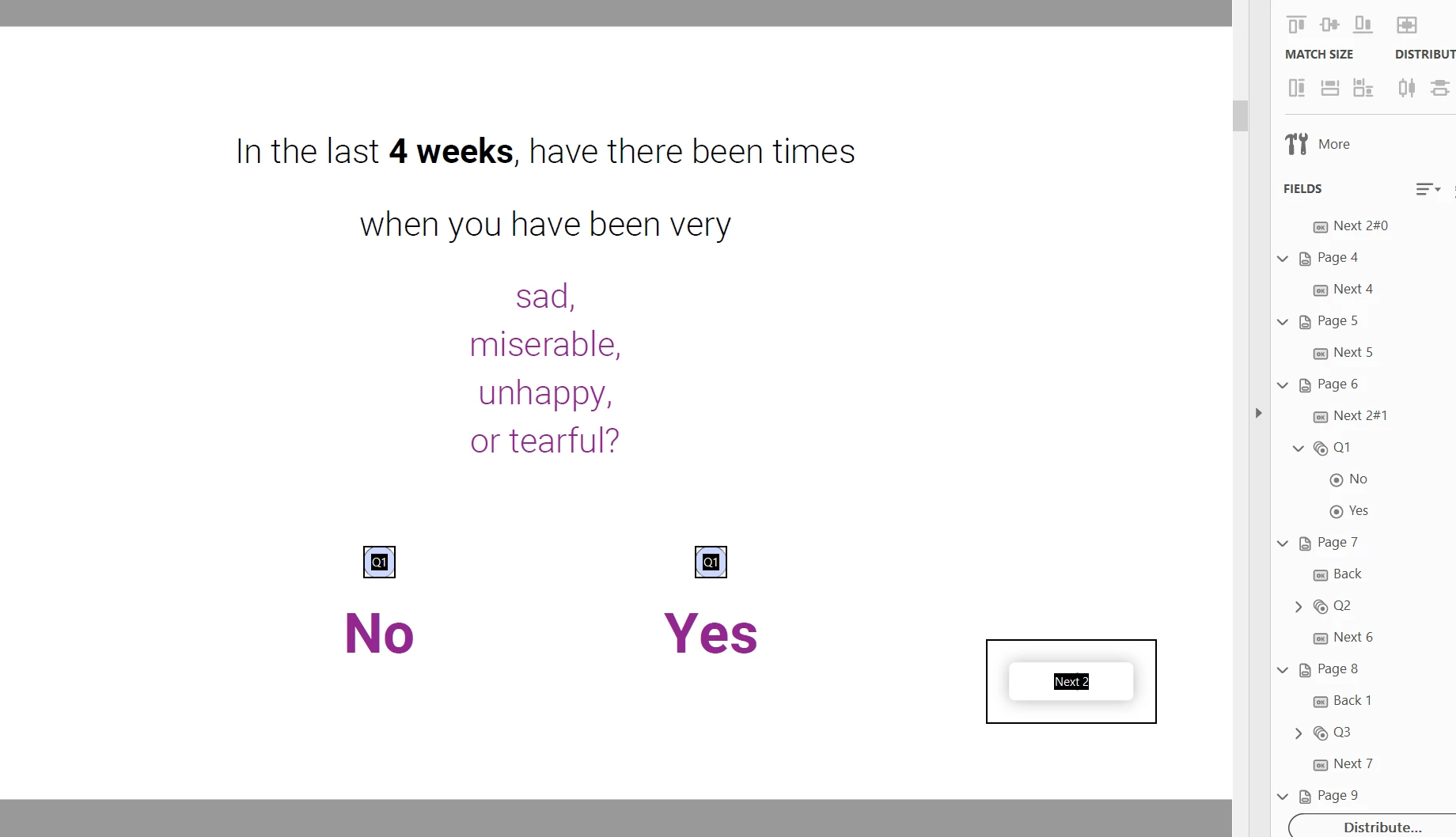
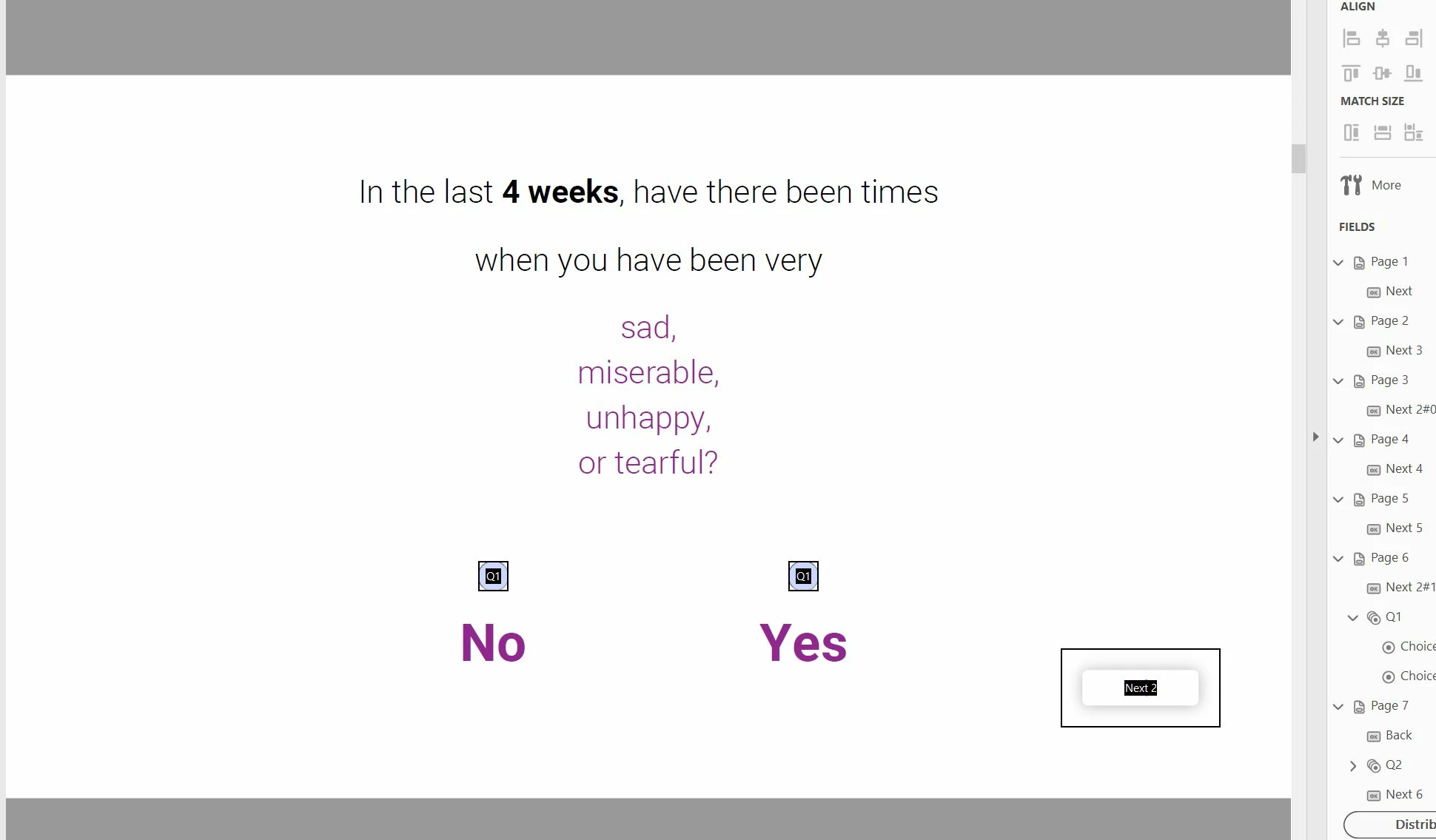
I am creating a mental health pdf form survey with very basic yes/no radio button options (See image below). Each page has one question. I am trying to create some simple code that transitions to the next page if a user selects one radio button (Q1 choice 1), but skip to the 11th page if they select the other (Q1 choice 2). I want this to happen when they click the "next" button.

I assume I add the code to the "next" button... Something like "if radio button Q1 choice 1 = true, go to next page, else go to 11th page" (excuse my lack of coding knowledge).

How would I go about this?

Thanks!
This topic has been closed for replies.
Correct answer jd44

That is a great answer! I put it in the next button javascript code and it ALMOST worked...

I messed around with it and got it working (based on my limited knowledge). I renamed "choice1" and "choice2" to "No" and "Yes" to make it easier to understand (see image below). Also, the "++" part of your code didn't seem to do anything, so I just changed it to the exact page that it should be. This is the code that ended up working:

    var v = this.getField("Q1").valueAsString;

    if (v=="Yes") this.pageNum = this.pageNum = 6; 

    else if (v=="No") this.pageNum = 10;

Does this look like "quality" code? I mean, am I good to duplicate this effect on other pages?

Thanks!!

1 reply

try67
Community Expert
Community Expert
January 8, 2019

You can use this code as the MouseUp script of the button field:

var v = this.getField("Q1").valueAsString;

if (v=="choice 1") this.pageNum++;

else if (v=="choice 2") this.pageNum = 10;

I used 10 on purpose, not 11. It will take you to page 11, though, because the page numbers are zero-based in a script.

Edit: Code fixed

jd44AuthorCorrect answer
Inspiring
January 8, 2019

That is a great answer! I put it in the next button javascript code and it ALMOST worked...

I messed around with it and got it working (based on my limited knowledge). I renamed "choice1" and "choice2" to "No" and "Yes" to make it easier to understand (see image below). Also, the "++" part of your code didn't seem to do anything, so I just changed it to the exact page that it should be. This is the code that ended up working:

    var v = this.getField("Q1").valueAsString;

    if (v=="Yes") this.pageNum = this.pageNum = 6; 

    else if (v=="No") this.pageNum = 10;

Does this look like "quality" code? I mean, am I good to duplicate this effect on other pages?

Thanks!!

try67
Community Expert
Community Expert
January 8, 2019

Sorry, my mistake... It should have been just:

if (v=="Yes") this.pageNum++;

Or:

if (v=="Yes") this.pageNum = 6;