
February 11, 2020
Question

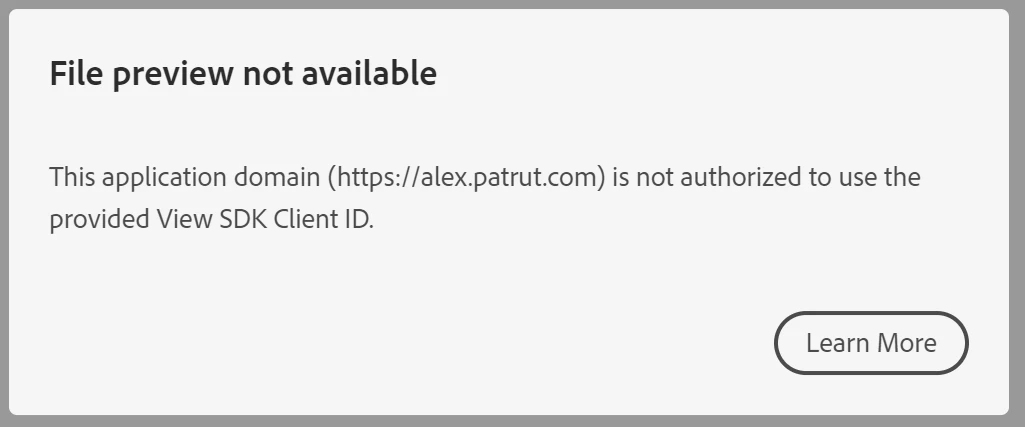
File preview not available

  • February 11, 2020
  • 3 replies
  • 2466 views

This application domain (https://alex.patrut.com) is not authorized to use the provided View SDK Client ID.
 

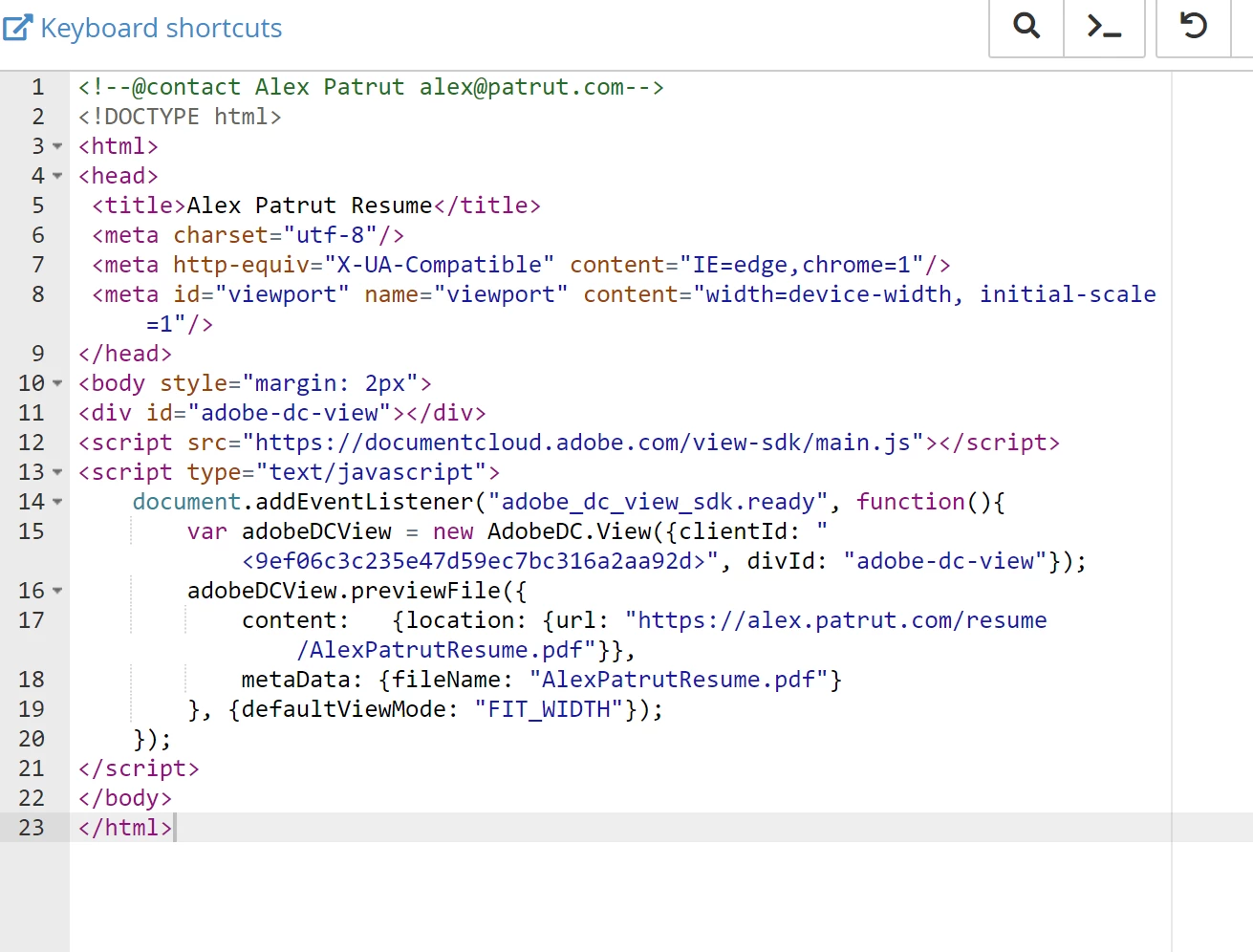
index.html contains the following code:
 

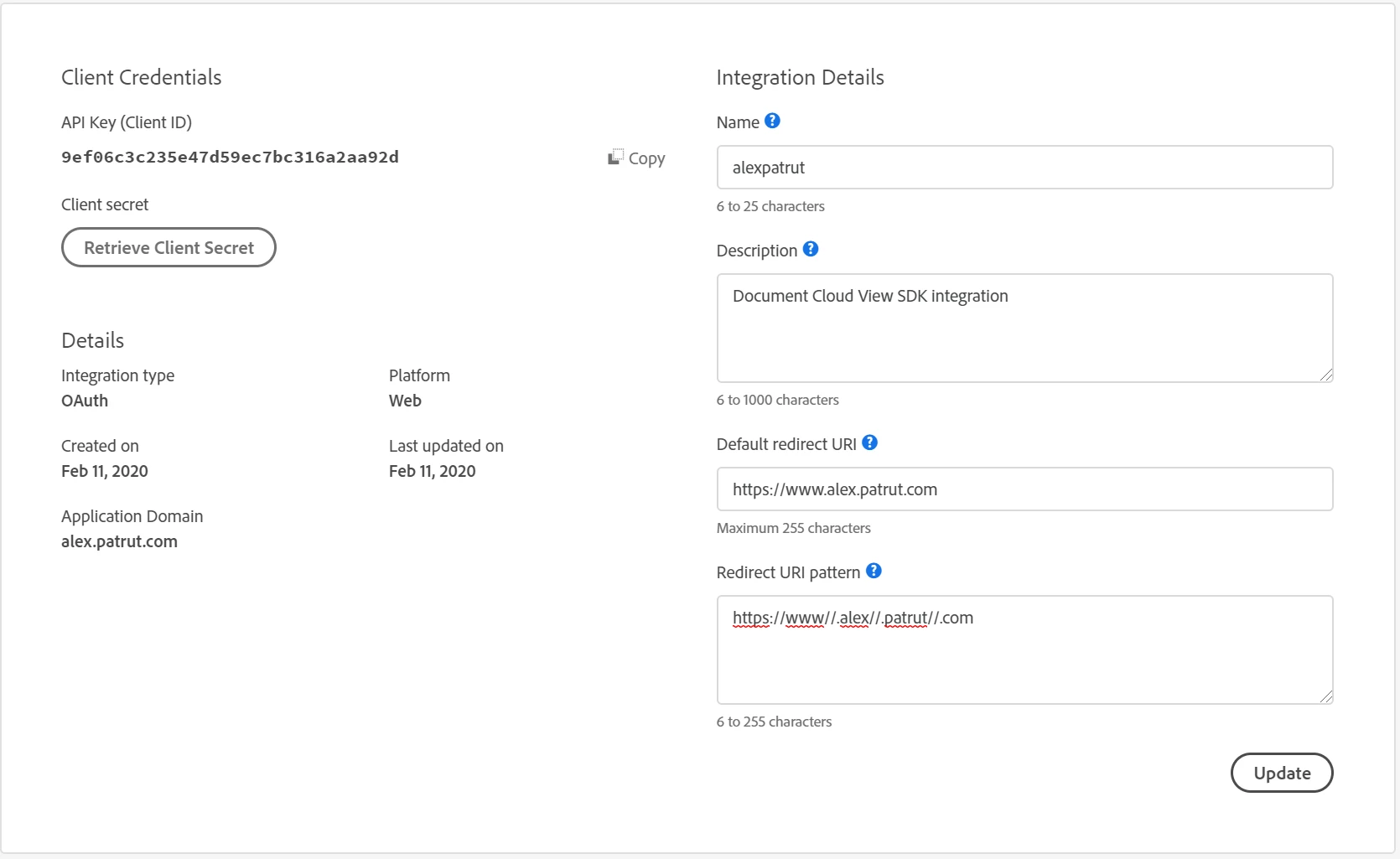
The application domain alex.patrut.com is configured to be autorized in console:
 

What is the problem?

This topic has been closed for replies.

3 replies

February 14, 2020

I got it to work now. Well, not at first at least. Just by creating new credentials didn't do it, I was having the same error. However, out of frustration I went line by line, in the code sample provided by adobe, when I noticed that they included 3 space lines before {location. I didn't think it would matter, but my OCD inspired me to remove them since they are not needed. Guess what, it works for me now... If someone would try and let us know that would be awesome. 


Here is index.php in text format: https://alex.patrut.com/resume/sample.txt. Maybe you can try to copy that, update it with your id and give it a try. 


Adobe Employee
February 14, 2020

Hi, its good that you got it working. But in your commented piece of code looks like you are passing the client id including delimiters "<" & ">", which was creating the problem. 

February 12, 2020

Other people are reporting the same problem, it might be an issue with the adobe service. Can we please get an update from the adobe team? @Tariq_Ahmad_Dar

Community Manager
February 14, 2020

View SDK needs different credential. Please visit https://www.adobe.io/apis/documentcloud/dcsdk/gettingstarted.html to create a client credential for View SDK. Let us know if you run into any issues. The screen for creating View SDK client credetial will look like following -


February 14, 2020
Participant
February 11, 2020

i have the same problem with firebase

February 12, 2020

idem : client Credentials don't work