


Sanserofin
Known Participant
November 5, 2020
Answered

Adobe Stock AI file is not editable

  • November 5, 2020
  • 1 reply
  • 438 views

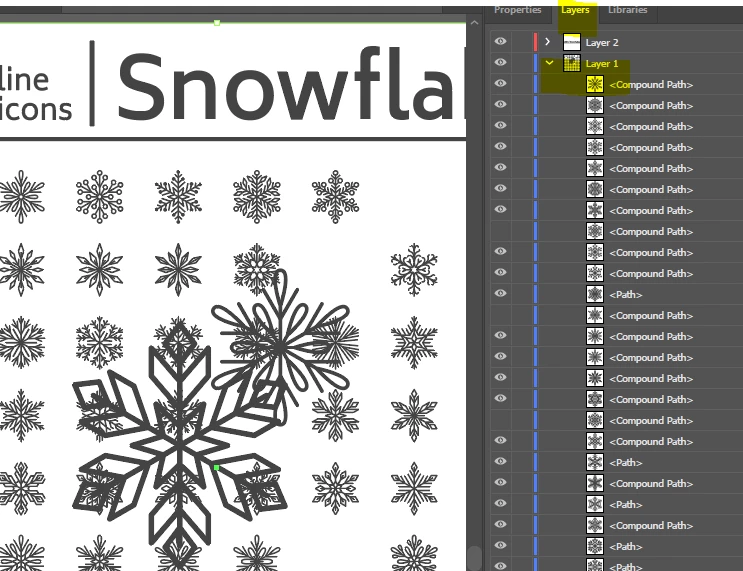
I downloaded a stock background in AI format and expected to be able to isolate the individual elements to use just the ones I want but it is not a vector file. Why does Stock give the option to download in AI format if the file is NOT vector?
This topic has been closed for replies.
Correct answer Contributor1

Hello, the vectors you listed 225243014 and 130379669 both appear to have working individual layers. You should be able to see the individual items in the Layers window of Adobe Illustrator.

1 reply

WendellaBee
Adobe Employee
Adobe Employee
November 9, 2020

Please provide the asset ID for review.

Participant
December 8, 2022

I am having the same problem- maybe I am doing something wrong but this is very frustrating and I pay a lot for this subscription!


(asset IDs: 130379669, 225243014)


[moderator deleted original files from Adobe stock — please do not publish stock assets on public places.]

Contributor1Community ManagerCorrect answer
Community Manager
December 8, 2022

Hello, the vectors you listed 225243014 and 130379669 both appear to have working individual layers. You should be able to see the individual items in the Layers window of Adobe Illustrator.