
Answered
Animation template is not fully displayed after download
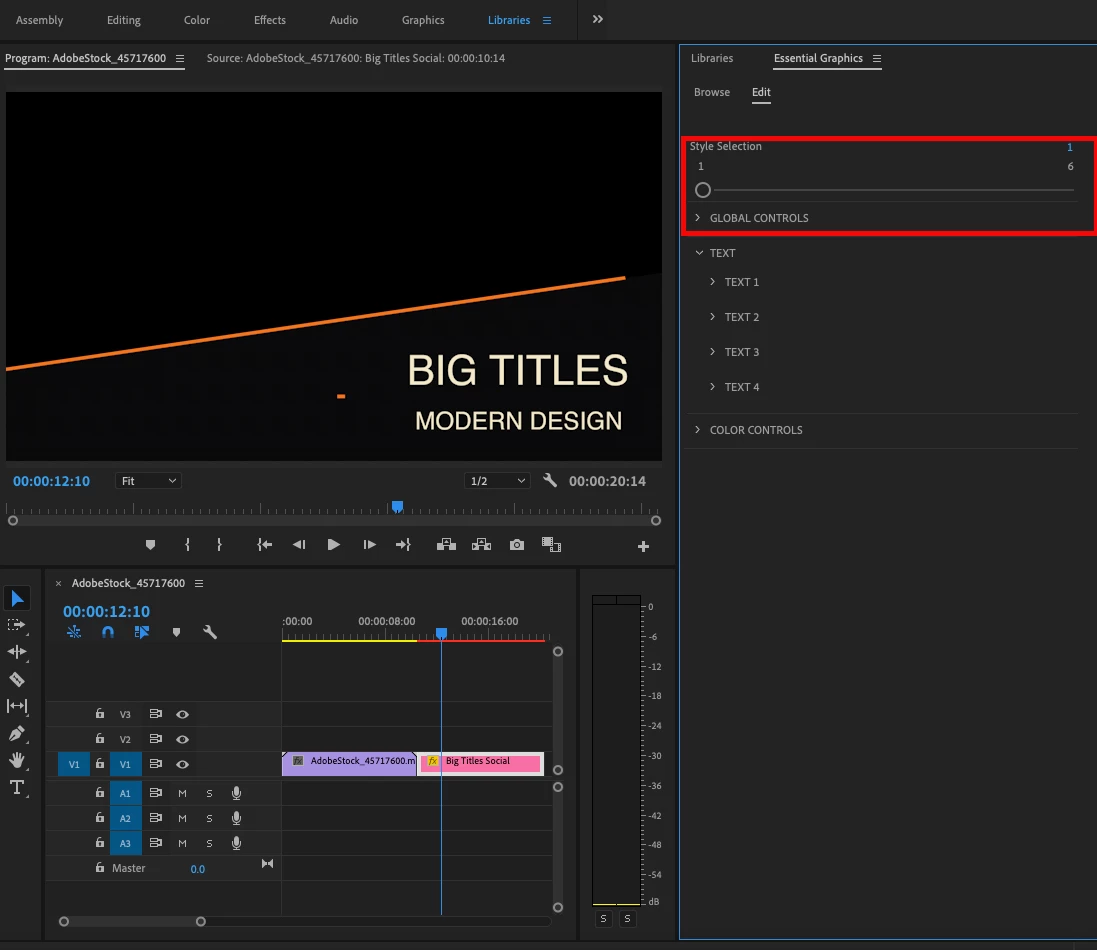
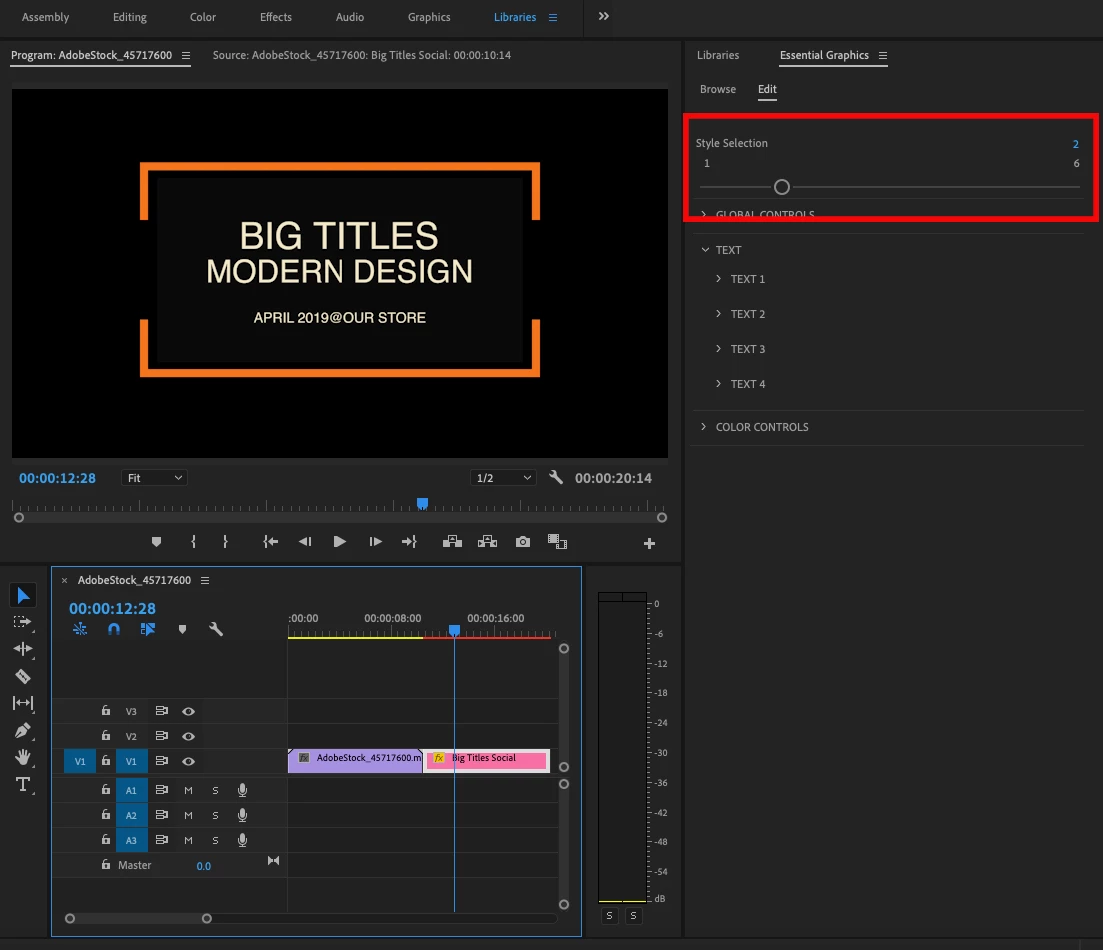
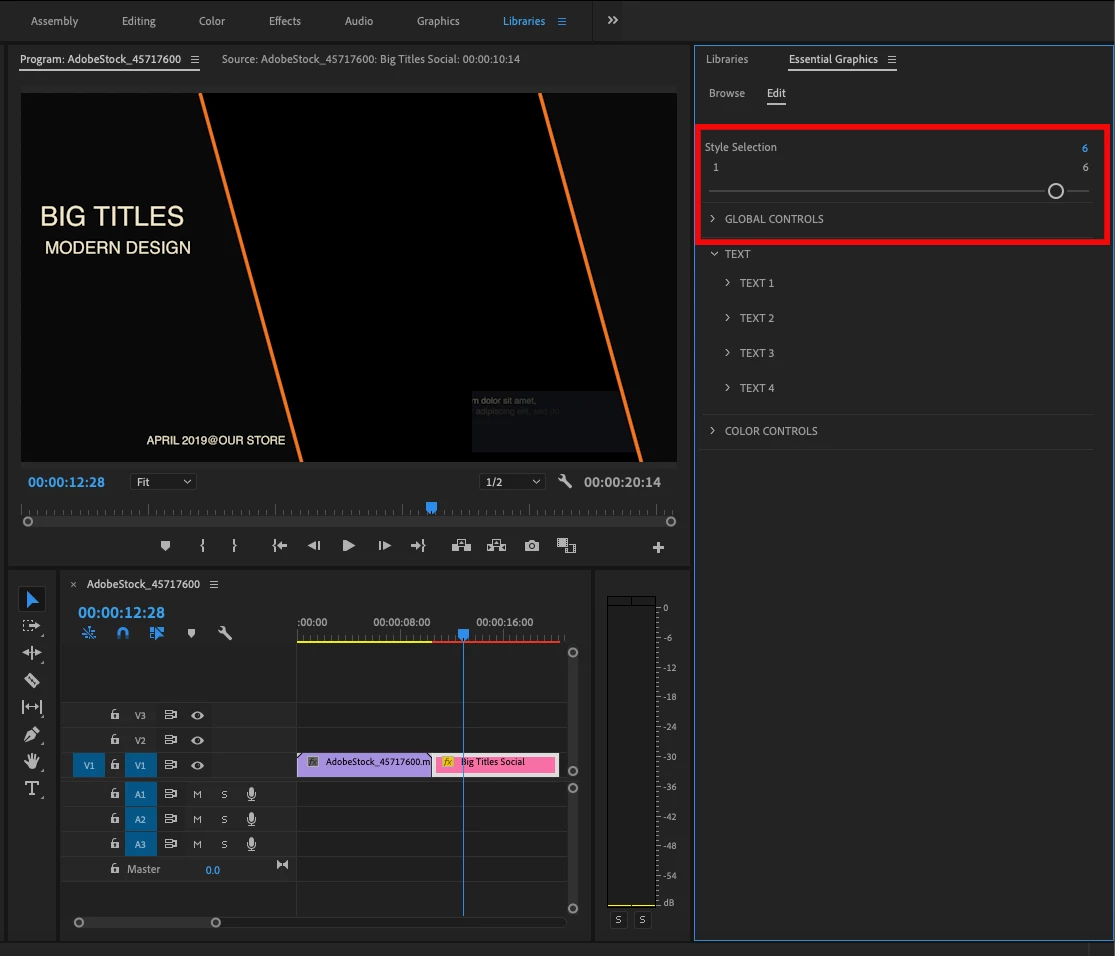
I have licensed an animation template # 309991924 not all 6 styles are shown in adobe premiere pro, only one. What can I do?
I have licensed an animation template # 309991924 not all 6 styles are shown in adobe premiere pro, only one. What can I do?You should be able to switch to the various styles within the Essential Graphics Panel. When you are in that panel and select the template in your timeline, at the top of the edit area there is a slider bar that can take you between the 6 styles. I've included some screen shots below.
Hopefully this helps you.
Jay
Already have an account? Login
Enter your E-mail address. We'll send you an e-mail with instructions to reset your password.


 AdChoices