



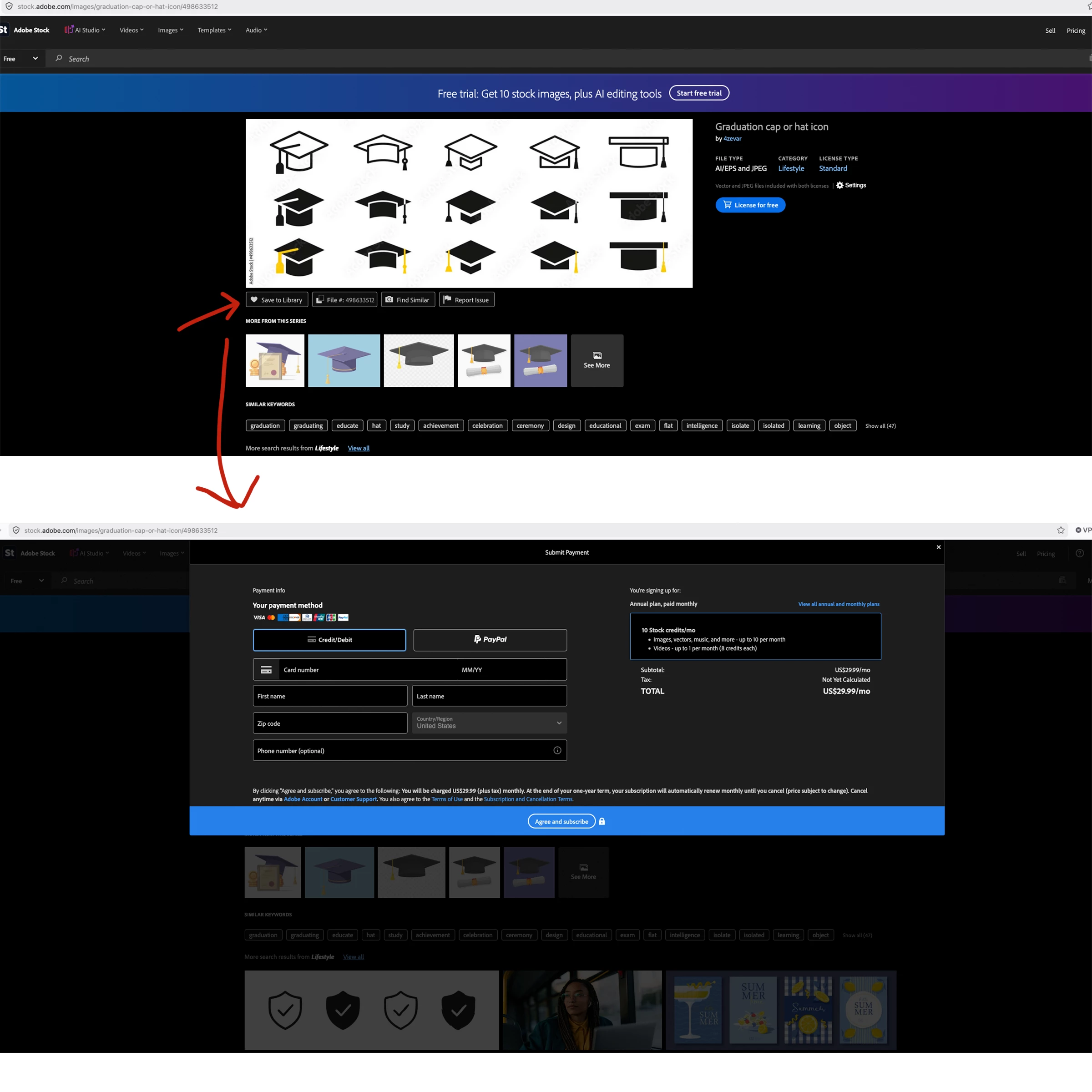
Can no longer save Adobe stock assets to Library
Edit: I ended up solving my issue. Please delete this post if needed!
I solved my issue by switching from my Personal account/profile to my Team (?) account. I did not realize it had somehow switched.
Thank you.
--------------------
Hello,
Is saving images to your saved library no longer allowed for free? Or is there a limit on how many stock assets you can save to the libraries in total? I want to save photos from Adobe Stock to my library, but every time I press the “Save to Library” button, I get a pop up window for payment for a trial version. It did not used to do this. I am using a free level account for the stock site (although I do have a paid subscription for Adobe CC software if that is relevant) and mostly select from the free assets. I do not wish to enter any credit card details and I do not want to upgrade my stock account at this time. This also happens before I download anything, so I have not reached the daily download limit.
I have tried logging in and out, clearing my cache and I have tried different browsers but that did not help. Thankfully I am able to download/license the images with no problem, but it is useful to be able to be able to save the images to libraries to download later or to share the library with others on my team to select assets before downloading. I reached out to Adobe customer service via live chat, but they didn’t really explain to me clearly if there was an issue with my account or if the pop up is able to removed somehow.
Thank you!
 AdChoices