


October 15, 2022
Answered

Can't subscribe / Problem on subscription form

  • October 15, 2022
  • 2 replies
  • 342 views

Hello,

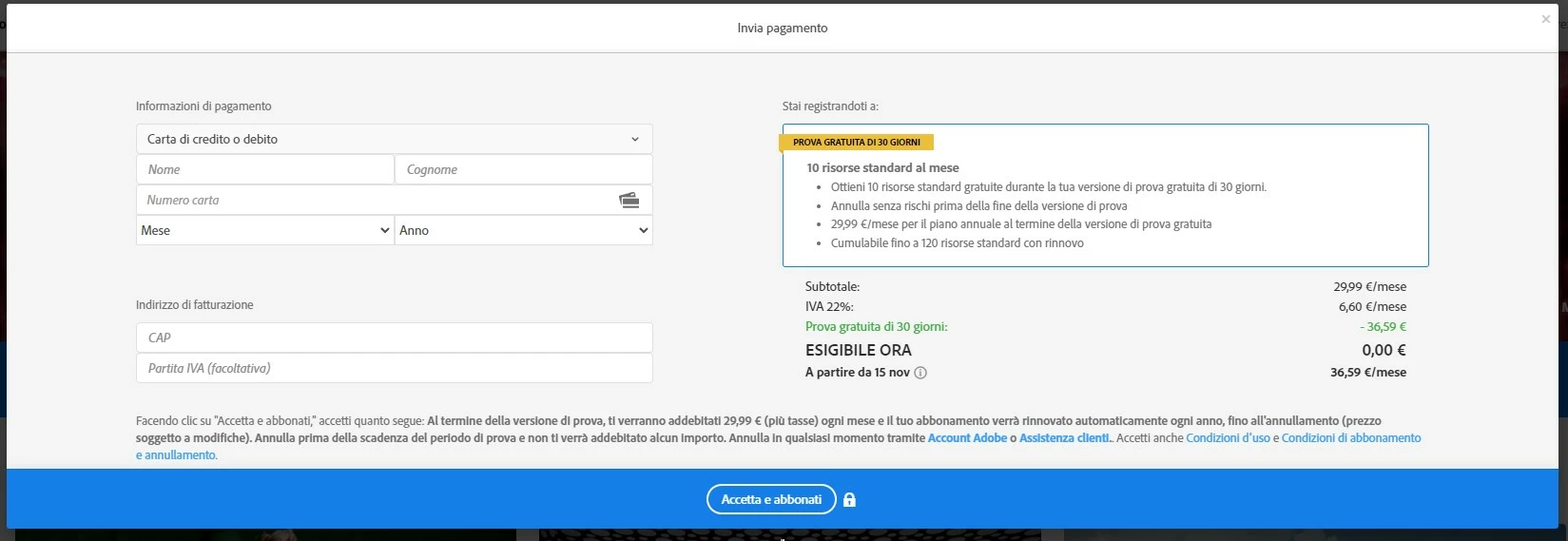
when I try to subscribe to a subscription plan the form does not show all the spaces where to enter the data and I cannot continue, I have tried from different devices and browsers but nothing, I cannot go on. How can I do?

This topic has been closed for replies.
Correct answer Abambo

Thank you for your help.

A friend of mine here in Italy tried to register, same story. It seems in Italy it's impossible to pay...


Sorry about that. All I could say is to contact Customer Service. Adobe customer care can be contacted by beginning a secure chat session at https://helpx.adobe.com/contact.html?rghtup=autoOpen. Pop-up blockers need to be disabled! If the chat window fails to open, or is non-responsive, use a different device to start the interaction.
Support phone numbers may be found here: https://helpx.adobe.com/contact/phone.html. Please note that phone charges may apply.

(see also here: https://community.adobe.com/t5/creative-cloud-services/how-to-contact-adobe-support/td-p/11875703 or here
https://community.adobe.com/t5/account-payment-plan/how-to-contact-adobe-support/td-p/11843852)

2 replies

October 15, 2022

Two different payament methods, same result. It's impossible to sign up

October 15, 2022

Same! I'm very annoyed.

Abambo
Community Expert
Community Expert
October 15, 2022

You need to select the type of your credit card first:


ABAMBO | Hard- and Software Engineer | Photographer
October 15, 2022
Already done it, still missing some form to write the address
Abambo
Community Expert
Community Expert
October 15, 2022

You do not need to enter a complete address. You need only to enter your postal code and optionally your VAT number.

ABAMBO | Hard- and Software Engineer | Photographer