Participant
March 24, 2017
Answered

Downloaded 2 photos that are .ai files...I don't have Illustrator

  • March 24, 2017
  • 2 replies
  • 209 views

Why am I getting .ai files when I downloaded 2 photos?  And they used up 2 credits.  Anyone else?

    This topic has been closed for replies.
    Correct answer Sheena Kaul

    Hi Thomas,

    It could be a possibility that you had searched for the images/photos but the results included .ai files as the keywords matched them as well.

    You can refine your search anytime using the filters as shown in the screenshot below:
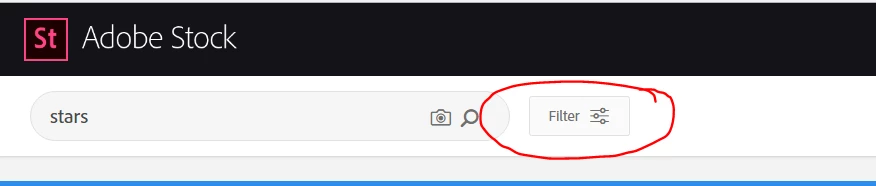
    You can also view the file type once you open it before licensing the image as below:

    Just to be sure, can you help me with the image IDs that you downloaded and I can check the same for you?

    Regards,

    Sheena

    2 replies

    Sheena Kaul
    Community Manager
    Sheena KaulCommunity ManagerCorrect answer
    Community Manager
    March 27, 2017

    Hi Thomas,

    It could be a possibility that you had searched for the images/photos but the results included .ai files as the keywords matched them as well.

    You can refine your search anytime using the filters as shown in the screenshot below:

    You can also view the file type once you open it before licensing the image as below:

    Just to be sure, can you help me with the image IDs that you downloaded and I can check the same for you?

    Regards,

    Sheena

    tmcasperAuthor
    Participant
    March 24, 2017

    Hmmm...ok seeing now going back that the pic says what format it's in.  This seems a little tough to have realized for someone new to  the site/stock images in general.  Is there any way to get my credits back and/or convert these into regular images?

    Participant
    March 25, 2017

    It's easy to convert your file from an ai file to jpeg, or something else. I go to Zamzar.com, upload my Adobe file, choose 'convert" to jpeg, then enter my email. Within a couple of minutes the new file is emailed to me.